Constructable vs. Buildertrend
The Buildertrend alternative built for commercial general contractors
Constructable is the Buildertrend alternative for general contractors doing commercial work. Run RFIs, submittals, drawings, subcontracts, and AIA-style pay apps with your subs, architects, and owners in one app, with flat pricing and unlimited users.
What your team gets when you switch from Buildertrend
Keep the schedules, daily logs, change orders, and budgets your team runs today, and add the contracts, billing, and paperwork a commercial job runs on, for one predictable monthly bill.
Flat pricing with unlimited users
Plans start at $850 a month, with unlimited users and projects. Your subs, owners, and architects join at no extra cost.
RFIs and submittals tied to the drawings and specs
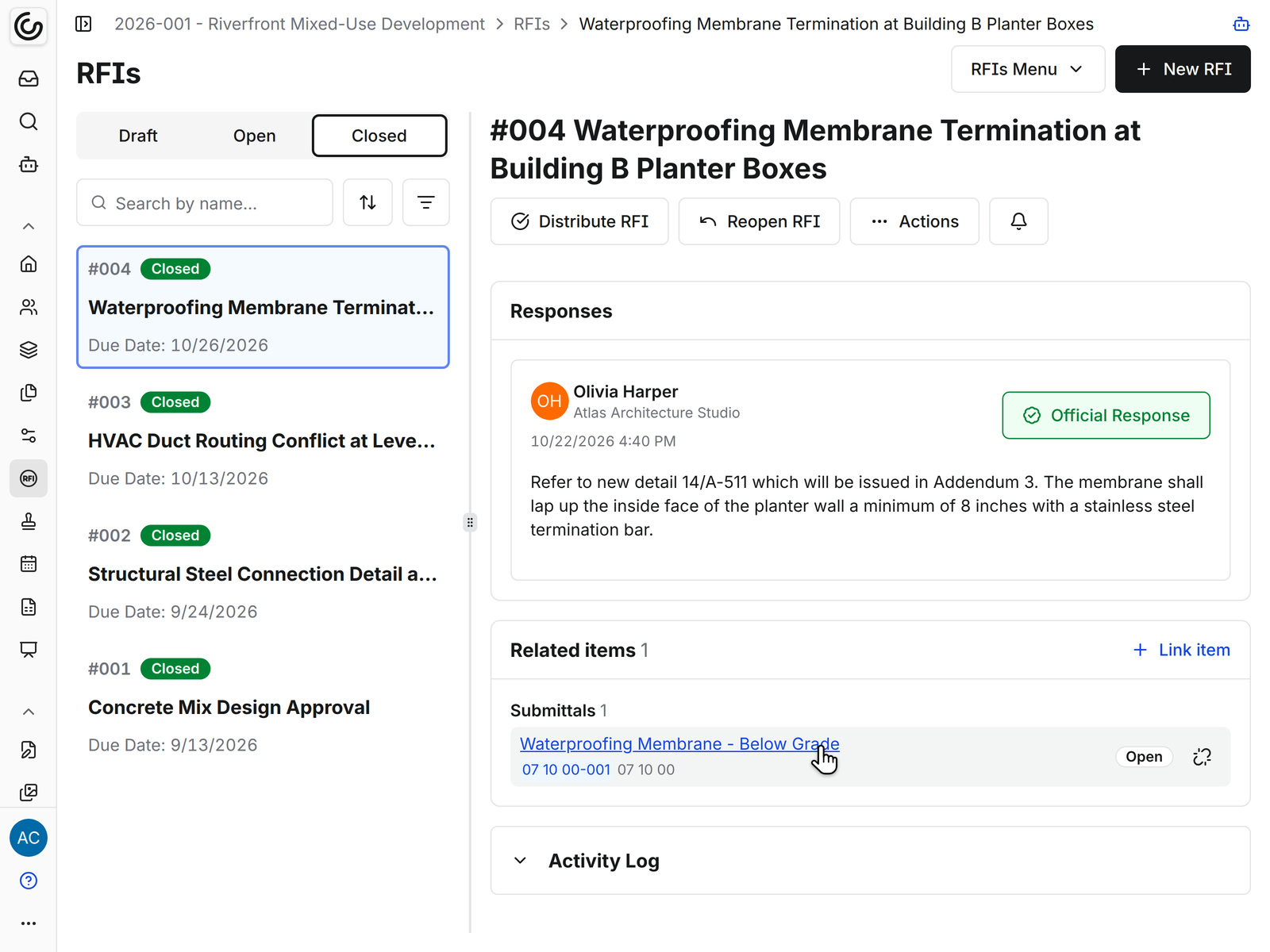
Pin an RFI on the sheet it's about, and file each submittal under its spec section. See our construction RFI software and construction submittal software.
Drawing sets with revisions, pins, and Revision Review
Every sheet keeps its revisions, pins show RFIs and punch items where they are, and Revision Review writes an AI summary of what changed. See our construction drawing management software.
Subcontracts and POs with built-in e-signing
Write each subcontract with its schedule of values, then send it for signature from the same page. See our construction subcontract management software.
Owner and subcontractor pay apps with retainage
Bill the owner and approve your subs' pay apps against the schedule of values, then download the Payment Application with its summary and detail sheets. See our construction pay application software.
Lien waivers and insurance tracking
Send a lien waiver with each sub's pay app, and collect a certificate of insurance before the sub signs. See our construction lien waiver software and subcontractor directory.
Daily logs, inspections, and punch lists on the jobsite
Your supers run them in the Constructable app for iPhone, iPad, and Android. See field management.
Accounting sync
Approved owner invoices and sub pay apps go to QuickBooks Online. QuickBooks Desktop and Sage Intacct also sync commitments and change orders. See financial management for what syncs with each.
Data migration and training included
We move your project data, and train everyone on your team for as long as it takes.
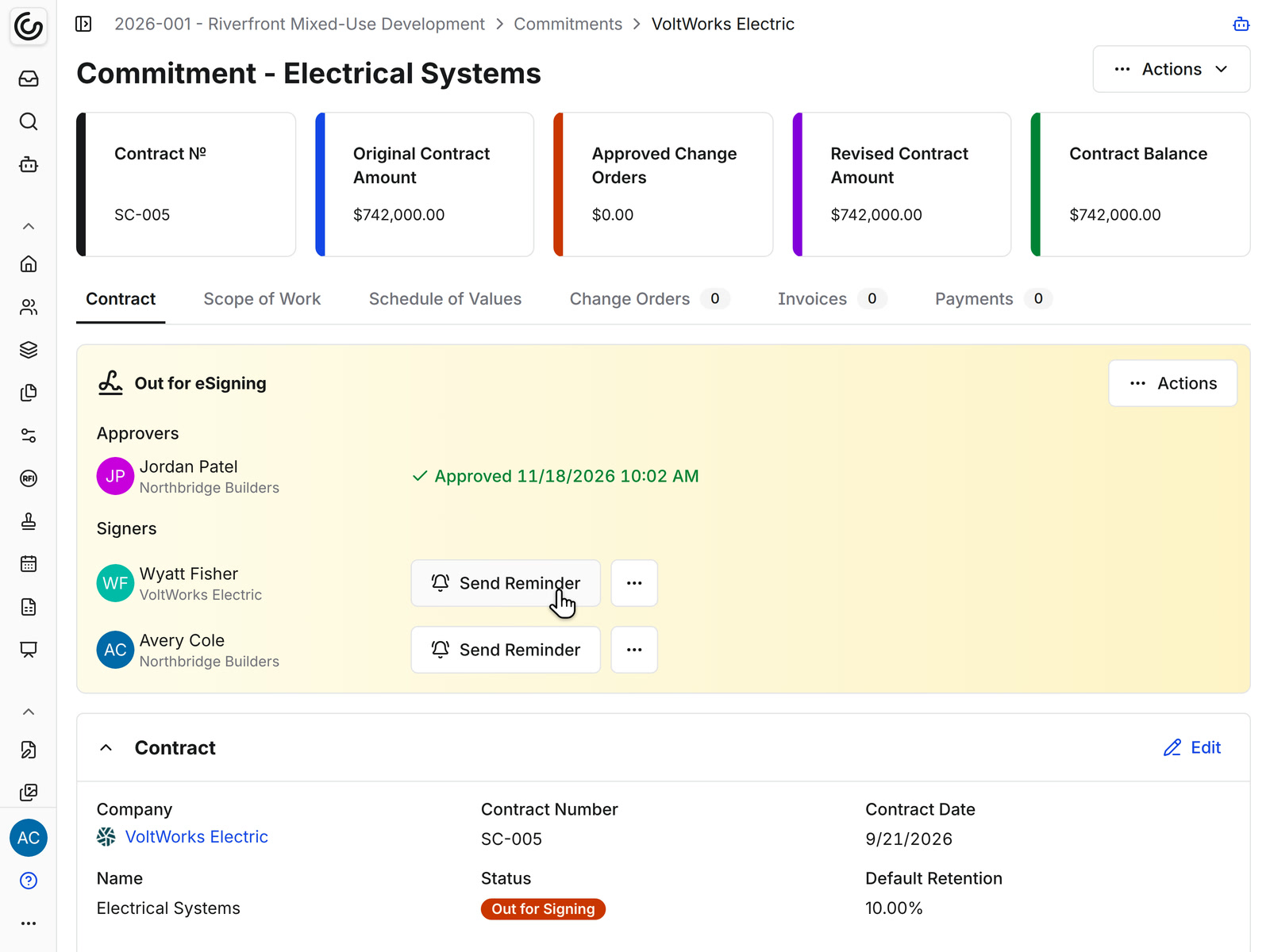
Subs, architects, and owners
Built for the subs, architects, and owners on a commercial job
On a commercial job, much of the work happens outside your office. Invite the architect, your subs, and the owner's team to the project, and each one works in Constructable under a role that sets what they can see and change. Every plan includes unlimited users, so nobody needs a paid seat.
• Architects: answer RFIs and review submittals in their approval stage, and you accept the answer that counts and send out the closed RFI
• Subcontractors: sign their subcontract through built-in e-signing, then submit pay apps against their schedule of values, with their lien waivers
• Owners: get a Payment Application with summary and detail sheets each billing period, with your subs' pay apps as backup when they ask
Where each Buildertrend tool lives in Constructable
Find the tool your team opens in Buildertrend today, then see where that work happens in Constructable. Each name links to its feature page. Which tools you get depends on your plan.
Project Management
Financial Management
And the tools commercial jobs run on
Run a workflow that isn't listed here? Bring it to your demo, and we'll walk through how your team would handle that work in Constructable.
AI is included in your plan at no extra cost
In Constructable, AI is included at no extra cost, with unlimited use across all your projects. What you can use depends on your package.
Revision Review
An AI summary of what changed between drawing revisions, sheet by sheet, including changes nobody clouded.
Autofill from Description
Dictate a punch item, and Constructable fills in the location and trade, and suggests an assignee when the trade points to one sub.
Phone call summaries
Upload a jobsite call to the daily log, and Constructable transcribes it and writes the summary.
Submittal PreCheck
Flags what in a submittal package doesn't line up with your specs and drawings before you route it.
AI invoice import
Turns your subs' invoice PDFs into draft invoices on the right project, commitment, and billing period.
AI takeoff
Choose the sheets and get fixture counts and floor areas back on the plans.
Customer Story: JDL Construction
What outgrowing Buildertrend looks like
JDL Construction is a Bay Area general contractor that remodels industrial warehouses for developers like Prologis and Link Logistics and builds out fitness studios. It started on Buildertrend, where change orders, RFIs, and project costing took workarounds and separate tools. “We were kind of hitting a wall with the features and usability of Buildertrend,” says Jared Vick, President and CEO. We moved JDL’s data, set up its project templates, and trained the field and office teams. “Now we kind of have an all-in-one package with Constructable. It makes our process a lot easier for pretty much every step of the way.”
Loved in the office and in the field
Run daily logs, inspections, and punch lists on the jobsite with the Constructable app for iPhone, iPad, and Android.


No hidden fees. No outsourced call centers.
Just real help, from real people.
No-cost data migration & onboarding
Unlimited training included
Support that actually supports you
at a glance
too?
Create trust.
Build the future.
Let's get you building better.


