Procore migration, done for you

Our team does your Procore migration at no extra cost: projects, directory, drawings, specs, RFIs, submittals, photos, and financials, still linked to each other. Keep working in Procore until you go live, then pay flat pricing with unlimited users.

Everything your team built in Procore comes with you

Your projects don't start over in Constructable. Our team moves each of these from Procore, so your history is there on your first day.

  • Projects and project directories

    Each project with its Project Admin details, sub jobs, and the companies and people on the job.

  • Companies, people, and insurance certificates

    Your whole company directory, with each sub's insurance certificates. See subcontractor directory.

  • Budgets

    Each project's budget. See budgeting.

  • Commitments and schedules of values

    Each commitment with its schedule of values. See subcontract management.

  • Change events and change orders

    Every change event and the change orders that came out of it. See change orders.

  • Billing periods, invoices, and payments

    Owner and subcontractor invoices, with the payments made against them. See pay applications.

  • Drawings and every revision

    Areas, sets, disciplines, and the revisions of each sheet. See drawing management.

  • Specs

    Spec sections and their PDFs, with revisions. See specification management.

  • RFIs

    Each question with its responses and attachments. See RFIs.

  • Submittals

    Workflow steps, approver responses, and attachments. See submittals.

  • Photos

    Every photo, in the albums your team made. See photo documentation.

  • Documents and project archives

    Files from Procore's Documents tool, plus daily logs, punch lists, and meetings from a Project Archive. See document management.

Connected records

Your records come over still linked to each other

The migration moves the links between records along with the records, so the trail you built in Procore still holds together.

• Paying a sub: each invoice stays on its commitment, and each payment stays on the invoice it paid

• Checking a submittal: it stays on its spec section, with its workflow steps and approver responses

• Looking back at an RFI: its responses keep their attachments, so the sketch the architect sent is still there

• Tracking a change: change orders stay with the change events they came from
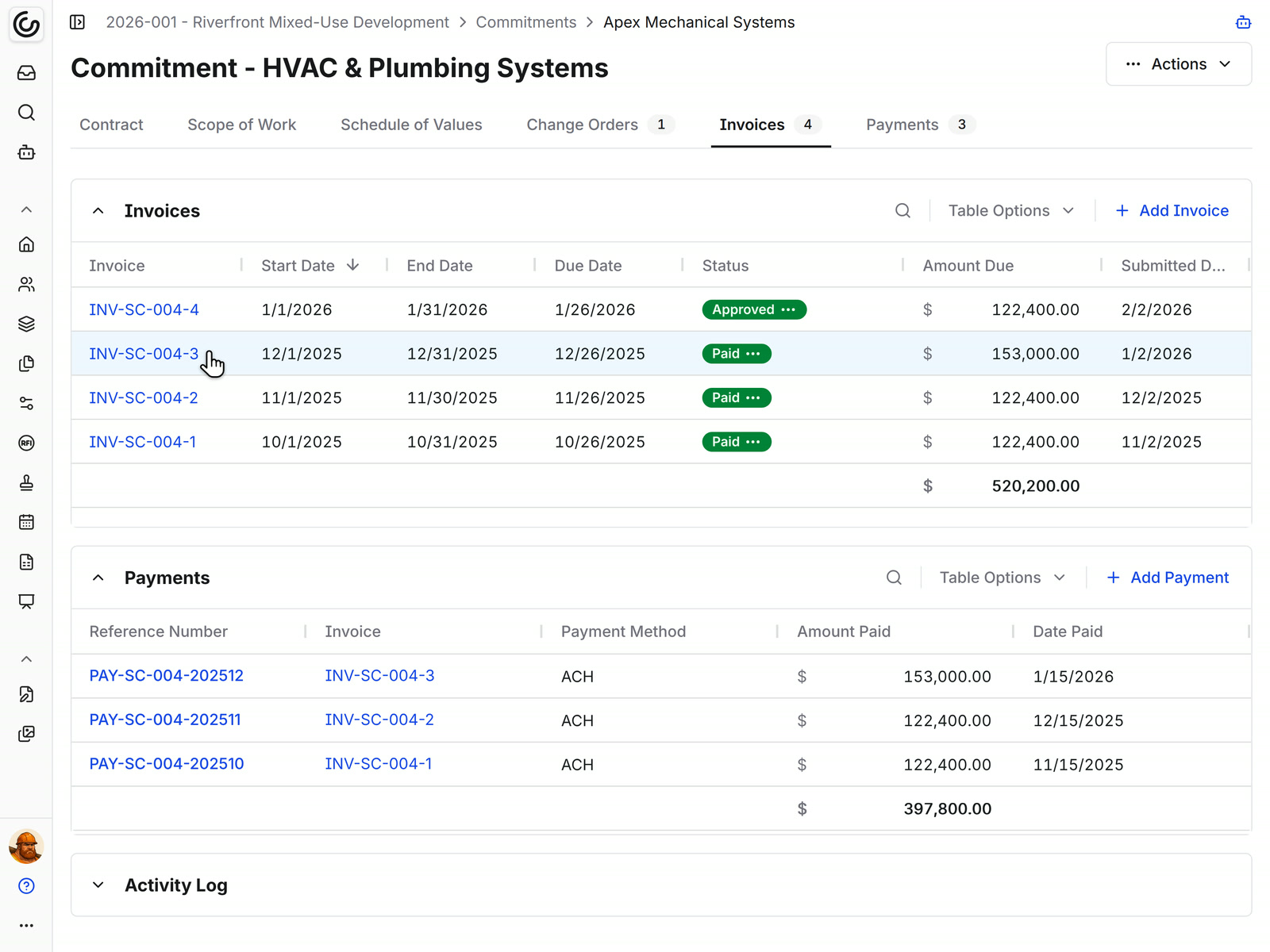
A commitment for HVAC and plumbing systems with Apex Mechanical Systems in Constructable, showing four invoices with their billing dates, status, and amounts, and below them the three payments, each linked to the invoice it paid

Project history

Daily logs, punch lists, and meeting minutes come too

A Procore Project Archive holds the records that don't move as live data. We put its Daily Logs, Documents, Punch List, and Meetings folders into a Procore Archive folder in the project's Documents, in the archive's own folder structure.

• An owner asks what happened on a day last spring: open that day's daily log from the archive

• Closing out a job: the old punch lists and meeting minutes sit in the same project as the new ones

• Closed projects: we agree with you on which jobs and records to bring before launch
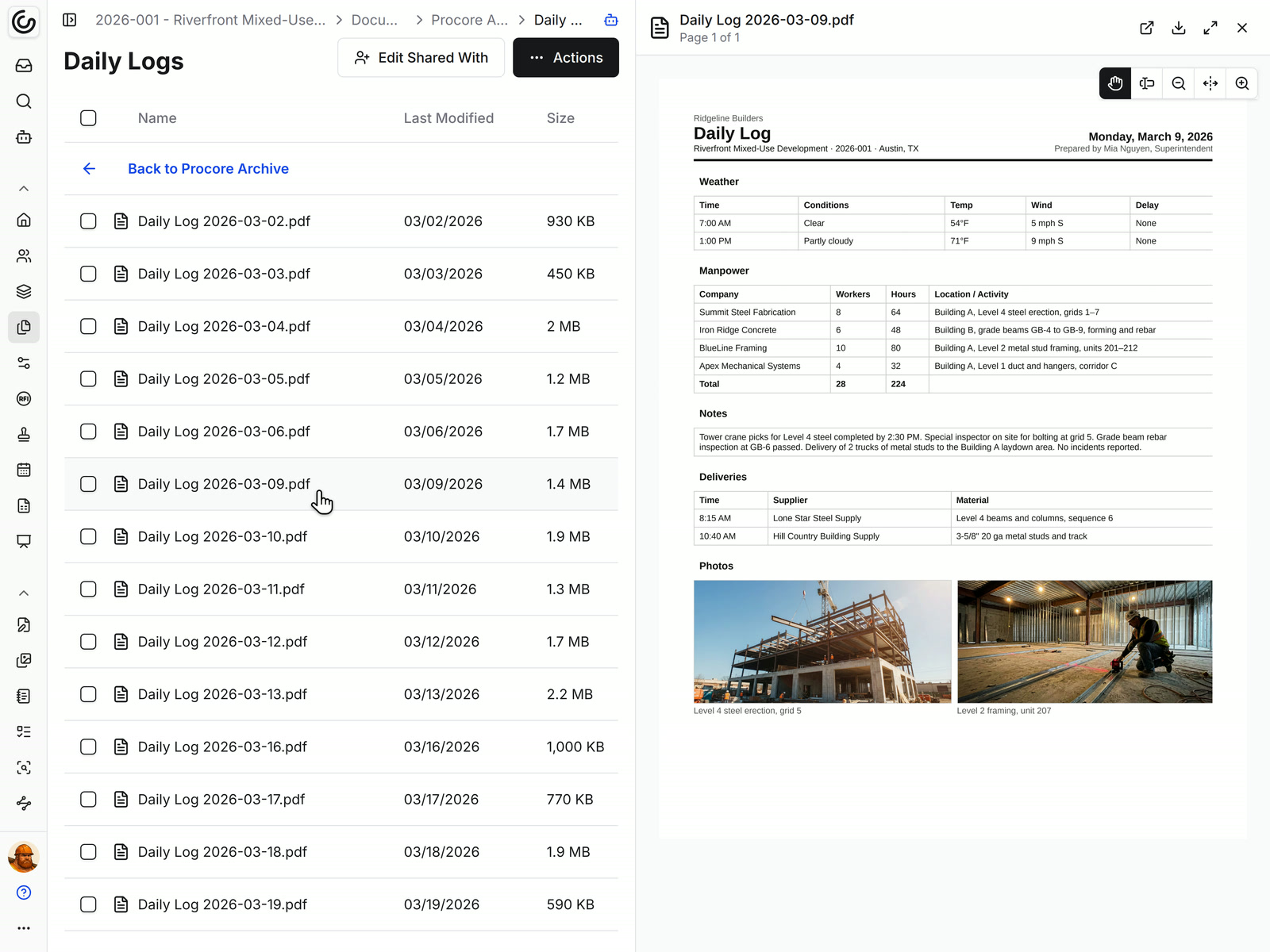
The Daily Logs folder inside a Procore Archive folder in Constructable Documents, listing a daily log PDF for each workday in March 2026, with the March 9 daily log open beside the list showing weather, manpower by subcontractor, notes, deliveries, and two jobsite photos

From Procore to live in four steps

We agree on the plan with you before anything moves.

1. We review your Procore data

We review your exports, active projects, and historical records with you and agree on scope and timing before launch.

2. We move your active projects, then your history

Our team moves the jobs you're running now, then the closed projects and archives you choose to bring.

3. Your team trains while Procore still runs

Everyone on your team gets unlimited training, and they keep working in Procore until you switch.

4. You go live before your renewal

Most teams are up and running in less than 21 days, so plan your start around your Procore renewal date.

Customer story: Holladay Construction Group

Switch with no downtime

Migrating only copies data, we never edit your projects, settings, or records, so your team keeps working in Procore until the day you switch.

Holladay Construction Group started 90 days before its Procore renewal, which was its planning window. “By the time our renewal date was up, we were already active on Constructable and our team had been using it,” said Scott Trueblood, President and CEO.

Migration, onboarding, and training at no extra cost

See pricing

Data migration included

Our team moves your Procore data and archives into Constructable. It's included in every plan.

Unlimited onboarding and training

We set up your team and train everyone, from project managers to superintendents, for as long as it takes.

Flat pricing with unlimited users

A flat monthly price for your plan, whatever your construction volume, with unlimited users and projects.

Bring your Procore history.
We'll move it for you.

Book a 30-minute demo, and we'll walk through your Procore migration with you.

Frequently Asked Questions

How much does it cost to migrate from Procore?

Nothing. Data migration, onboarding, and training are included in every plan. You pay the flat monthly price for your plan, with unlimited users.

What data comes over from Procore?

Your projects with their Project Admin details, sub jobs, and project directory. Your company directory of companies and people, with insurance certificates. Budgets, commitments with their schedules of values, change events, change orders, billing periods, owner and subcontractor invoices, and payments. Spec sections and their PDFs with revisions, drawings with their areas, sets, disciplines, and revisions, and files from Procore's Documents tool. RFIs with their responses and attachments, submittals with their workflow steps, approver responses, and attachments, and photos with their albums. From a Procore Project Archive, the Daily Logs, Documents, Punch List, and Meetings folders go into a Procore Archive folder in the project's Documents.

How long does a Procore migration take?

Most teams are up and running in less than 21 days. Start ahead of your Procore renewal so your team has time to train before you switch. Holladay Construction Group started 90 days before its renewal, and that was Holladay's planning window, not a standard timeline. We review your exports, active projects, and historical records with you and agree on scope and timing before launch.

Can we keep using Procore while you move our data?

Yes. Migrating only copies your data. We never edit your projects, settings, or records, so your team keeps working in Procore until you go live in Constructable.

What about closed and historical projects?

They can come too. We move a Procore Project Archive's Daily Logs, Documents, Punch List, and Meetings folders into a Procore Archive folder in that project's Documents, with the archive's own folder structure. We agree with you on which closed projects and records to bring before launch.

Do our drawings keep their revisions, and do RFIs and submittals keep their responses and attachments?

Yes. Drawings come over with their areas, sets, disciplines, and revisions, and specs keep their revisions. RFIs keep their responses and attachments, and submittals keep their workflow steps, approver responses, and attachments. See drawing management, RFIs, and submittals.

Do we have to export everything ourselves?

No. Our team does the move. We copy your projects, directory, and records into Constructable for you.

Will our accounting connection carry over?

Constructable has its own two-way sync with QuickBooks Online, QuickBooks Desktop, and Sage Intacct, and our team sets it up with you during onboarding. See financial management for what syncs with each system.

Keep researching your switch

Compare Constructable with Procore
See what you would pay
Hear from a team that switched