Constructable vs. PlanGrid
The PlanGrid alternative for general contractors
Constructable is the PlanGrid alternative that keeps the drawings your field team relies on and runs the rest of the job in the same app: RFIs, submittals, change orders, and billing, with flat pricing and unlimited users.
A note for PlanGrid teams
What's happening to PlanGrid
PlanGrid put the drawings in the field team's hands, and plenty of supers still like it. Here's where it stands, so you can plan your next move on your own schedule.
2018
Autodesk buys PlanGrid for $875 million.
February 2021
Autodesk launches Autodesk Build, now called Forma Build, from the best of PlanGrid and BIM 360. Autodesk calls it the next evolution of PlanGrid.
Since then
PlanGrid is in maintenance mode. It still works, but no new features are coming.
Today
PlanGrid is no longer sold to new customers, and PlanGrid access now comes through Forma Build, according to Autodesk's PlanGrid page.
The move to Forma Build isn't automated. Teams finish existing work in PlanGrid, start new projects in Forma Build, and download and re-upload old files to keep them. If your team has to move either way, compare your options first. With Constructable, our team moves your project data for you, at no extra cost.
What your team gets when you switch from PlanGrid
Your supers keep the sheets, markups, and punch lists they liked in PlanGrid, on the current set and offline. The office gets RFIs, submittals, change orders, and billing in the same app, with no per-user fees.
The current set on every iPad
Upload the PDF set. AI splits it into sheets, reads each title block, detects the scale, and links the detail callouts, so a tap on a callout opens that detail. See our construction drawing management software.
Drawings that open without a signal
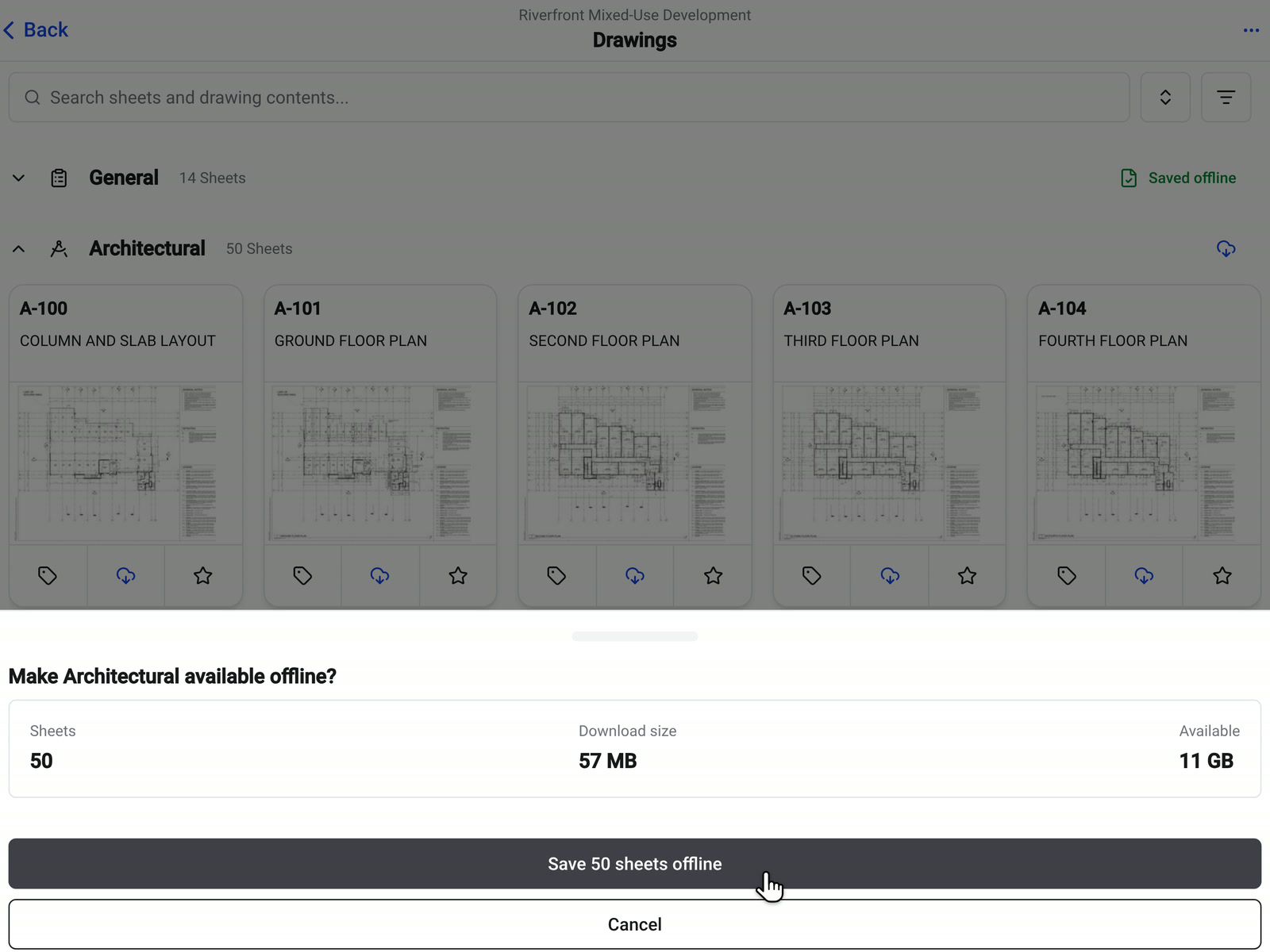
Save a sheet, a discipline, or every drawing in the iPhone, iPad, and Android apps. Saved sheets download the latest published revision whenever the app is back online.
Markups and measurements with the scale already set
Clouds, callouts, text, and measurements on the sheet, with the scale detected for you. See our construction drawing markup software.
Revision Review
An AI summary of what changed between drawing revisions, sheet by sheet, including the changes nobody clouded. See drawing comparison.
RFIs, punch items, and photos pinned on the sheet
Drop a pin on the spot it's about, and anyone who opens the sheet sees it. See our construction punch list software.
Built-in financials with accounting sync
Budgets, subcontracts, change orders, and pay apps, with two-way sync to QuickBooks Online and Sage Intacct, and QuickBooks Desktop sync through Intuit's Web Connector. See financial management.
Flat pricing with unlimited users
Plans start at $850 a month, with unlimited users and projects. Your subs, owners, and architects join at no extra cost.
Data migration and training included
We move your project data, and train everyone on your team for as long as it takes.
More than drawings, in the same app
From a pin on the sheet to a priced change order
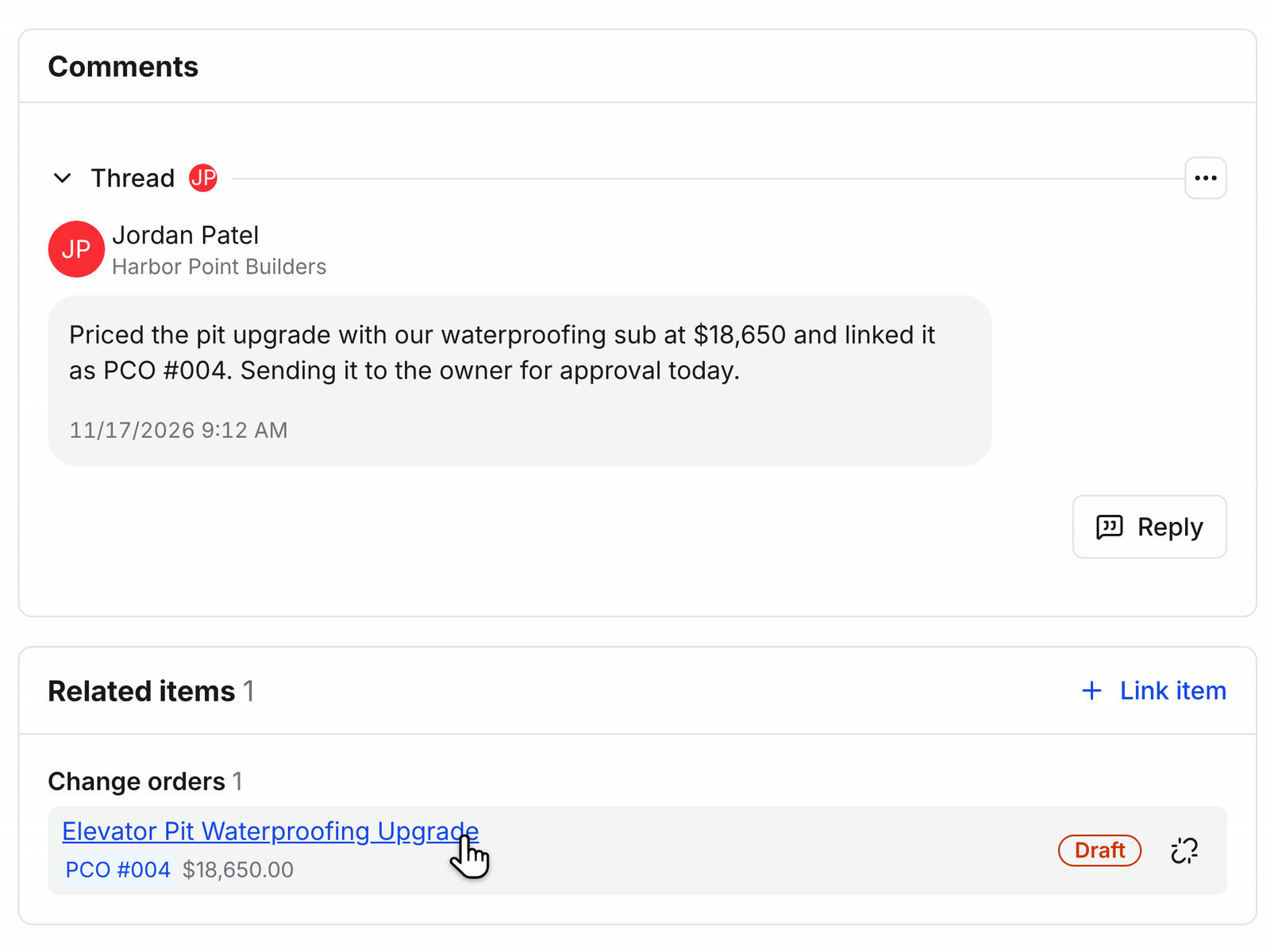
Your super pins an RFI on the detail that doesn't work. The architect answers on that RFI, and your PM links it to the change order that prices the fix with Related Items. Open the RFI or the change order, and the other is one click away.
• On the sheet: RFI, punch, and photo pins sit on the spot they're about, and tapping a pin shows the question and the answer
• Linked records: connect an RFI to a change order, submittal, inspection, punch item, meeting, daily log, or drawing, and the link shows on both records and in their PDFs
• In the budget: each change order line shows its budget impact, so the cost of an answer lands in the job's numbers
Where each PlanGrid tool lives in Constructable
Find the tool your team opens in PlanGrid today, then see where that work happens in Constructable. Each name links to its feature page. Which tools you get depends on your plan.
Field and project management
And the rest of the job, in the same app
Run a workflow that isn't listed here? Bring it to your demo, and we'll walk through how your team would handle that work in Constructable.
What switching from PlanGrid looks like
Scope and timing agreed up front
Up and running in less than 21 days
Unlimited training included
Loved in the office and in the field
Take the current set, your markups, and your punch list into the field, even offline, with the Constructable app for iPhone, iPad, and Android.


on every iPad
on the sheet
to the plans
from the field
Create trust.
Build the future.
Let's get you building better.


