Constructable vs. Bluebeam
The Bluebeam alternative for your whole project team
Constructable is the Bluebeam alternative where your team marks up, measures, and compares drawings in the same app as your RFIs, punch lists, and daily logs. One app, with flat pricing and unlimited users.
Topics
Mark up the set together, without hosting a Session
Save a cloud and a measurement to a Topic, and share it with only the people who need it: your super, the plumbing sub, the architect. They open the sheet, see your markup on it, and reply in a thread pinned to the spot.
• Private until you save: new markup is a draft only you can see, until you publish it to the project or save it to a Topic
• Shared with the right people: share a Topic with specific people, your whole company, or everyone on the project
• The conversation on the sheet: comment pins hold the thread, with attachments, screen recordings, and mentions
• Done means archived: archive a Topic when the work is finished, and its markup stops cluttering the sheet
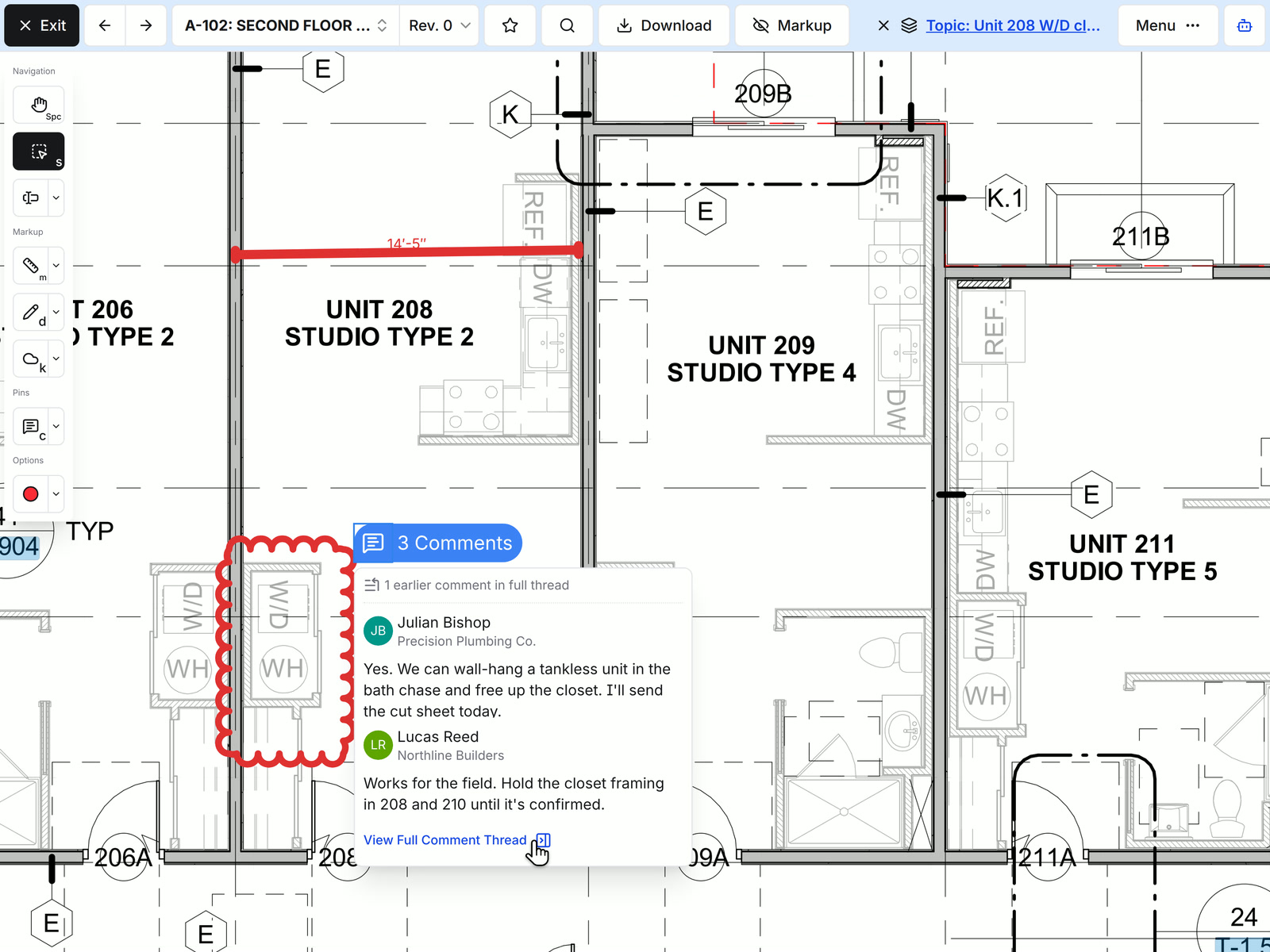
What your team gets in place of a Revu seat
Your PMs and supers mark up, measure, and compare the current set where the RFIs, punch lists, and field records already are, on the desktop or the iPad.
Markup and measuring on the current set
Clouds, callouts, text, arrows, shapes, and a highlighter, plus length and area measurements that snap to the linework. See our construction drawing markup software.
Topics for shared markup
Markup stays a private draft until you publish it to the project or save it to a Topic shared with just the people who need it.
Overlays and Revision Review
Differences, Ghost, and Highlight overlays, plus an AI summary of what changed in each new issue, sheet by sheet. See drawing comparison.
RFIs, punch items, and photos pinned on the sheet
Drop a pin where the question is, and anyone who opens the sheet sees it. RFI pins are on the Field and Project Management plan and above.
Linked callouts and Split View
Select a detail callout to open that sheet, or put two sheets side by side. See linked sheets.
Offline sheets on iPad
Save a sheet, a discipline, or every drawing to the device in the Constructable app for iPhone, iPad, and Android.
Takeoffs with unit costs
Counts, linear feet, and areas priced as you go, and AI takeoff for fixture counts and floor areas. On the Field and Project Management plan and above. See our construction takeoff software.
Unlimited users, flat pricing
Plans start at $850 a month. Drawings, markup, and punch lists are on every plan, and your subs, owners, and architects join at no extra cost.
Markup that turns into work
A cloud on the sheet becomes an RFI on the same spot
When a markup turns into a question for the architect, drop an RFI pin on the cloud, write the question, and open it. Anyone who opens the sheet sees the pin, on the desktop or on a super's iPad, and reads the question without leaving the drawing.
• Markup that moves with the record: copy or move markup from a Topic into an RFI or a submittal
• Punch items and photos too: pin a punch item or a photo to the spot it's about, on every plan
• RFIs on the plans: RFI and submittal pins are on the Field and Project Management plan and above
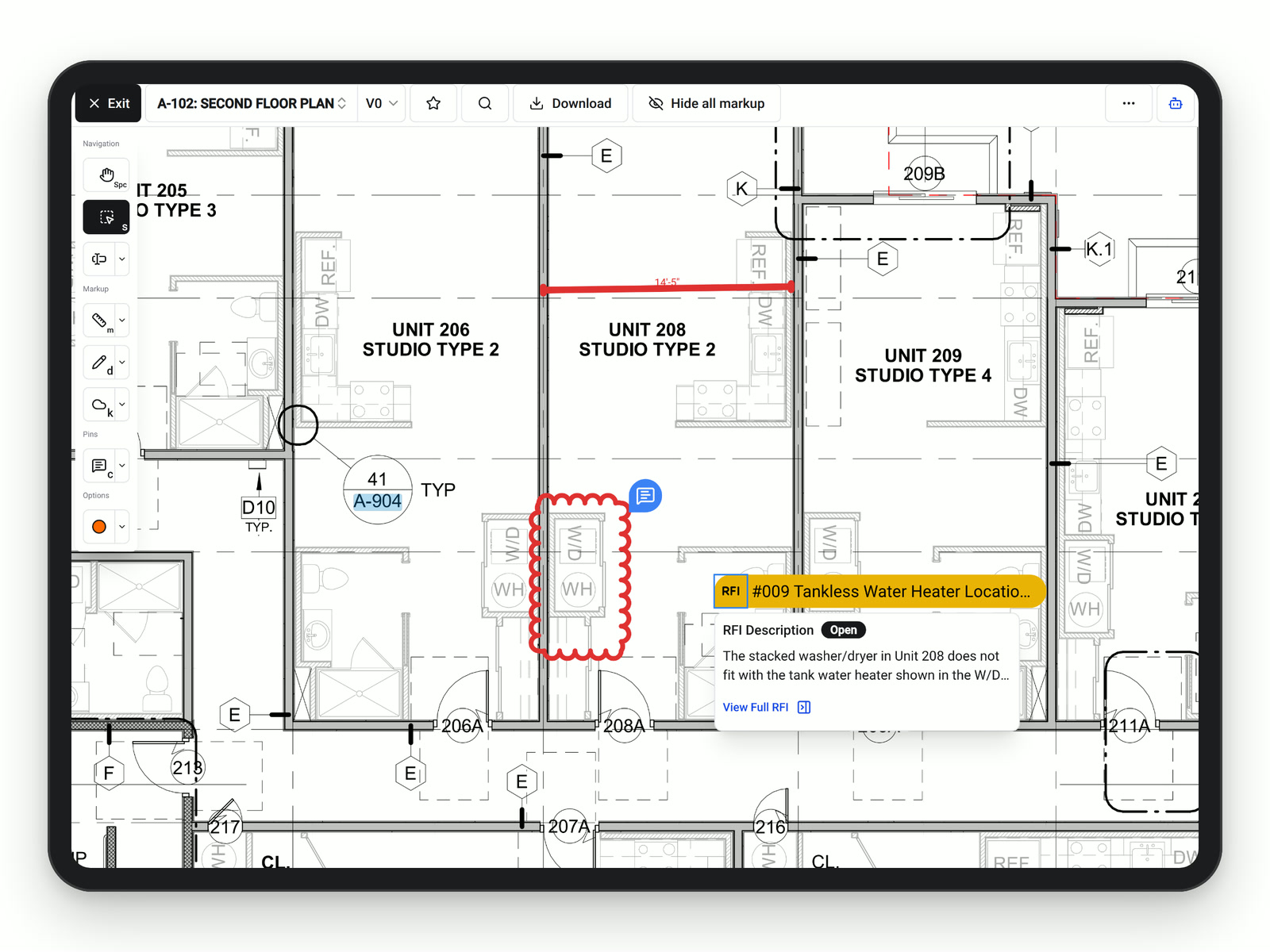
Always the current set
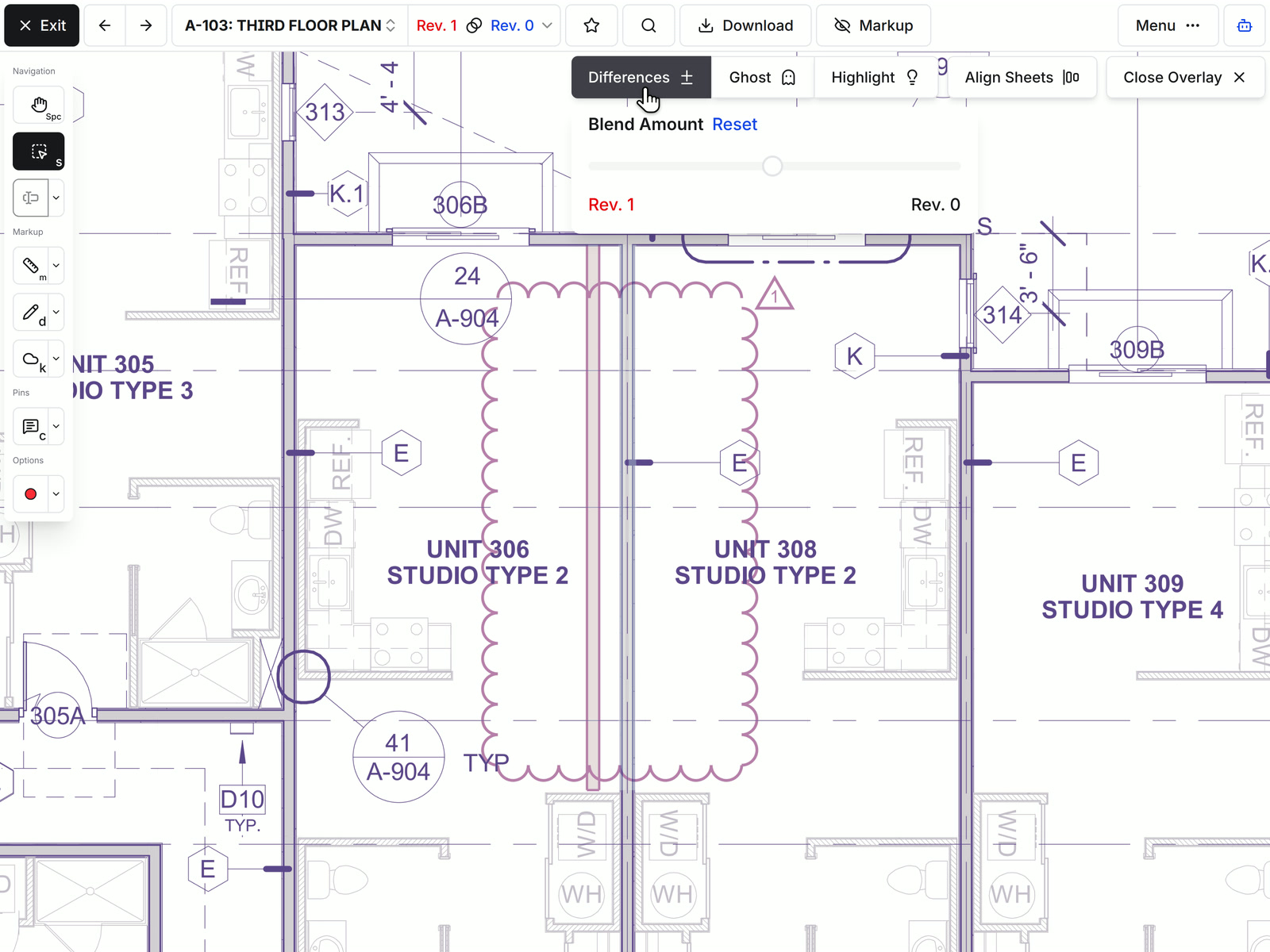
See what moved in the new issue, on the current set
A markup made in a PDF stays on that copy of the file. In Constructable, each new revision stacks under the same sheet number, so everyone opens the current sheet. Markup and pins copy onto the new revision when it's confirmed, and earlier revisions stay a click away.
• Overlays: Differences, Ghost, and Highlight show a moved wall in color, and three-point alignment lines up sheets that shifted
• Revision Review: an AI summary of what changed in the new issue, sheet by sheet, including changes nobody clouded
• Split View: hold the current sheet next to the last revision or the detail it calls out
Takeoffs
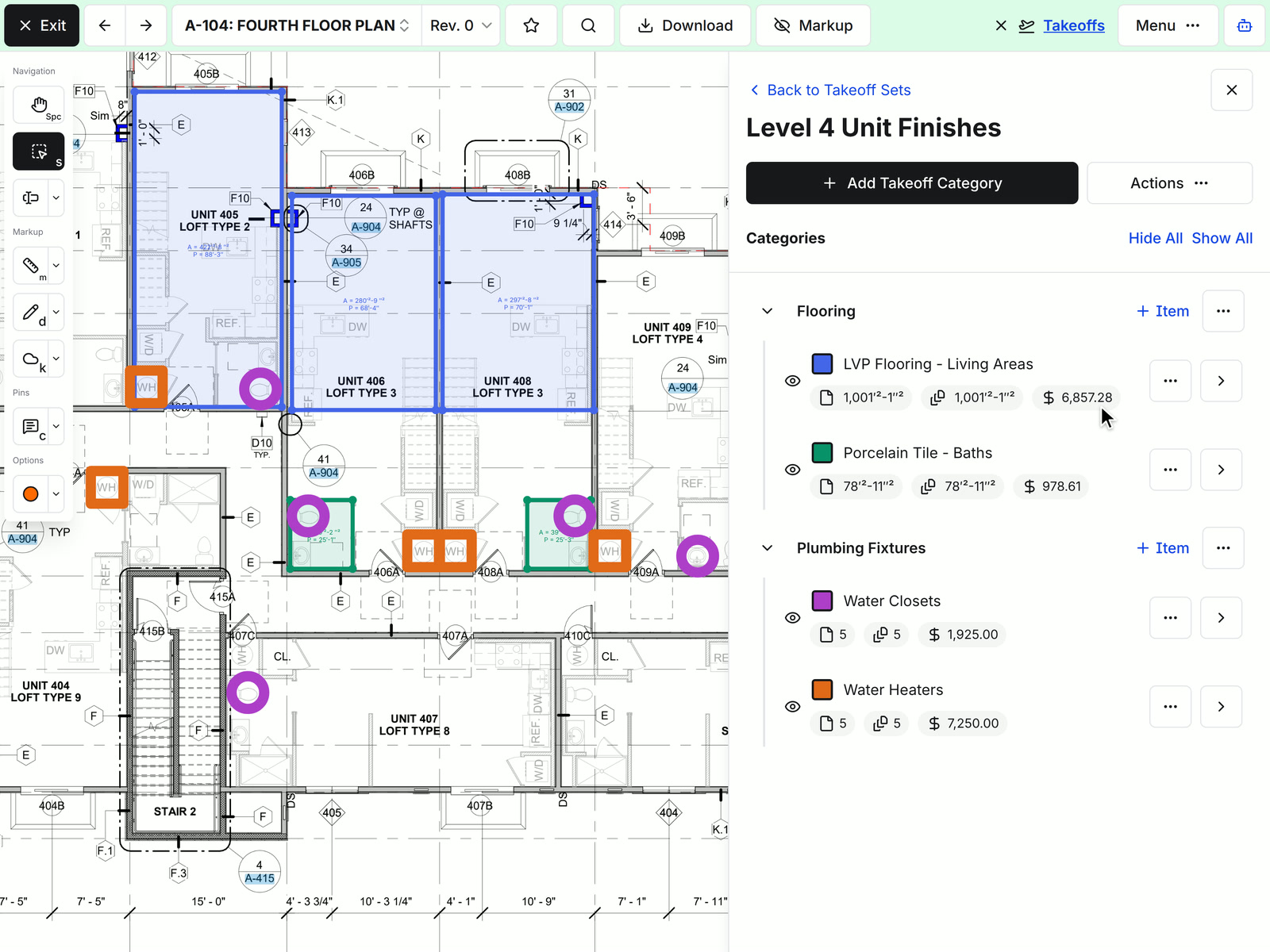
Measure, count, and price quantities on the same drawings
Set up a takeoff by category and item, give each item a unit cost, and count or trace on the sheet. Totals and costs add up beside the drawing as you work, and every number points back to the mark it came from.
• Scale already set: Constructable detects the scale on most sheets, and points snap to the linework
• AI takeoff: choose the sheets, and get fixture counts and floor areas back on the plans
• Export: send a category or a whole set to CSV for your estimate, or to PDF with a legend
• Plan: takeoffs are on the Field and Project Management plan ($2,000 a month) and above
Where each Bluebeam tool lives in Constructable
Find the tool your team opens in Bluebeam today, then see where that work happens in Constructable. Each name links to its feature page. Which tools you get depends on your plan.
Drawings, markup, and takeoff
Run a workflow that isn't listed here? Bring it to your demo, and we'll walk through how your team would handle that work in Constructable.
No hidden fees. No outsourced call centers.
Just real help, from real people.
No-cost data migration & onboarding
Unlimited training included
Support that actually supports you
and measurements
in every issue
from the plans
for the whole job
Loved in the office and in the field
Mark up and measure the current set on the jobsite with the Constructable app for iPhone, iPad, and Android.


Create trust.
Build the future.
Let's get you building better.


