Constructable vs. CMiC
The CMiC alternative for mid-size general contractors
Constructable is the CMiC alternative for general contractors who want to run every job in one app. Run preconstruction, project management, field, and financials in one app your supers will use, synced with QuickBooks, Sage, Acumatica, or ComputerEase, with flat pricing and unlimited users.
Built for different jobs: running the books or running the work
A construction ERP and construction management software start from different places. Here is what each one is built for.
CMiC
CMiC describes itself as a construction ERP: financials and project management on a single database platform. Its Construction Financials products cover accounting, payroll, and HCM, with job costing that flows into the general ledger. CMiC says it serves general contractors, subcontractors, heavy-highway firms, and mechanical contractors, from large enterprises to mid-market firms.
A fit for a contractor that wants one system for its books, its payroll, and its projects.
Constructable
Constructable is construction management software for the project team, in the office and in the field. Estimators, PMs, supers, subs, architects, and owners work in one app, from bids to closeout, and the job's billing and costs sync with QuickBooks Online, QuickBooks Desktop, Sage Intacct, Sage 300, Acumatica, or Deltek ComputerEase.
A fit for a general contractor that wants every job run in one app the field will use, live in weeks, at a flat monthly price.
Every job, from bid to closeout, in one app
Your estimators, PMs, supers, and office team work from the same projects, and the numbers stay in step with your accounting system.
Drawings with RFIs, punch items, and photos pinned to the sheet
Open the current set on any device and see every open item where it is. See our construction drawing management software.
Revision Review
An AI summary of what changed between drawing revisions, sheet by sheet. See Revision Review.
Submittal PreCheck
Flags what in a submittal package doesn't line up with your specs and drawings before you route it. See Submittal PreCheck.
Daily logs, inspections, and punch lists on the jobsite
Supers run them in the Constructable app for iPhone, iPad, and Android. See our construction daily log software, construction inspection software, and construction punch list software.
Bid management
Send bid packages by scope, track every bidder, compare bids, and award them. Bidding is free for your subs. See our construction bid management software.
Subcontracts with built-in e-signing
Write each subcontract with its schedule of values, then send it for signature from the same page. See our construction subcontract management software.
Change orders
Log a change event before it's priced, copy vendor cost to the owner with your markups, and e-sign the change order. See our construction change order software.
Owner and subcontractor pay apps, with lien waivers
Bill the owner and approve your subs' pay apps against the schedule of values, with retainage, and send a lien waiver with each one. See our construction pay application software and construction lien waiver software.
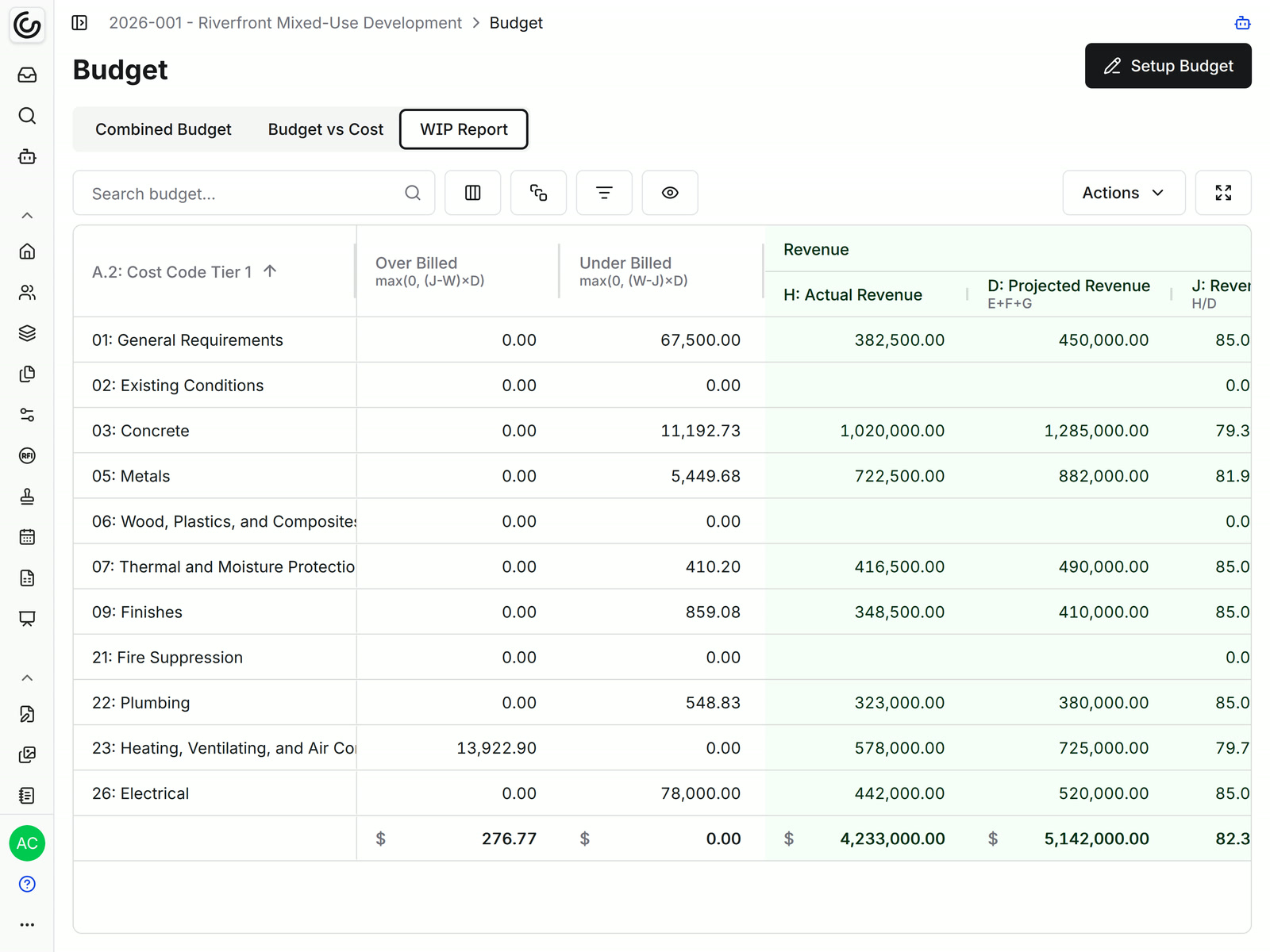
Budgets with a WIP report
Track budget against cost by cost code, and see Over Billed and Under Billed on every job. See our construction budgeting software.
Accounting sync
Approved owner invoices and sub pay apps go to your books, and payments come back. Constructable connects to QuickBooks Online, QuickBooks Desktop, Sage Intacct, Sage 300, Acumatica, or Deltek ComputerEase. See financial management for what syncs with each.
Unlimited users
Everyone on the job works in it, with no seat count
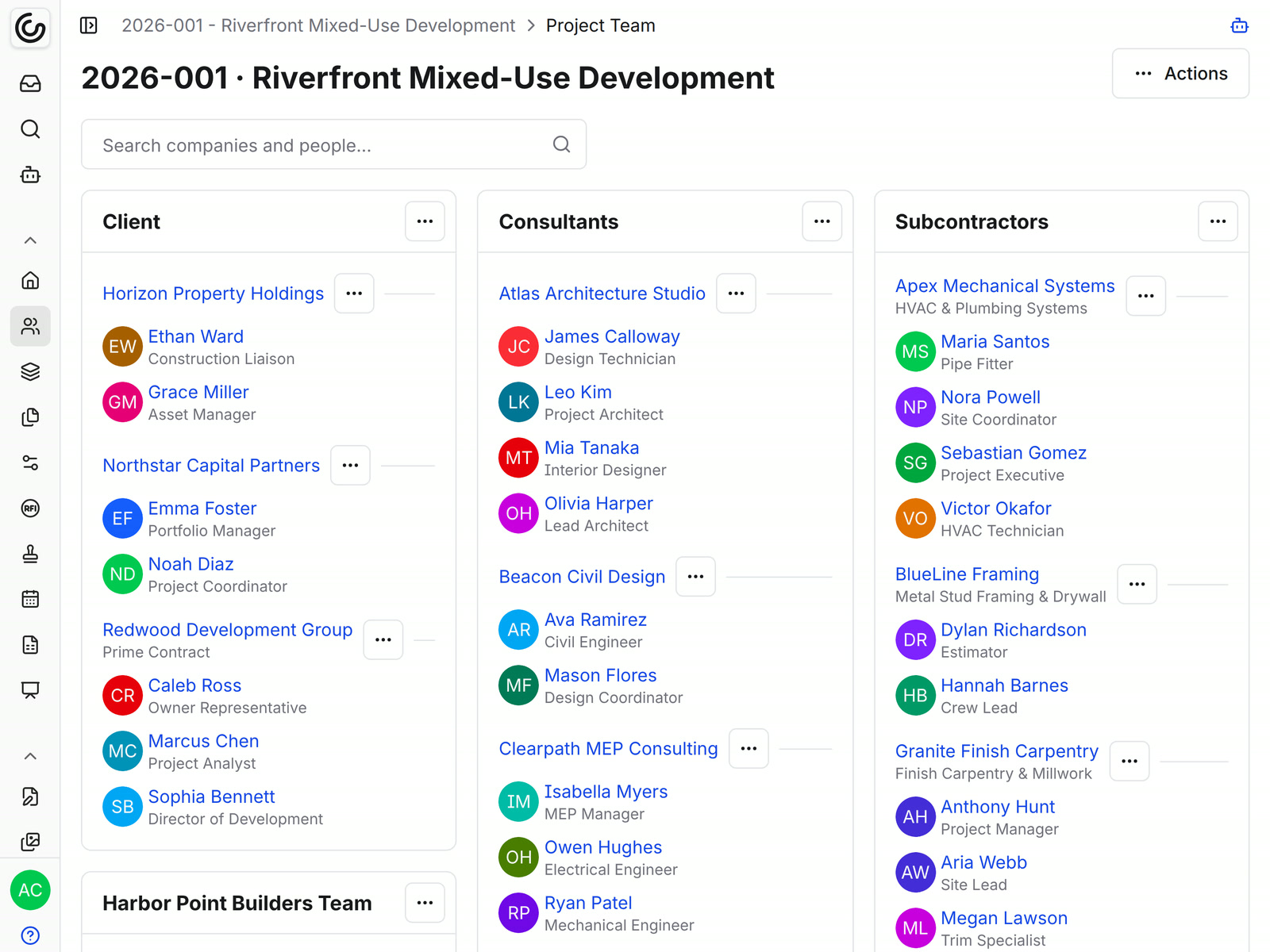
Invite your subs, the architect, and the owner's team to the project. Every plan includes unlimited users, so nobody needs a paid seat, and plans start at $850 a month, priced by plan, not by your annual construction volume.
• Architects: answer RFIs and review submittals in their approval stage
• Subcontractors: sign their subcontract through built-in e-signing, then submit pay apps against their schedule of values, with their lien waivers
• Owners: get a Payment Application with summary and detail sheets each billing period
Live in weeks, not a long implementation
Scope and timing agreed up front
Up and running in less than 21 days
Unlimited training included
Loved in the office and in the field
Log today's crews, notes, and photos from the jobsite with the Constructable app for iPhone, iPad, and Android.


Create trust.
Build the future.
Let's get you building better.



Frequently Asked Questions
Is Constructable an ERP like CMiC?
Which accounting systems does Constructable work with?
What's the best CMiC alternative for a mid-size general contractor?
How long does it take to get running?
Do subs, owners, and architects need a paid seat?
Will our superintendents use it in the field?
more time building
at a glance