6 Best Cloud-Based Construction Management Software (October 2026)
Find the best cloud-based construction management software in October 2026. Compare Constructable, Procore, and more by pricing, features, and GC fit.
Not every construction management tool is built for the same contractor. Some are built for massive portfolios with dedicated IT teams; others are point solutions that stop at the field. If you're running somewhere between $20M and $150M a year and need drawings, RFIs, financials, and field access all working together, the list of tools that actually fit is shorter than the marketing suggests.
TLDR:
-
Cloud-based construction management software puts drawings, RFIs, financials, and field updates under one login, accessible from any device.
-
Per-user pricing is the most common budget trap; only one tool in this comparison offers flat-fee unlimited users.
-
PlanGrid is no longer available to new customers and runs in maintenance mode with no active development.
-
Procore fits large enterprise contractors with dedicated implementation staff; mid-size GCs without a software team carry the overhead without the return.
-
Constructable is built for $20M to $150M GCs, with flat-fee pricing, offline drawings, and onboarding that averages under 21 days with no migration fees.
What is cloud-based construction management software?
Cloud-based construction management software runs your project records over the internet instead of a server in the trailer or a folder on one person's laptop. Drawings, RFIs, submittals, daily logs, photos, change orders, and financials live in one place that field and office staff reach from any device, a setup covered in depth in best all-in-one construction platforms. It takes work that used to sit across spreadsheets, email chains, paper binders, and single-purpose apps and puts it under one login.
The cloud model matters most when projects move fast. A superintendent marks up a sheet on-site, and the PM back at the office sees it right away. No version confusion, no waiting for an end-of-day sync. Updates reach everyone at once, keeping crews, subs, and owners on the same current information across every active job.
How we ranked these tools
Everything here draws on publicly available information and how each vendor positions itself, not a hands-on lab test. We weighted the criteria that actually decide best construction management software fit for a mid-size general contractor running $20M to $150M in annual volume, since that band has different needs than a solo remodeler or a $1B enterprise firm.
Here is what we looked at:
-
Fit for mid-size GCs, not enterprise buyers who want heavy customization and a dedicated IT team
-
Field adoption ease, because software the crew avoids becomes shelfware fast
-
Pricing model transparency, including whether per-user fees punish you for adding subs, owners, and consultants
-
Onboarding speed and whether migration carries extra cost
-
Mobile capability, including offline access when there is no signal inside a concrete structure
-
Drawing-centric workflow design, so RFIs and markups stay tied to the plans
-
Depth of the financial toolset, from budgets to change orders to invoicing
-
Accounting integration coverage with the systems GCs already run
Best overall: Constructable
We built Constructable for the mid-size commercial GC who wants the software to disappear and the job to move. What puts it first is friction removed, not a longer feature list. Drawings sit at the center, and RFIs, quality items, and comments pin straight to the plans, so context stays where the work happens.
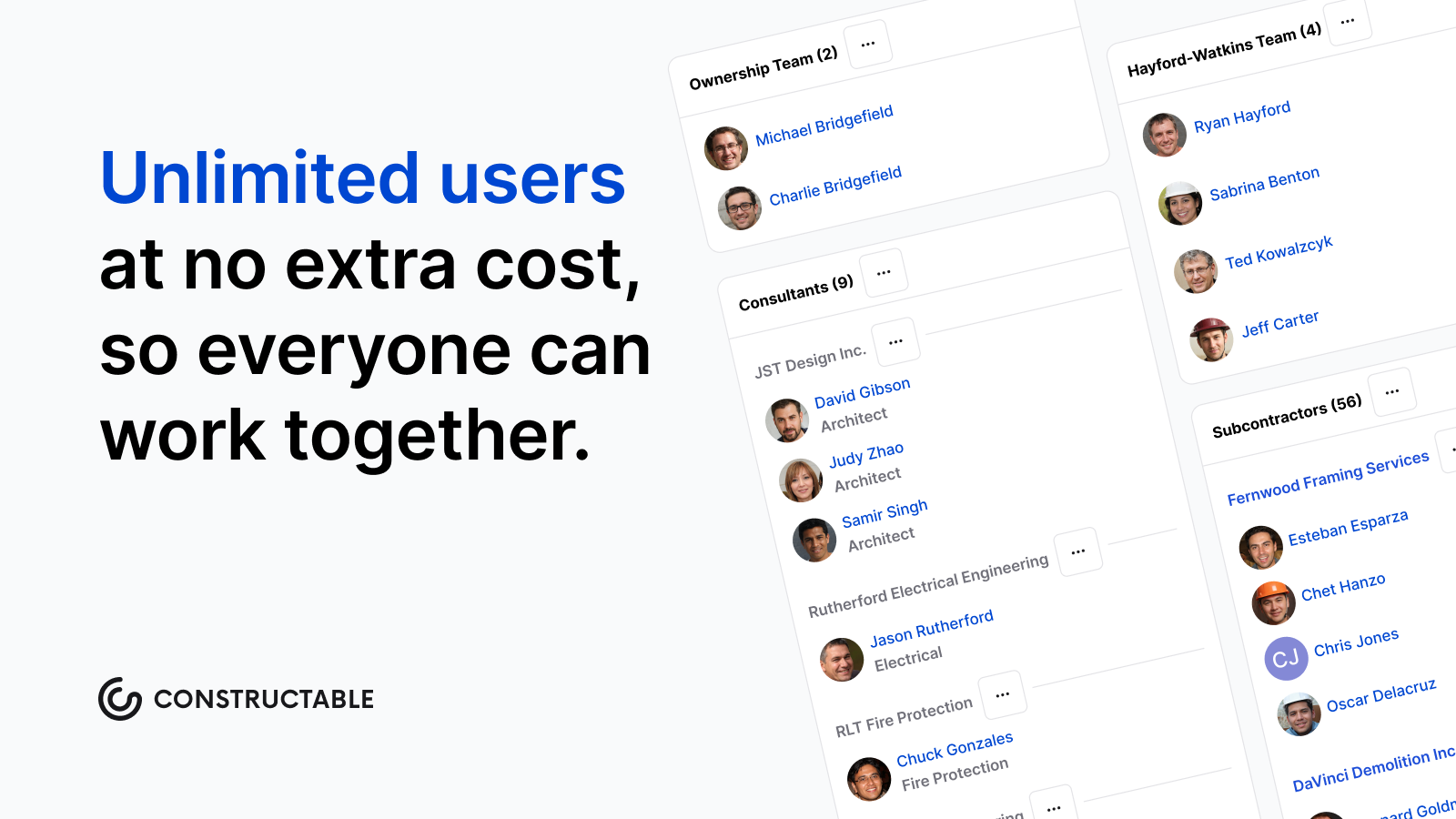
Flat-fee unlimited-user pricing means you can add every sub, owner, and consultant without watching the bill climb. Drawings work offline when there is no signal inside a concrete structure, and the mobile app mirrors the desktop exactly, so nobody relearns anything in the field.
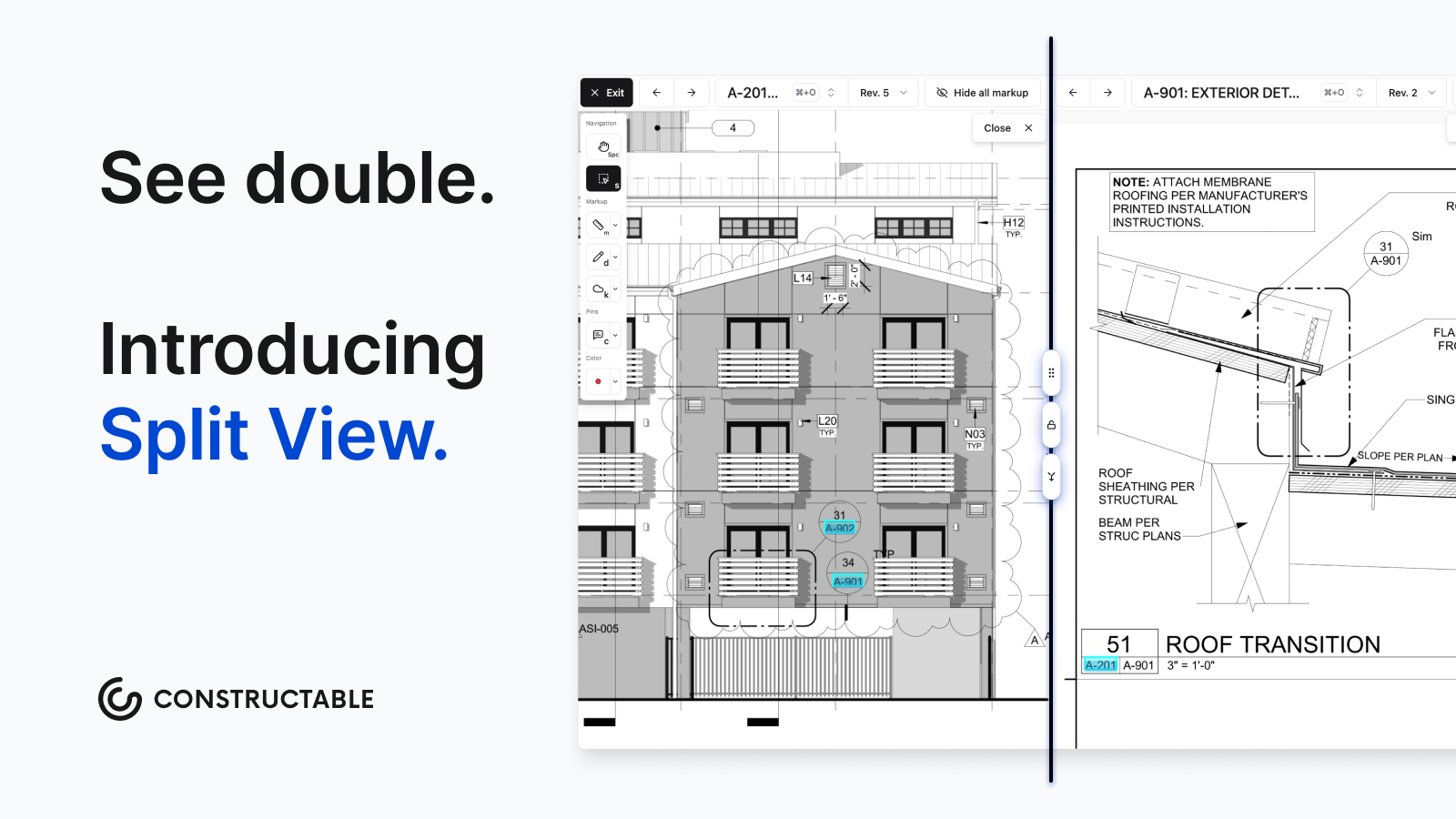
We even built an AI-powered Split View feature in the drawing viewer that lets you click on any detail callout and instantly open its sheet in a separate panel, already zoomed-in on the exact detail you need.
Onboarding averages under 21 days, with no fees for setup or data migration. The AI is built into actions you already take, from scanning sheets to autofilling punch items, so it takes steps away instead of adding complexity.
Bottom line: for a $20M to $150M GC, Constructable does the most while asking the least.
Procore
Procore is the category incumbent, and for good reason. Large enterprise contractors with dedicated implementation staff get a deep, configurable system that handles high-complexity work across big portfolios. If you have the internal resources to run it, it does a lot.
The fit gap shows up for mid-size GCs. Pricing is tied to your construction volume, reported at roughly $15K to $80K or more per year depending on revenue (full detail in Procore reviews and pricing), so the bill climbs as you grow. Implementation can add meaningfully to first-year spend, the interface is click-dense enough to require ongoing training, and the AI reads as additive to an already heavy system instead of something that removes steps.
For a $20M to $150M GC without a software team, that overhead outweighs the depth. See how options stack up in construction software for mid-size contractors.
Autodesk Forma (f.k.a. Construction Cloud)
Forma carries real breadth, and it makes sense for teams already invested in the Autodesk ecosystem who want design and construction data under one roof. That reach comes with trade-offs for a mid-size GC. Pricing is per-user, so adding subs and owners raises the cost. Onboarding runs in months and often pulls in third-party consultants. Because the modules were assembled through acquisitions, the experience varies across workflows, and users report a mobile and tablet experience noticeably thinner than the desktop. See our Autodesk Forma (f.k.a. Construction Cloud) review for more.
Fieldwire
Fieldwire, owned by Hilti, is built for the field. Drawing distribution, plan markups, and punch list coordination are where it shines, and trade contractors running task-level work on-site get a fast, focused tool.
The limits are structural. There is no native financial tooling, so budgets, commitments, schedules of values, and change orders live in separate systems. Pricing is per-user, starting around $39 per user monthly, which climbs once you add subs and outside collaborators. Onboarding is self-serve, reflecting a point solution and not a GC's system of record. See Fieldwire reviews and alternatives for more.
RedTeam
RedTeam has been in market since 2006, and it competes on price and financials. Where it holds up is accounting depth. WIP report generation is a real strength, and the entry point starts around $5,000 a year, which lands well for budget-conscious teams that need job-cost visibility without an enterprise bill.
The trade-offs trace back to the architecture. Built before mobile and cloud were the norm, RedTeam's mobile apps are limited and clunky on-site, with no offline drawing access, so field crews tend to push it back to office-only use. The scheduling tool carries documented data-loss reliability issues, and the Sage integration has reported sync failures that force manual reconciliation; more detail in RedTeam reviews and pricing. RFIs and punch items cannot be pinned to drawing locations, so plan context lives apart from the work.
For a mid-size GC that wants strong financials on a tight budget and runs most work from the office, RedTeam can fit. Teams that need the field to actually adopt the software are better served by a system built for the jobsite first.
PlanGrid
PlanGrid is no longer available to new customers. It runs in maintenance mode for existing users, with no active feature development. Its legacy was field execution, punch list workflows, and drawing management. Autodesk acquired it in 2018 and eventually folded it into what is now Autodesk Forma Build. If you are searching for it, you'll have to pick an alternative.
Feature comparison table of cloud-based construction management software
Here is how the seven capabilities that matter most to a mid-size GC line up across all six tools.
| Feature | Constructable | Procore | Autodesk Forma | Fieldwire | RedTeam | PlanGrid |
|---|---|---|---|---|---|---|
| Offline drawing access on mobile | Yes | No | No | Yes | No | Yes |
| Flat-fee and unlimited users | Yes | No | No | No | No | No |
| Native financial management | Yes | Yes | Yes | No | Yes | No |
| Built-in AI tools | Yes | No | No | No | No | No |
| Mobile mirrors desktop | Yes | No | No | No | No | No |
| Onboarding under 30 days | Yes | No | No | Yes | No | No |
| Native QuickBooks or Sage Intacct integration | Yes | Yes | Yes | No | Yes | No |
Why Constructable is the best cloud-based construction management software
For a mid-size commercial GC, the decision comes down to whether the software earns its place in the field and the office at once. Constructable clears that bar on every criterion we weighted: flat-fee pricing with unlimited users, drawings as the center of gravity with RFIs and quality items pinned to the plans (see how it compares in Constructable vs Procore), AI embedded in steps you already take, offline mobile access inside a concrete structure, and onboarding that wraps in under 21 days with no migration fees.
Get the fit right and the software fades into the background while the job keeps moving.
Final thoughts on cloud-based construction management software
Good software for a mid-size GC fades into the background and lets the job move. The tools that stick are the ones the field crew actually opens, not the ones that live on the office desktop only. If the comparison above pointed you toward Constructable, book a demo and see how it runs on your actual projects.
FAQs
How do I choose between Constructable, Procore, and Autodesk Forma for a mid-size GC operation?
Start with your team size and budget model: Procore and Autodesk Forma both charge per user, so costs climb every time you add subs, owners, or consultants, while Constructable uses flat-fee unlimited-user pricing. If your annual volume sits in the $20M to $150M range and you want field adoption without a months-long implementation, that pricing and onboarding gap usually decides it.
Which cloud-based construction management tools include native financial management, and which do not?
Constructable, Procore, Autodesk Forma, and RedTeam all include native financial tooling covering budgets, change orders, and invoicing. Fieldwire and PlanGrid do not; teams using those tools must run a separate financial system alongside them, which creates duplicate data entry across two places.
When does RedTeam make more sense than Constructable for a general contractor?
RedTeam fits best when a team is watching its budget, runs most work from the office, and needs strong WIP reporting at a low entry price. If field crews need to actively use the software on-site, pulling drawings offline, logging daily activity from a phone, or tracking RFIs against plan locations, RedTeam's limited mobile experience pushes that work back to the office, and a field-first system will serve the project better.
What should I check before committing to any cloud-based construction management software if I run Sage 100, Viewpoint Vista, or CMIC for accounting?
ERP integration coverage varies widely across these tools, and it is one of the most common adoption blockers. Confirm that the software you are considering connects natively with your specific accounting system before you sign anything. Constructable, for example, integrates directly with QuickBooks Online, Sage Intacct, and more.
Is PlanGrid still a viable option for teams selecting cloud-based construction management software in 2026?
No. PlanGrid is no longer available to new customers and runs in maintenance mode only, with no active feature development. Teams searching for it should look at Autodesk Forma Build, which absorbed its functionality, or other actively developed tools on this list instead.