What Are the Best All-in-One Construction Platforms in May 2026?
Compare the best all-in-one construction platforms in May 2026. Review features, pricing, and integrations for Constructable, Procore, Autodesk, and more.
You open one app to check a drawing markup, switch to another for the RFI thread, then jump to a spreadsheet to see if there's budget left for the change order everyone's discussing. By the time you've gathered the context, you've forgotten what the original question was. Single source of truth construction software solves this by connecting workflows so your RFIs, drawings, and financials reference each other instead of living in isolation. We tested six platforms that market themselves as all-in-one to find out which genuinely integrate and which just bundle separate tools under a shared login.
TLDR:
- All-in-one construction software connects drawings, RFIs, budgets, and field logs in one system without forcing you to hunt across apps for context.
- Constructable uses flat monthly pricing with unlimited users and onboards teams in under 21 days.
- Procore and Autodesk serve enterprise firms but require formal training and ACV-based pricing.
- Fieldwire handles field tasks well but lacks budgeting and financial controls.
- Constructable anchors collaboration to drawings so RFIs, markups, and change orders stay tied to exact plan locations.
What Is All-in-One Construction Software?
All-in-one construction software combines drawings, project management, field documentation, and financials into a single system. Instead of switching between separate tools for RFIs, submittals, daily logs, budgets, and plans, everything runs through one workspace.
For general contractors managing commercial projects, this consolidation solves a real problem: fragmented data. When your RFIs live in one app, your drawings in another, and your budget in a spreadsheet, you spend half your day hunting down context. Integrated systems increase profit margins for teams that fully adopt them.
All-in-one systems connect these workflows. An RFI can be pinned directly to a drawing location. A daily log photo can reference a specific sheet. Change orders pull from the same cost codes as your budget.
How We Rank All-in-One Construction Software
We look at six factors that separate true all-in-one systems from software stacks dressed up as one. The construction management software market is crowded with options, but not all are built the same way.
System cohesion comes first. Do features share consistent data models and workflows, or do they feel bolted together? We favor tools where an RFI, a drawing markup, and a budget line item all tie back to the same project—so nothing gets lost between systems.
Field and office adoption matters just as much. Software that works for project managers but confuses superintendents fails half the team. We check whether both groups can jump in without a manual.
Onboarding speed and migration support separate the realistic options from the science projects. Pricing transparency and growth alignment keep us honest about long-term costs. Financial workflow depth tests whether budgets, commitments, and change orders actually close the loop.
Best Overall All-in-One Construction Software: Constructable
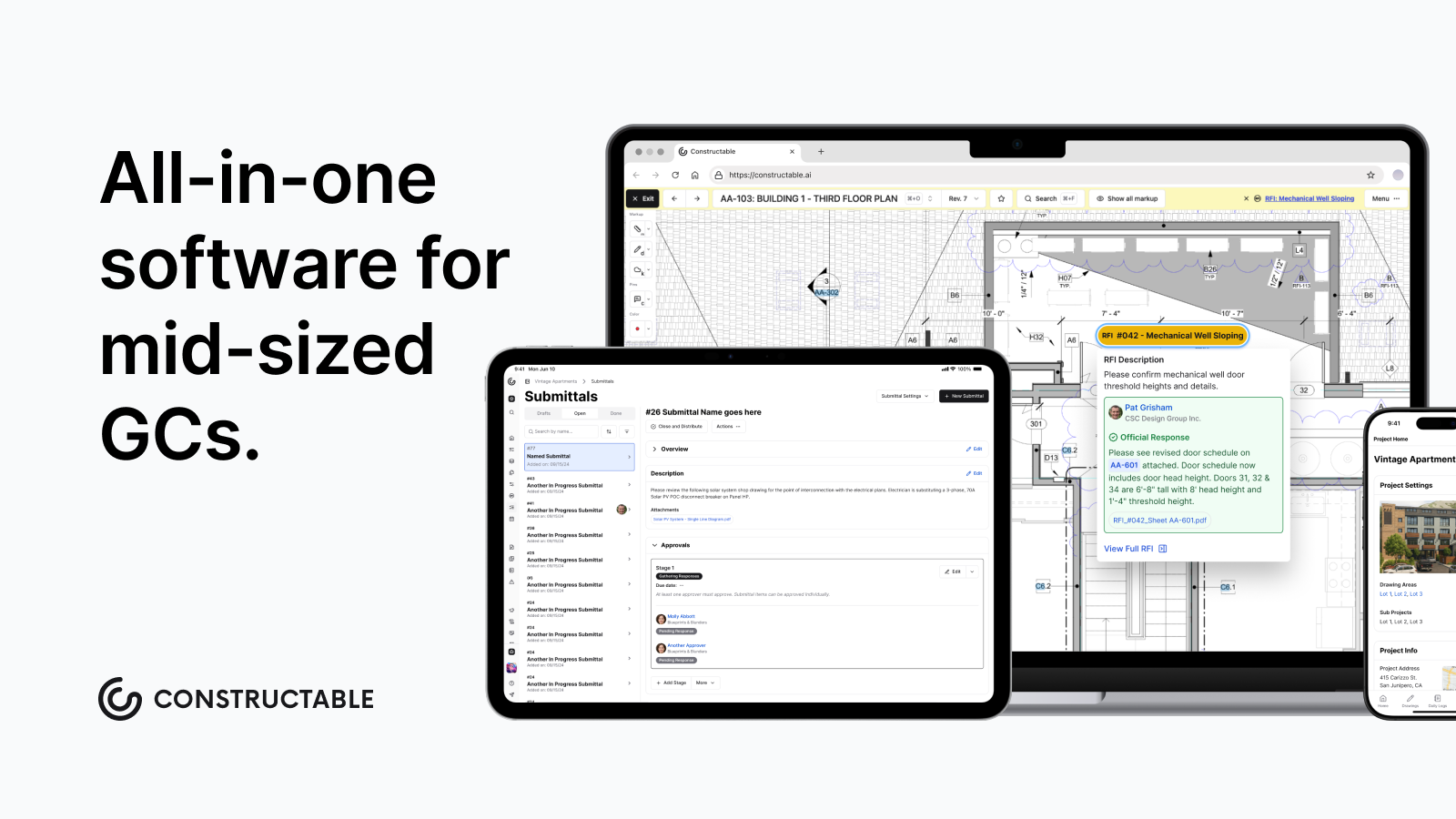
Constructable brings drawings, project workflows, and financials into one system that works together. Instead of stitching together separate apps for RFIs, submittals, budgets, and plans, you get a single workspace built on shared data.
The difference shows up in how things connect. Pin an RFI directly to a specific sheet location, and every markup, comment, and response stays anchored to that exact spot on the drawing. Daily log photos reference specific plans. Change orders pull from the same cost codes as your budget. Nothing lives in a silo.
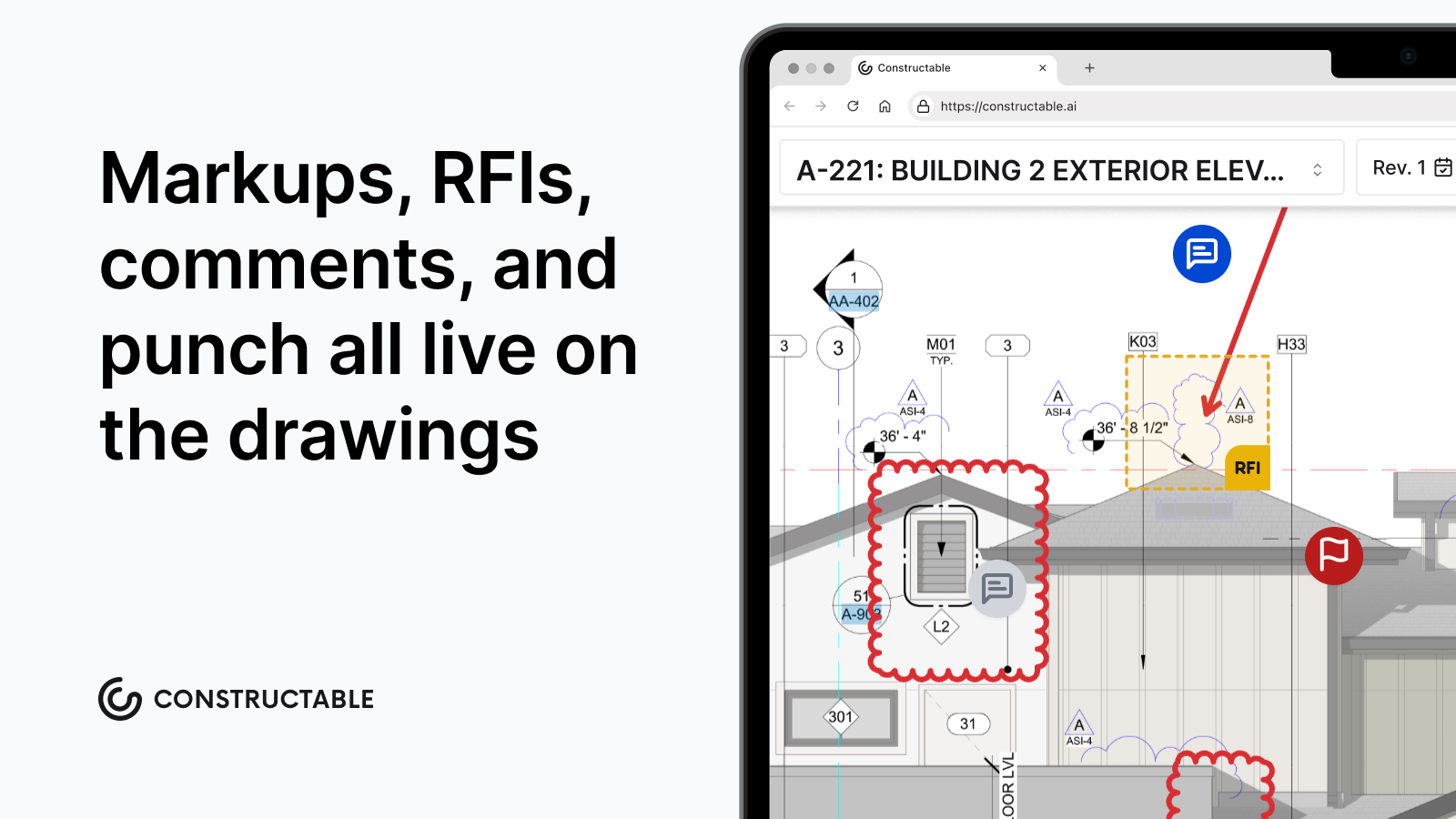
Constructable includes drawings-first collaboration with pins, markups, measurements, topics, and RFIs tied to sheets. Financial tools cover budgets, commitments, change orders, and QuickBooks Online and Sage Intacct sync. AI handles automatic scale detection, punch item autofill, and instant project-wide search with cited sources and helpful suggestions. Flat monthly pricing includes unlimited users, unlimited storage, and onboarding.
Good for mid-size contractors running $20M to $150M projects who want fast adoption across field and office teams without paying enterprise fees.
Procore
Procore is an enterprise construction management system with broad feature coverage and extensive third-party integrations. The system serves large contractors managing high construction volumes across multiple concurrent projects, with modules spanning project management, quality, safety, financials, and field operations.
What they offer:
- Document management, RFIs, submittals, and scheduling across project phases
- Budget tracking and cost controls with reporting dashboards
- Mobile access to drawings, documents, and project updates
- Integration marketplace connecting hundreds of third-party applications
Procore works for large contractors with dedicated internal resources to manage onboarding, training, and ongoing system administration who focus on vendor consolidation and standardization across projects.
The limitation shows up in pricing and complexity. Costs scale with Annual Construction Volume and can reach tens of thousands annually, with onboarding requiring formal training sessions and extended ramp time. Teams seeking lightweight onboarding and intuitive daily workflows will find Constructable a more practical fit.
Autodesk Construction Cloud
Autodesk Construction Cloud brings together several acquired products under one brand, offering a broad scope across BIM coordination, project management, and field execution. The system works well for firms already invested in Autodesk design products and in need of robust BIM workflows.
Core capabilities include:
- BIM coordination and model management that connects design teams
- Document control with version tracking across project phases
- Field reporting and issue tracking through acquired tools
- Direct integration with Autodesk's design and engineering products
This works for large enterprises running complex infrastructure projects where deep BIM integration and design-to-construction handoff matter most.
The challenge is module cohesion. Different parts often feel disconnected with varying interface patterns that reflect their acquisition origins. Migration and onboarding typically require third-party consultants at an added cost, and pricing follows an enterprise services model with fees beyond base licensing.
Fieldwire
Fieldwire specializes in field execution with mobile task management, plan markups, and punch lists for superintendents and crews. The system works well for lightweight field workflows but stops short of connecting those activities to budgets, commitments, or financial controls back in the office.
What they offer:
- Mobile task tracking with offline plan access so crews can work without internet
- Drawing markup and annotation for field teams to communicate issues directly on plans
- Punch list workflows tied to sheets for closeout tracking
- Basic reporting for daily activities
Good for teams needing only field task execution without office coordination or financial controls.
The gap appears when you need to see how field progress ties to money. Fieldwire doesn't include budgeting, commitments, or integrated cost tracking. Most teams run separate systems for project management and financials, creating manual reconciliation between field data and office reporting.
RedTeam
RedTeam positions itself as a budget-focused construction management system with broad feature availability but minimal product evolution. The system covers project management and financial workflows at a low license cost, appealing to teams with tight budgets.
What they offer:
- Project tracking and document management with basic version control
- Financial modules for budgeting and job costing
- Field reporting capabilities with mobile access
- Lower subscription pricing compared to enterprise alternatives
Good for contractors who prioritize the lowest possible license cost over user experience, product updates, or field adoption rates.
The limitation shows up in daily use. Teams describe RedTeam as dated and rigid, with awkward workflows they tolerate because switching feels harder than staying. Field adoption tends to be shallow. Product updates that fix long-standing usability issues arrive slowly, if at all.
Constructable competes on value without compromising experience. You get a clean design, active development, and pricing that remains accessible for mid-size contractors who want software their teams will actually use. This matters especially as SMEs drive the fastest growth in construction software adoption, with a projected CAGR of 11.06% through 2026, focusing on cost-effective cloud solutions that minimize capital expenditures.
Ingenious Build
Ingenious Build targets owner portfolio management with a system architecture that prioritizes oversight and reporting over daily project execution. The architecture works for portfolio-level controls but creates friction for general contractors running field and office coordination.
What they offer:
- Portfolio oversight tools for owners managing multiple projects, with governance controls for complex organizational structures
- Approval workflows and document routing built for layered decision-making hierarchies
- High-level project tracking and compliance reporting focused on owner accountability requirements
- Configurable hierarchies that accommodate varied organizational structures
This software is suited to owners or portfolio managers who need governance controls and oversight reporting across multiple projects, with less focus on hands-on field execution.
The limitation appears in navigation. Users report confusion when creating RFIs or managing submittals because the system requires reasoning about abstract hierarchy before completing basic actions. The project itself doesn't function as the organizing principle, forcing extra decisions about where actions belong. GC and subcontractor adoption has been weak.
Ingenious Build serves owner perspectives, but GCs focused on daily execution will find Constructable's project-first structure aligns with how construction teams naturally work.
Feature Comparison Table of All-in-One Construction Software
The table below compares core capabilities across six systems based on how they handle data, collaboration, and real-world jobsite needs.
| Feature | Constructable | Procore | Autodesk Construction Cloud | Fieldwire | RedTeam | Ingenious Build |
|---|---|---|---|---|---|---|
| Unified data model across workflows | Yes | No | No | No | No | No |
| Drawings as collaboration hub | Yes | Yes | Yes | Yes | No | No |
| Native financial management | Yes | Yes | Yes | No | Yes | Yes |
| Unlimited users included | Yes | Yes | No | No | No | No |
| Onboarding under 30 days | Yes | No | No | Yes | Yes | No |
| Offline mobile access | Yes | Yes | Yes | Yes | No | No |
| AI-powered search and automation | Yes | Yes | Yes | No | No | No |
Why Constructable Is the Best All-in-One Construction Software
Constructable works because it refuses the false choice between depth and simplicity. You get full-featured project management, financial controls, and field documentation without the enterprise bloat that kills adoption. The system thinks in terms of projects, not abstract hierarchies, so teams can start working immediately instead of attending training sessions.
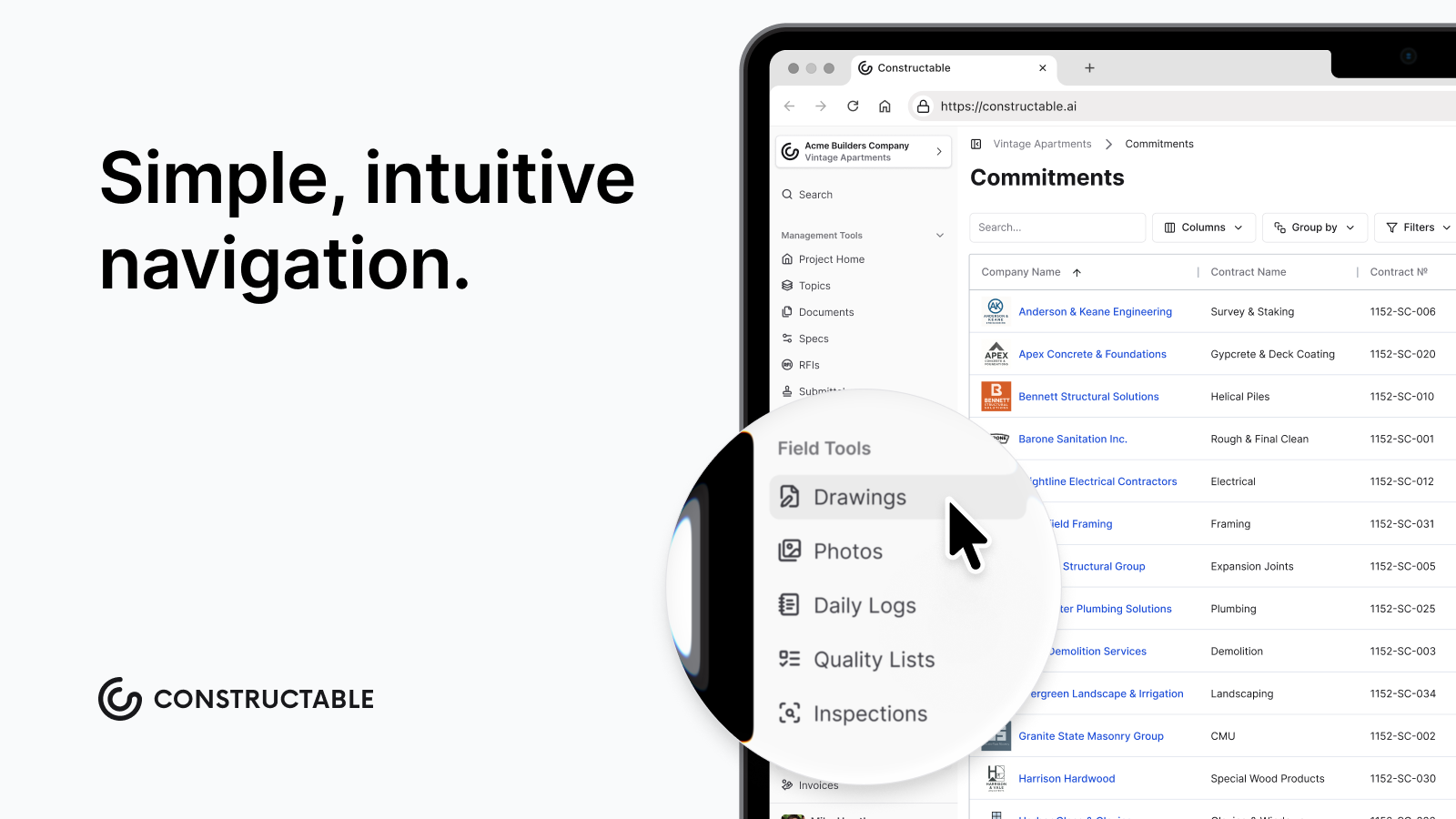
Pricing stays flat as you add users. Onboarding wraps in under three weeks. Every workflow follows the same interaction patterns, so learning one means learning them all. Your superintendent and project manager use the same system the same way, with drawings anchoring collaboration instead of living in a separate file viewer.
Mid-size GCs don't need watered-down enterprise software or duct-taped point solutions. They need software that respects how construction actually happens. Constructable delivers that without apology, which is why teams choose it over alternatives that dominate market share but fail daily use tests.
Final Thoughts on Integrated Project Management
You need a single source of truth for construction that doesn't require a consultant to set up or a second mortgage to afford. Constructable gives you full project management, financial controls, and field documentation without the enterprise bloat that kills adoption. Everything shares the same data, so your RFIs, drawings, and budget actually talk to each other. If that sounds like what you've been looking for, let's talk about your projects.
FAQ
How do I choose between all-in-one construction software and separate tools for each workflow?
Pick an all-in-one when your team wastes time switching between apps or re-entering the same data in multiple places. Separate tools work if you only need one or two functions, but most GCs managing commercial projects save hours each week by keeping drawings, RFIs, budgets, and field logs in a single shared system.
Which all-in-one construction software works best for mid-size general contractors?
Constructable fits GCs running $20M to $150M in volume who need fast adoption without enterprise complexity. Procore and Autodesk serve larger firms with dedicated IT staff and longer onboarding timelines. Fieldwire handles field tasks but skips financial controls. RedTeam offers low-cost but dated workflows.
What's the difference between systems that feel "bolted together" versus truly unified?
Unified systems share a single data model, where an RFI is pinned to the same drawing that your daily log references and your change order pulls from. Bolted-together systems require you to re-enter project details in each module because features were built separately and packaged as a single product after acquisition.
Can I get unlimited users without paying per-seat fees?
Constructable and Procore include unlimited users in flat monthly pricing. Autodesk, RedTeam, and most competitors charge per seat or per Annual Construction Volume, which scales costs as your team grows. Check pricing models before committing if you frequently add subs, consultants, or field staff.
How long does onboarding take for all-in-one construction systems?
Constructable wraps onboarding in under three weeks with no extra fees. Procore and Autodesk often require formal training sessions and 60+ days to launch. Fieldwire onboards quickly but covers fewer workflows. RedTeam and Ingenious Build need an extended setup for their financial and hierarchy configurations.