Fieldwire Reviews & Alternatives April 2026
Fieldwire reviews, pricing ($39-$89/user/month), and top alternatives for April 2026. Compare features, costs, and better options for construction teams.
The thing about Fieldwire reviews is that they'll tell you the mobile app works well and the plan markups are solid, which is true. But they won't always mention that you'll need separate software for financials, that accounting integrations require workarounds, or that costs scale fast once your team grows beyond a handful of people. You're not looking for reasons Fieldwire is bad. You're looking to see whether it actually fits how your team operates six months from now, when projects get bigger and reporting demands get heavier.
TLDR:
- Fieldwire costs $39-$89 per user monthly and handles drawings and tasks well, but lacks budgeting and accounting tools
- Per-user pricing hits hard when you add subcontractors and consultants who need occasional access
- Constructable offers flat-rate pricing with unlimited users and connects field work directly to financials
- Most teams outgrow field-only tools once projects require RFIs, submittals, and change orders in one place
- Constructable onboards in under 21 days with native QuickBooks sync and no per-seat costs as you scale
What Fieldwire Gets Right (And What It Doesn't Cover)
Fieldwire has built a solid reputation among contractors who need to move away from paper drawings and start tracking tasks digitally. The software focuses heavily on plan viewing, markup tools, and basic task management, which appeals to teams making their first jump into digital workflows.
In practice, Fieldwire works well for smaller projects where you're mostly managing drawings and punch lists. Users report that the mobile interface feels intuitive for field crews, and the ability to mark up plans directly on a tablet solves real problems. But as project complexity grows, many teams run into friction. Reporting is limited, RFI workflows feel clunky, and integration with accounting or estimating software requires workarounds.
Pricing starts at $39 per user per month for basic features, rising to $89 per user per month at the Premier tier. For a small, stable team, that's a reasonable entry point. Where it gets complicated is when your project grows, and you start adding subcontractors, consultants, or owners who need occasional access—every new login adds to the bill.
The real question isn't whether Fieldwire works. It does. The question is whether it fits how your team actually operates, and what you'll need six months from now when projects get bigger and reporting demands get heavier.
What is Fieldwire and How Does It Work?
Fieldwire launched in 2013 as a mobile-first field management tool and was acquired by Hilti in 2021. It's used on job sites by general contractors, specialty contractors, and field crews who need to manage drawings and tasks without being chained to a desk.
The software focuses on a few key functions. You can upload drawing sets and mark them up directly from a tablet or phone. Tasks and punch list items get created and assigned to specific locations on the plans, so there's no confusion about what needs attention or where. RFIs let you ask questions tied to drawing sheets, and photos get organized by location and task. Everything syncs when you have connectivity, but the app also works offline, which matters when you're deep in a concrete structure with no signal.
Pricing runs from a free Basic plan up to $89 per user per month for the Premier tier. That per-user model means costs add up as your team grows. Fieldwire is built for field execution, not back-office work. You won't find budgeting tools, time tracking, or financial reporting here. It handles the jobsite, not the books.
Why Consider Fieldwire Alternatives?
Fieldwire handles field execution well. The interface works for superintendents who need to mark up plans, assign tasks, and track punch lists without fighting the software. If that's all your projects require, you're probably fine sticking with it.
But most teams eventually need more. Fieldwire doesn't include time tracking, billing, invoicing, or cost management. There's no way to track budgets, manage Schedule of Values, or get financial visibility without adding another system. That creates double entry and disconnected data between what's happening in the field and what's running through your books. As construction technology adoption becomes non-negotiable, contractors need systems that connect field and financial data without forcing multiple logins.
The per-user pricing model becomes expensive when you add subcontractors, consultants, and owners who need access. You're paying for every login, even if someone only checks in once a week. Fieldwire also lacks native accounting integrations, so connecting it to QuickBooks or your estimating software requires workarounds or third-party tools.
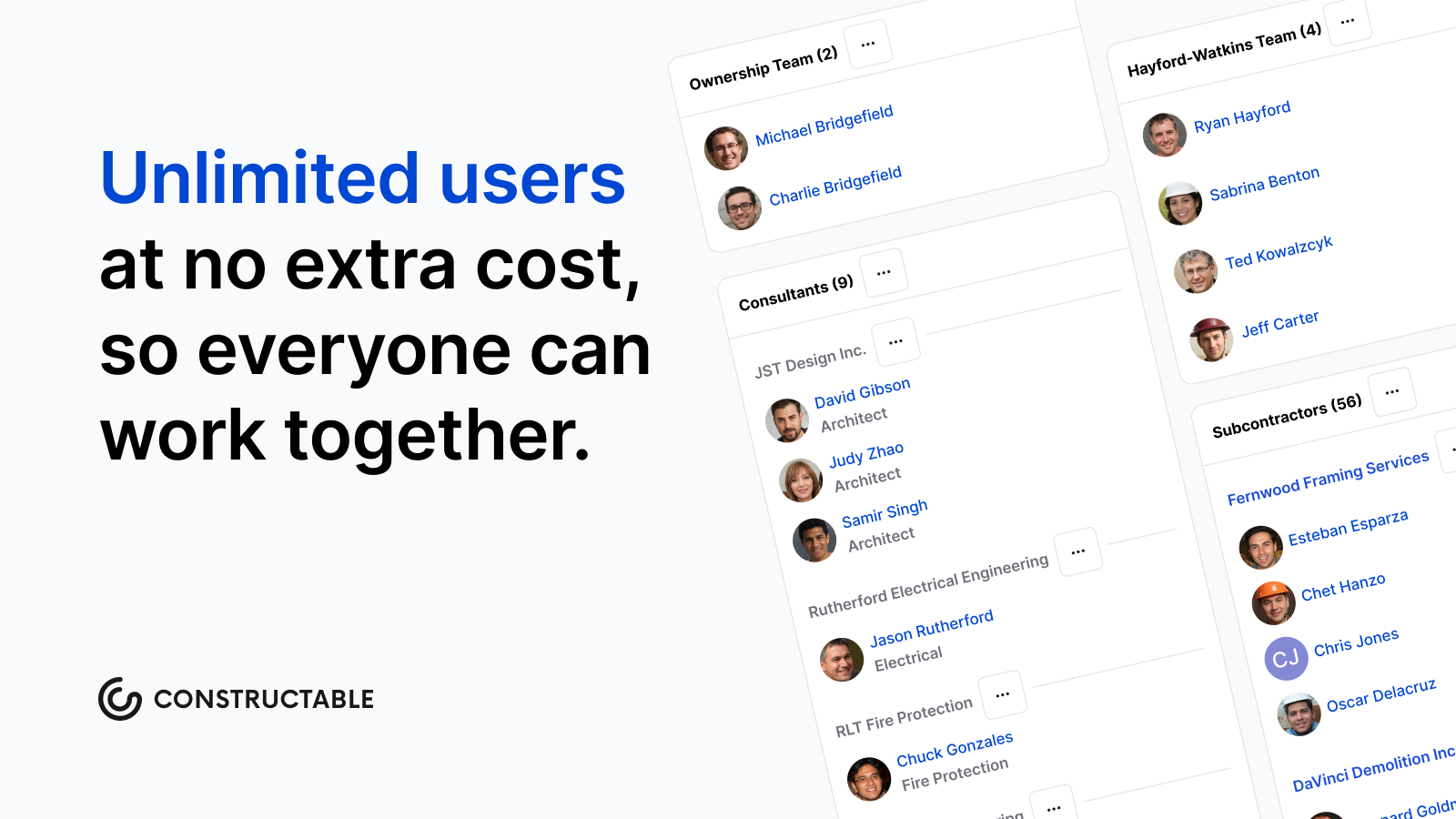
If you're running complex projects where RFIs, submittals, change orders, and budgets need to live in the same place as your field data, Fieldwire won't close the loop. You'll still be managing multiple systems, which is exactly what most teams are trying to get away from.
Best Fieldwire Alternatives in March 2026
While Fieldwire excels at field execution, several alternatives offer broader project management capabilities or different pricing structures.
1. Constructable (Best Overall Alternative)
Constructable brings together field tools, project management, and financial workflows into one system built for mid-size general contractors running commercial projects. Instead of forcing teams to stitch together separate apps for field tasks, project coordination, and budgets, Constructable works the same way for superintendents, project managers, and office staff.
The system revolves around drawings. RFIs, submittals, topics, and markups all pin directly to plans, so conversations stay grounded in the actual work. Financial tools like budgets, commitments, change orders, and Schedule of Values sit in the same product, with QuickBooks and Sage Intacct integrations that keep accounting in sync without manual exports.
Pricing runs on flat fees with unlimited users, so growing teams or adding subcontractors doesn't trigger new costs. Onboarding takes under 21 days with hands-on support and no migration fees.
Constructable works for mid-size general contractors and developers tired of paying separately for field apps, project management software, and financial systems. Teams get one intuitive product that respects how construction actually works, without per-user penalties or enterprise complexity.
2. Procore
Procore serves large contractors with extensive feature sets spanning project management, quality, safety, and financials. The product offers document control, inspections, observations, budgeting, change orders, and a marketplace of third-party integrations.
Procore fits large enterprises with dedicated IT staff who can handle complex configurations and training programs. But the enterprise focus brings enterprise complexity and per-user costs, and long onboarding timelines that leave mid-size teams feeling like an afterthought.
3. Autodesk Construction Cloud
Autodesk Construction Cloud bundles design collaboration, project management, and field execution for organizations invested in Autodesk ecosystems. Integration with Revit and AutoCAD, along with BIM coordination and clash detection, appeals to teams that bridge design and construction.
The acquisition-driven architecture shows through loosely connected modules and inconsistent experiences. Migration costs run high, onboarding requires consultants, and pricing includes costs beyond the base subscription. The system suits enterprises standardizing on Autodesk, but Constructable delivers a cohesive product with faster onboarding and transparent pricing.
Feature Comparison: Fieldwire vs Top Alternatives
| Feature | Fieldwire | Constructable | Procore | Autodesk Construction Cloud | RedTeam |
|---|---|---|---|---|---|
| Drawing Management & Markup | Yes | Yes | Yes | Yes | Yes |
| Field Task Management | Yes | Yes | Yes | Yes | Limited |
| RFIs & Submittals | Yes (higher tiers) | Yes | Yes | Yes | Yes |
| Native Financial Tools (Budgets, SOV, Change Orders) | No | Yes | Yes | Yes | Yes |
| Accounting Integration | No | QuickBooks & Sage | QuickBooks | Limited | Yes |
| Unlimited Users | No (per-user pricing) | Yes | No (per-user pricing) | No (per-user pricing) | No (per-user pricing) |
| Offline Mobile Access | Yes | Yes | Limited | Limited | Limited |
| Onboarding Support | Self-serve | Hands-on, included | Formal, extended | Third-party consultants | Minimal |
| Pricing Model | Per user per month | Flat fee per plan | Per user per month | Enterprise licensing | Per user per month |
Fieldwire excels at lightweight field coordination but stops short of financial management, so most teams still need separate software for budgets and change orders. Constructable offers flat-rate pricing with unlimited users and connects field tasks directly to project financials, eliminating the need for third-party accounting consultants. Procore and Autodesk Construction Cloud deliver enterprise-grade capabilities but come with per-user costs that scale quickly and onboarding timelines that can stretch for months. RedTeam focuses on specialty contractors but offers less flexibility for teams working across multiple trade types.
Why Constructable is the Best Fieldwire Alternative
Fieldwire handles field coordination, but forces you to add separate systems for budgets, change orders, and accounting. That means double entry, disconnected data, and the exact fragmentation most teams are trying to escape. Constructable fixes this by putting field tools, project management, and financials in one product that actually works together.
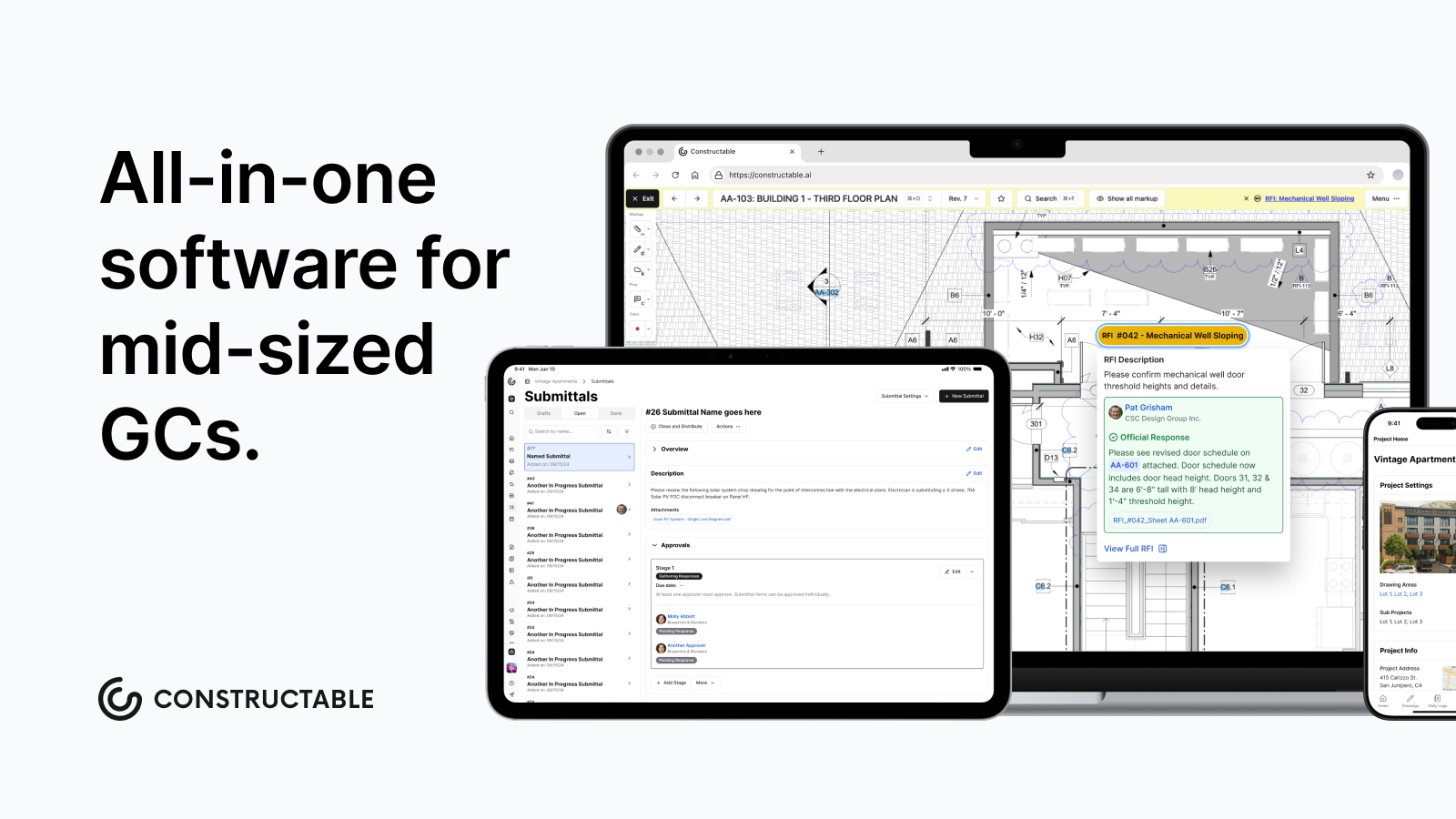
Your superintendents get the same drawing markup, offline access, and task management they need. Your project managers get RFIs, submittals, and change orders tied directly to those plans. Your office team gets native budgeting with QuickBooks and Sage Intacct integration without exporting spreadsheets or maintaining another login.
Constructable charges flat fees with unlimited users. Add subcontractors, consultants, and owners without per-seat costs that spiral as your team grows. Onboarding takes under three weeks with hands-on migration support included, not outsourced to consultants or left to self-serve documentation.
For mid-size general contractors running commercial projects, Constructable is the practical choice: one system that respects how you actually work, without enterprise complexity or per-user penalties. It just shows up and works.
Choosing the Right Construction Management Software
The right construction management software depends on what's slowing your team down right now. If Fieldwire reviews show it handles your field work, but you're still exporting spreadsheets for budgets and change orders, you probably need something more connected. Look at where you're doing double entry and pick a tool that closes those gaps without making everyone learn a new system.
FAQ
When should you consider moving away from Fieldwire?
If you're managing budgets, change orders, or Schedule of Values in separate systems, or if per-user costs keep climbing as you add subcontractors and consultants, it's time to look at alternatives that connect field work directly to financial tracking without forcing you to pay for every login.
What features matter most when comparing alternatives to Fieldwire?
Look for native financial tools (budgets, commitments, change orders) that work together with your field management, accounting integrations that don't require workarounds, and flat-rate pricing that won't punish you for adding users as projects grow.
How does flat-rate pricing compare to Fieldwire's per-user model?
With per-user pricing, costs climb fast: add a handful of subcontractors, a consultant, and an owner rep, and your monthly bill can double before the project really gets going. Flat-rate pricing lets you add unlimited users (including subcontractors, owners, and consultants) without triggering new costs every time someone needs access.
Can you manage change orders and budgets directly in field management software?
Most field-focused tools like Fieldwire don't include native financial management, forcing you to maintain separate systems for budgets and change orders. Some alternatives, like Constructable and Procore, build financial tools directly into the same product where your field data lives, eliminating double entry between jobsite activity and accounting.
How long does switching from Fieldwire typically take?
Onboarding timelines vary. Self-serve tools leave you figuring it out alone, while hands-on migration support can get your team up and running in under three weeks with data migration included and no extra consulting fees.