PlanGrid Alternatives & Reviews (August 2026)
PlanGrid reviews, pricing breakdown, and top alternatives in August 2026. Compare features, costs, and why contractors are switching to better solutions.
Most of the PlanGrid reviews you'll find today come from teams that liked it when mobile blueprints were the main focus, but now they're stuck with a tool that hasn't changed in years. Autodesk put it in maintenance mode, the per-user and per-sheet costs keep rising, and you're still running RFIs, change orders, and financials somewhere else. We're breaking down the real pricing in 2026, what's missing, and which alternatives let you run the full project without duct-taping four tools together.
TLDR:
-
PlanGrid halted development in 2021 and caps base plans at 550 sheets with per-user fees
-
Autodesk merged PlanGrid into Construction Cloud, pushing users toward a larger ecosystem
-
Constructable offers flat monthly pricing with unlimited users and active monthly updates
-
Per-seat pricing across alternatives adds up fast once subs and consultants join projects
-
Constructable unifies drawings, RFIs, financials, and AI search in one connected system
What is PlanGrid and How Does it Work?
PlanGrid started as a field-focused construction app built around one core idea: get the right drawings to the right people, on any device, from anywhere. Autodesk acquired it for $875 million in December 2018, and it has since been folded into Autodesk Build, which merges PlanGrid's sheet management strengths with Build's broader project management capabilities.
At its core, PlanGrid is a mobile-ready suite for storing blueprints and documents in the field. The feature set covers the essentials most field teams need:
-
Sheet management and blueprint storage accessible from a phone or tablet on the jobsite
-
Task tracking, RFIs, and submittals to keep documentation moving between parties
-
Field reports and photo storage to capture what's happening on the ground
The goal is a single source of truth for project-wide documents and drawings, no matter who needs them or where they are.
Pricing follows a per-user model. Based on last published pricing, the Nailgun plan runs $39 per user per month, billed annually, or $49 per user per month, and covers up to 550 sheets. If your team grows or your project sheet count climbs, expect costs to rise with them.
PlanGrid carved out a real niche for contractors who needed mobile drawing access before that was common. The tradeoff is that its scope remains narrower than that of full project management tools, and since the Autodesk acquisition, many users have found themselves nudged toward the larger, more expensive Autodesk Construction Cloud ecosystem.
Why Consider PlanGrid Alternatives?
PlanGrid earned its place on jobsites. Before the Autodesk acquisition, PlanGrid reported more than a million projects on its platform, which says something real. But the product was always narrow by design, and that narrowness has become harder to ignore.
The limitations were always there. Thin permission controls. No scheduling, no email tracking, no commissioning tools. For pure field document access, it worked. For managing a full project, you were still piecing things together elsewhere.
Then Autodesk paused development. That was over five years ago. PlanGrid is now in maintenance mode, which means it runs, but nothing new is coming. No updates. No new features. The road just ends. Existing customers can continue to use it but it's no longer an option for those looking for software.
Construction software pricing models vary widely, and PlanGrid's approach adds more friction:
-
Sheet-based pricing caps your plan at 550 sheets on the base tier, which fills up faster than you'd expect on a busy job
-
Per-user fees mean every new team member, sub, or consultant adds to the bill
-
Features like integrated financials, fast RFI workflows, and built-in templates are either missing or weak
Teams often start looking at alternatives when the combination hits: a stalled product, rising costs, and the realization that they still need a second or third tool to run the rest of the project. That gap is exactly where the other options step in.
Best PlanGrid Alternatives in August 2026
Here are the five strongest alternatives to PlanGrid for mid-size general contractors in 2026.
Constructable (Best Overall)
Constructable is built for mid-size GCs managing commercial projects from bidding to closeout. Drawings, RFIs, submittals, photos, punch lists, financials, and more all live in one connected system: no second login, no spreadsheet for the stuff the app can't do. Flat monthly pricing means unlimited users across every role, including subs, owners, and consultants, without the per-seat math that gets expensive the moment a job picks up.
Best suited for GCs running $20M to $150M in annual volume who want field and office teams working in the same system without enterprise overhead.
Autodesk Forma (f.k.a. Construction Cloud)
Autodesk's answer to PlanGrid's limitations is merging field tools with BIM 360 and broader project management. Strong for teams already deep in the Autodesk ecosystem. For a deeper look, see our Autodesk Construction Cloud reviews and pricing breakdown. Pricing is quote-based, and the product architecture reflects its acquisition history with inconsistent UX across modules. Works best for large enterprises with heavy BIM needs and dedicated IT support.
Procore
Enterprise-grade coverage across project execution, cost management, and resource planning. Unlimited users on volume-based pricing, but expect to pay $10,000 to $100,000+ annually, depending on modules. Steep learning curves and click-heavy navigation are common complaints.
Best suited for contractors with annual volume over $100M and dedicated staff to manage the system.
Fieldwire
Mobile-first task and plan management with solid offline capability and a free tier for small teams. No estimating, no invoicing, no financial workflows. When billing time comes, you export data to a separate system. See our full Fieldwire reviews and alternatives for a closer look.
Best suited for field crews needing a focused tool for task execution and plan viewing.
RedTeam
Broad coverage from estimating through closeout with QuickBooks Online integration and per-user pricing starting around $45 per month (verify current rates). The tradeoff is dated UX, slow performance reported by users, and infrequent updates. Teams tolerate it more than they enjoy it; our RedTeam reviews and pricing covers this in detail.
Best suited for budget-conscious buyers willing to accept the limitations of legacy software.
Feature Comparison: PlanGrid vs Top Alternatives
Side-by-side comparisons cut through the noise fast. Here's how PlanGrid stacks up against the top alternatives across the features that actually matter on a commercial project.
| Feature | PlanGrid | Constructable | Autodesk Construction Cloud | Procore | Fieldwire | RedTeam |
|---|---|---|---|---|---|---|
| Drawing Management | Yes | Yes | Yes | Yes | Yes | Yes |
| Unlimited Drawing Sheets | No | Yes | Yes | Yes | No | Yes |
| Native Financial Management | No | Yes | Yes | Yes | No | Yes |
| Unlimited Users | No | Yes | No | Yes | No | No |
| Document Search | Limited | Yes | Yes | Limited | No | No |
| Bidding & Estimating | No | Yes | Limited | Yes | No | Yes |
| Active Product Development | No | Yes | Yes | Yes | Yes | Limited |
| Flat Monthly Pricing | No | Yes | No | No | No | No |
Two things stand out here. First, PlanGrid is in maintenance mode, which means it's not really an option unless you're already a customer. And when development stops, the product stops keeping up with how you actually work. Second, Constructable is the only option offering flat monthly pricing with unlimited users. That matters a lot once subs and owners start joining your projects, because per-seat pricing has a way of quietly getting out of hand the moment a job picks up momentum.
Why Constructable is the Best PlanGrid Alternative
PlanGrid was built for the field, and it delivered on that promise for years. It built a solid reputation in the industry. But field-first only takes you so far when RFIs are piling up, change orders need signatures, and your subs are asking about budget status. At some point, drawings alone stop being enough.
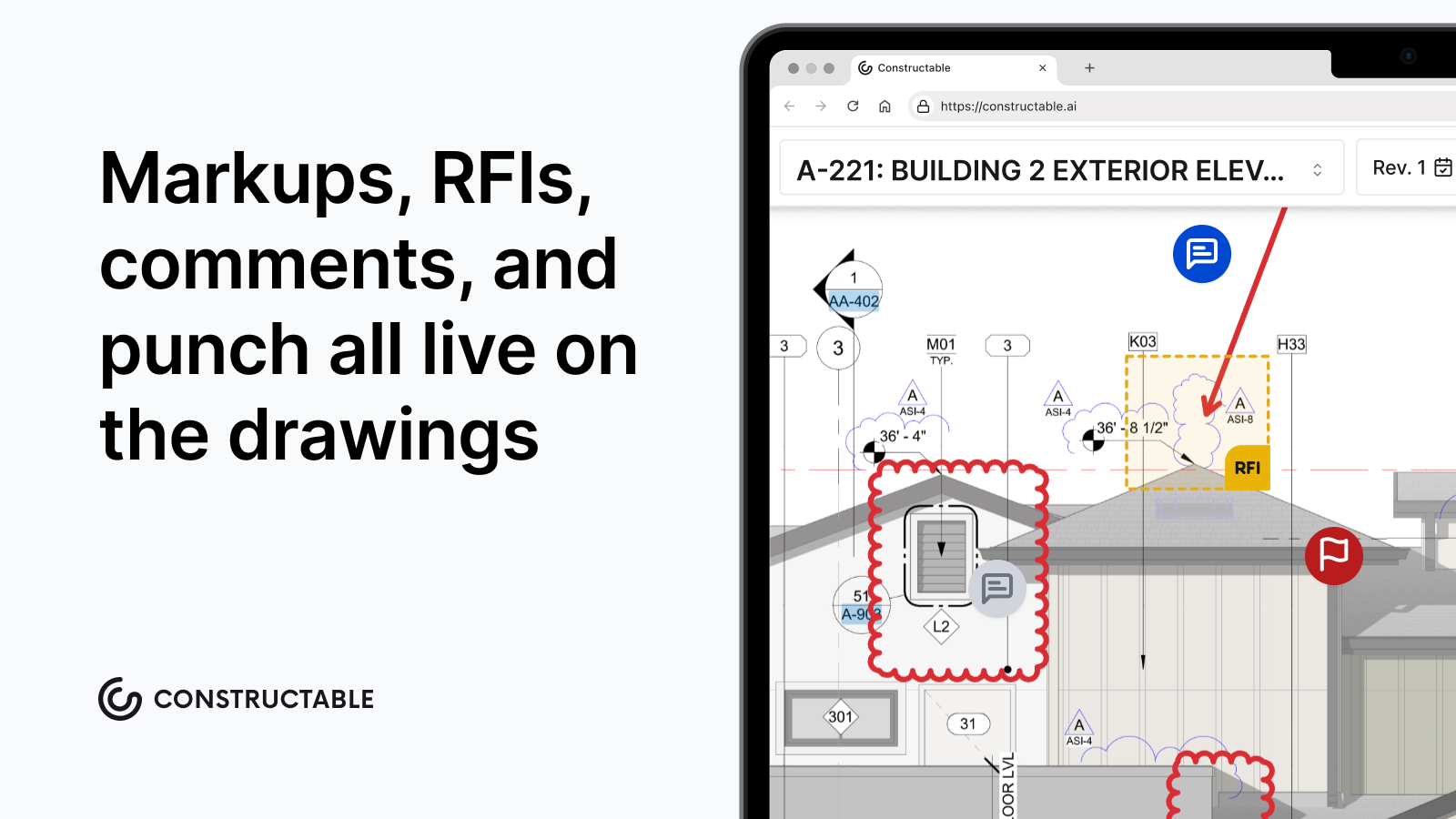
Constructable picks up where PlanGrid leaves off. The drawing experience your team relies on is there, but so are native RFIs, submittals, change orders, daily logs, punch lists, and financials, all connected and all in one place. No second login. No spreadsheet for the stuff the app can't do. That's what construction management software should do: keep your entire project workflow in sync without splitting your team across multiple tools.
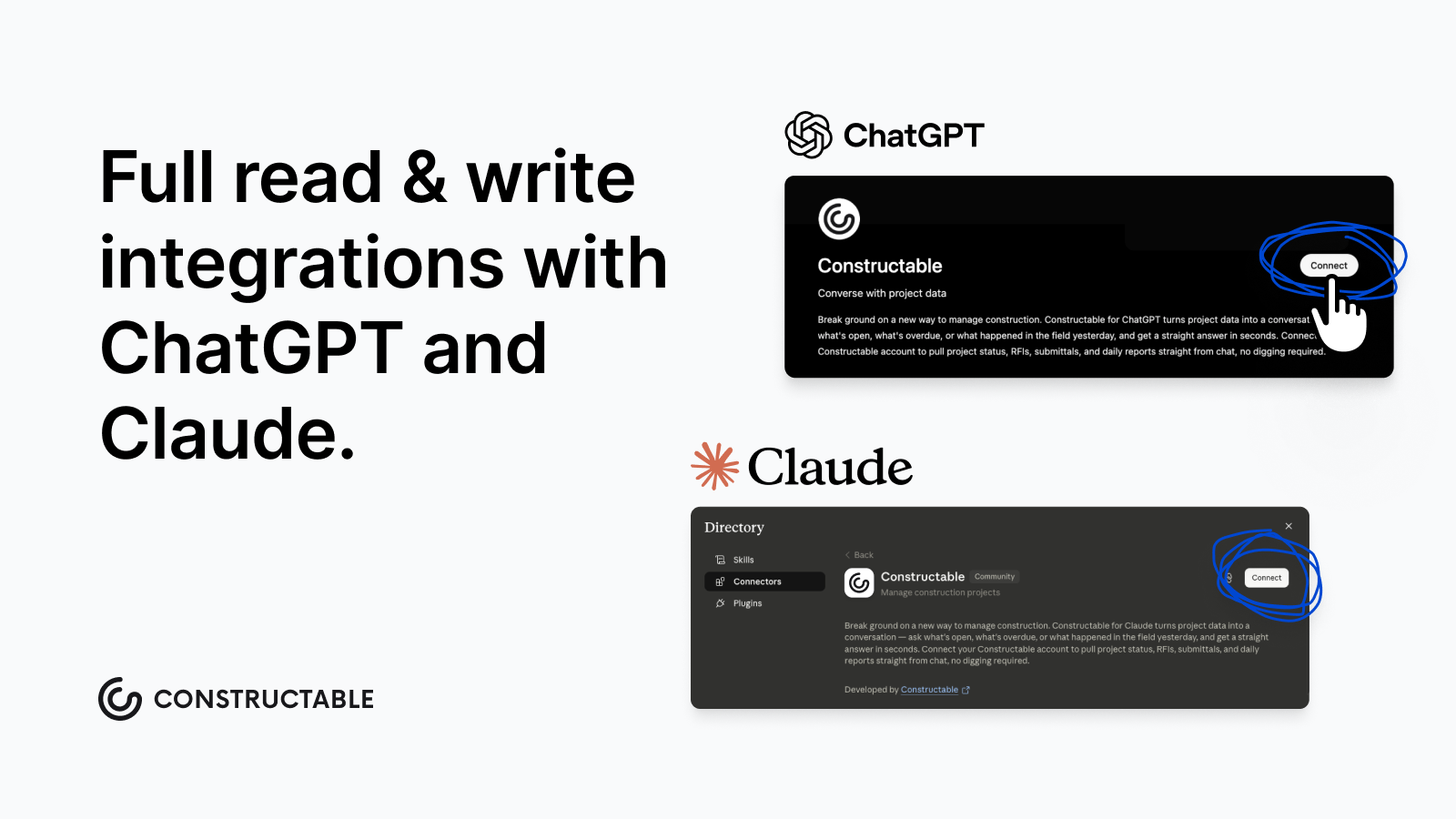
Constructable is also leading the industry by being the first (and as of August 2026, the only!) construction management software with full read and write integrations on both OpenAI's ChatGPT Plugin directory and Anthropic's Claude Connectors directory via Constructable's MCP (model context protocol). It's very easy to set up, and it means you can use your favorite AI workspace to read and write information directly from your projects in Constructable.
Constructable ships updates every week based on real conversations with GCs. That's the opposite of a product in maintenance mode. Flat pricing means your subs, owners, and consultants can be in the system without running up the bill. Check out the latest at https://constructable.ai/whats-new
If PlanGrid solved drawings, Constructable solves the project.
Final Thoughts on Moving Beyond PlanGrid
The original PlanGrid promise was simple: get drawings to your team, anywhere. That worked until it didn't, and now, five years without updates, you're managing the rest of your project somewhere else. You're not looking for the fanciest tool; you're looking for one that actually covers what a commercial job requires without nickel-and-diming you on user seats. Let's talk if you want to see how Constructable handles it differently.
FAQ
When should you consider moving away from PlanGrid?
If you're running into sheet limits on your current plan, paying per-user fees that climb with every new sub or consultant, or finding yourself stuck between a frozen product and the larger Autodesk ecosystem you don't need yet, it's probably time to look at what else is out there.
What's the main difference between field-first tools and full project management systems?
Field-first tools like PlanGrid and Fieldwire focus on drawings, tasks, and mobile access, and they work great until you need to track budgets, manage change orders, or run submittals. Full project management systems handle all of that in one place, so you're not exporting data to finish the job.
Can I actually get unlimited users without paying per seat?
Yes. Constructable offers flat monthly pricing with unlimited users across every role (subs, owners, consultants, everyone) with native financials, active weekly updates, and the full project workflow in one system. Procore also offers unlimited users, but pricing is volume-based and runs $10,000 to $100,000+ annually, depending on modules.
How long does it take to get a team up and running with Constructable?
Most teams finish setup in under three weeks. The faster part is uploading your drawings and getting people logged in; the slower part is adjusting workflows and making sure everyone knows where to find what they need.