Autodesk Construction Cloud Reviews, Pricing, and Alternatives (April 2026)
Read real Autodesk Construction Cloud reviews, pricing details, and top alternatives for mid-size GCs. Compare ACC with better options in April 2026.
When you're looking at Autodesk alternatives, it usually means you've already run into the same issues everyone else has: opaque pricing, complicated onboarding, and a product that feels like several different apps because, well, it basically is. With digital tool adoption surging 392% since 2022, picking the right system matters more than ever.
Autodesk Construction Cloud (ACC) works well if you're doing heavy BIM coordination and already live in Revit, but for many mid-size GCs, the overhead outweighs the benefits. Here's how ACC stacks up, where it struggles, and what else is worth considering if you need something that works without the runway.
TLDR:
- Autodesk Construction Cloud is a collection of acquired tools stitched together, not one unified system.
- Pricing isn't published and often requires third-party consultants just to get up and running.
- Mid-size GCs ($20M-$150M volume) often find ACC's complexity outweighs its benefits.
- Constructable offers flat-fee pricing with unlimited users and onboarding under 21 days, no consultants needed.
What is Autodesk Construction Cloud and How Does it Work?
Autodesk Construction Cloud is Autodesk's attempt to bring construction project management under one roof. It pulls together a collection of acquired products, including BIM 360, PlanGrid, Assemble, and BuildingConnected, into a connected suite covering the full project lifecycle from preconstruction through closeout.
The core of ACC revolves around a few key capability areas:
- Document management and drawing distribution across project teams
- BIM coordination and model-based workflows for design and field alignment
- Field execution tools covering RFIs, submittals, and daily logs
- Cost management and budget tracking throughout construction
- Preconstruction and bid management through BuildingConnected
ACC is built around a cloud-based model viewer that lets project teams coordinate on 3D models and 2D drawings simultaneously. Field teams can pull up plans on mobile, log issues, and tie information back to the model. For teams implementing BIM coordination workflows, these model-based tools provide real value.
The product targets large general contractors, owners, and design firms, particularly those already using Autodesk's design tools like Revit or AutoCAD. For teams doing heavy BIM coordination, the model-based workflows are a real draw.
What to Know Before You Buy
What you're getting here is not a single product built from the ground up. ACC is a collection of tools stitched together through acquisitions over time. That history shapes both the day-to-day experience and the pricing structure, and it's worth understanding before you commit.
Why Consider Autodesk Construction Cloud Alternatives?
ACC does a lot of things well. For large firms doing heavy BIM coordination or already running Revit and AutoCAD across their design workflow, the ecosystem integration is genuinely valuable. Document management is solid, and the model-based collaboration tools are best-in-class for the right context.
That said, a lot of mid-size GCs come away from ACC with the same handful of complaints. Here's where the friction tends to show up:
- The product was assembled through acquisitions, not built as one system. That history shows up in the UX, where different modules feel like different products (because they basically are).
- Pricing is opaque. According to G2, ACC does not publish pricing publicly, and the total cost of ownership goes well beyond the license fee once you factor in implementation, training, and integrations.
- Onboarding often requires a third-party consultant. For a team trying to be up and running in weeks, that's a hard pill to swallow.
- Field tools feel like they were built for the office. Superintendents who just want to pull up a drawing and log a note shouldn't need a training session to do it.
- Product iteration moves slowly. When you're managing legacy architecture across multiple acquired products, shipping meaningful improvements takes time.
For teams running $20M to $150M in annual volume, the overhead of implementing and maintaining ACC can outweigh the benefits. If BIM coordination is your world, ACC makes sense. If you're a GC looking for something that works without a runway, it's worth looking around.
Best Autodesk Construction Cloud Alternatives in April 2026
There's no shortage of options when you're ready to move on from ACC. Some are better fits than others depending on your size, workflow, and budget. Here's how the top alternatives stack up.
1. Constructable
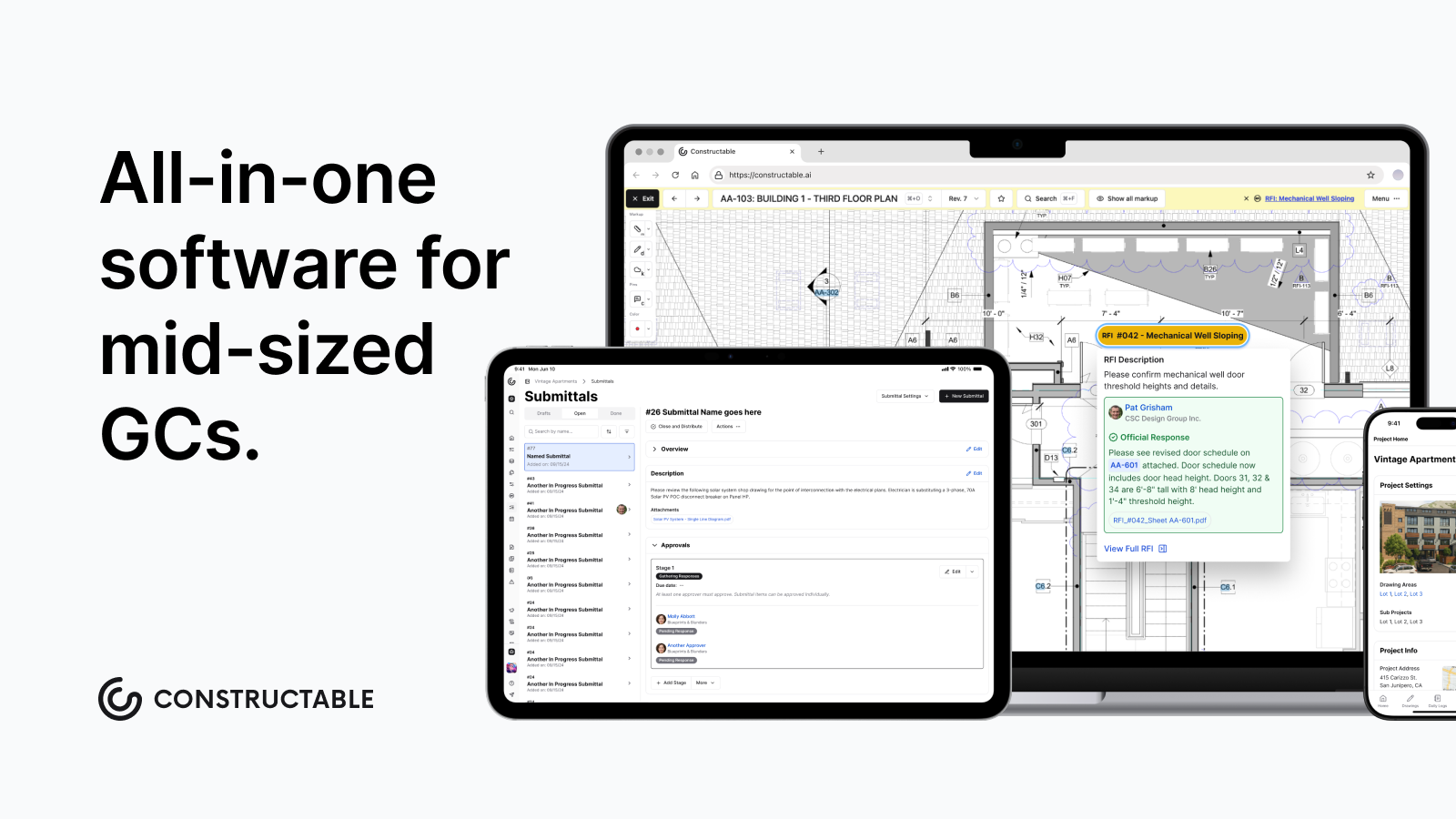
Built for mid-size GCs running $20M to $150M in annual volume, Constructable puts everything in one place: drawings, RFIs, submittals, daily logs, change orders, financials, and much more. Drawings are the center of gravity, with RFIs, punch items, and markups pinned directly to the plans.
- Drawings-first collaboration with direct markup and RFI pinning on plans
- AI-powered search across documents, photos, drawings, and logs
- Flat-fee pricing with unlimited users, including subs, owners, and consultants
- Onboarding under 21 days with no consultant required
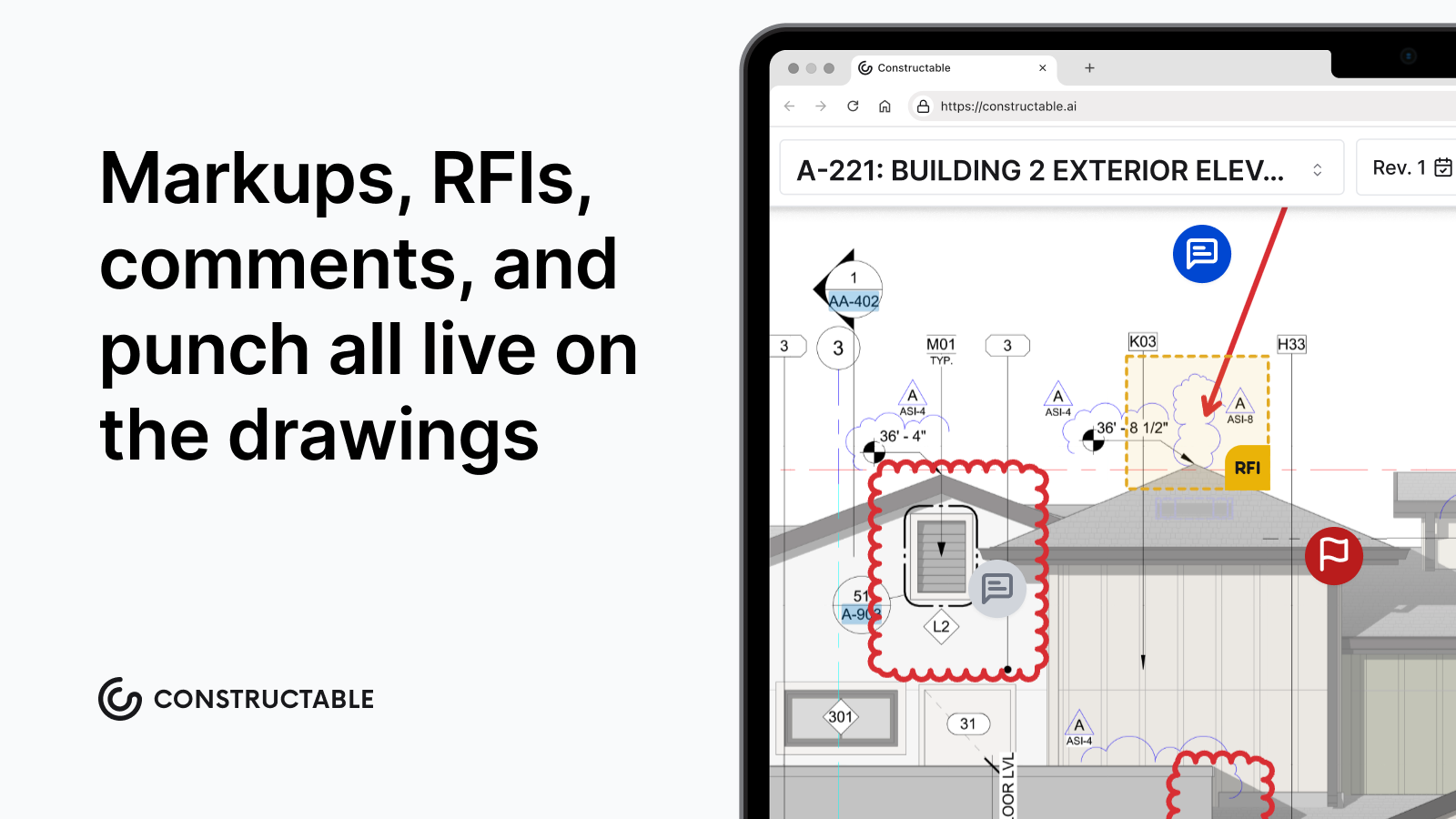
Best for: Mid-size commercial GCs who want one system that actually works together without the enterprise overhead.
2. Procore
Procore is the market leader and covers a wide feature set across financials, field tools, and project management. It handles complex workflows and has a large integration ecosystem.
- Deep financial and subcontractor management tools
- Large third-party integration library
- Strong document control and submittal workflows
Best for: Larger GCs with dedicated software admins and implementation budgets.
Limitations: Pricing scales with construction volume and gets expensive fast. Onboarding often requires a consultant. The breadth of features creates real complexity for smaller teams who only need a fraction of what's there.
3. Fieldwire
Fieldwire focuses on field execution, drawings, and task management. It does what it does well, but it's a point solution by design.
- Clean drawing viewer with markup tools
- Task and punch list management
- Simple enough for field crews to pick up fast
Best for: Teams that need a focused field tool and are okay running separate software for everything else.
Limitations: No financials, no submittals, no depth to RFI workflow. You'll still need other tools alongside it.
4. RedTeam
RedTeam covers project management basics with a financial lean, including contracts, change orders, and subcontractor coordination.
- Subcontractor management and bid solicitation
- Contract and change order tracking
- Basic drawing and document management
Best for: Smaller GCs focused on subcontractor coordination and contract management.
Limitations: The interface feels dated compared to newer tools, and the drawing and field tools aren't the product's strengths.
5. Ingenious Build
Ingenious Build takes an owner-centric approach to project management, with portfolio-level reporting and program oversight.
- Portfolio and program-level dashboards
- Budget tracking across multiple projects
- Owner reporting tools
Best for: Owners and developers managing multiple projects who need visibility across a portfolio.
Limitations: The abstractions that work well for owners don't always translate for GCs who need granular field and document workflows.
Feature Comparison: Autodesk Construction Cloud vs Top Alternatives
The table below puts the major players side by side across the features that actually matter on a busy project.
| Feature | Autodesk Construction Cloud | Constructable | Procore | Fieldwire | RedTeam | Ingenious Build |
|---|---|---|---|---|---|---|
| Drawing Management | Yes | Yes, drawings-first | Yes | Yes | Basic | Basic |
| RFI Workflows | Yes | Pinned to drawings | Yes | No | Basic | No |
| Field Collaboration | Yes | Yes | Yes | Yes | Limited | No |
| Financial Tracking | Yes | Yes | Yes | No | Yes | Yes |
| AI-Powered Search | Limited | Yes, across all data | Limited | No | No | No |
| Pricing Model | Opaque, volume-based | Flat fee | Volume-based | Per user | Per user | Per user |
| Unlimited Users | No | Yes | No | No | No | No |
| Onboarding Included | No | Yes, under 21 days | No | No | No | No |
| Built as One System | No | Yes | Mostly | Yes | Yes | Yes |
The last row is one worth paying attention to. ACC was assembled through a series of acquisitions, and that history shows up everywhere, from how you log in to how pricing is structured to who you call when something breaks. Constructable was built as a single product from day one, which means the drawing tools, RFI workflows, and financial tracking all speak the same language without requiring workarounds or duplicate data entry to hold it together.
Why Constructable is the Best Autodesk Construction Cloud Alternative
Autodesk Construction Cloud makes sense if your work revolves around Revit, you have someone on staff to manage the software, and your projects demand heavy BIM coordination. For everyone else, the complexity and the cost don't add up.
Constructable was built from the ground up as one system, not assembled from acquisitions. That matters because your drawings, RFIs, daily logs, and financials actually work together without workarounds or duct tape holding them in place.
Here is what sets it apart for the contractors who care more about getting the job done than learning new software:
- Flat-fee pricing with unlimited users means you stop doing math every time a sub needs access. The bill stays predictable, which is one less thing on your plate.
- Onboarding under 21 days means your team is running in weeks, not quarters. No six-month implementation, no dedicated IT project just to get started.
- Everything your field and office teams touch lives in one place. No toggling between apps, no wondering which version is current, no one falling through the cracks.
- Real humans are there when something goes wrong. Not a ticket queue. Not a chatbot. Someone who picks up and helps you work through it.
If you want a tool your crews will actually open in the morning without being asked, Constructable is worth a serious look.
Final Thoughts on Picking Software Your Team Will Use
Picking software is one of those decisions that follows your team for years. Get it right, and nobody notices—the job just moves. Get it wrong, and you're managing the tool instead of the project. If you want to see how Constructable runs on real work, grab some time with us, and we'll walk you through it.
FAQ
Why should you consider switching from Autodesk Construction Cloud?
If you're spending more time managing the software than managing the project, or if your field teams avoid using it because it's too complicated, it's time to look elsewhere. ACC makes sense for firms doing heavy BIM coordination, but for most mid-size GCs, the cost, complexity, and onboarding overhead outweigh the benefits.
What matters most when comparing construction management software?
Look for a system where your drawings, RFIs, and daily logs actually talk to each other without workarounds. Flat-fee pricing matters because you shouldn't have to do math every time someone needs access. And if onboarding takes more than a month or requires hiring a consultant, keep looking.
How long does it take to get up and running on a new system?
With Constructable, most teams are live in under 21 days. No consultant required. Compare that to ACC or Procore, where implementation often runs three to six months and requires dedicated IT resources just to get everyone logged in and trained.
Can you run an entire project in one tool without jumping between systems?
Yes, but only if the software was built as one system from the start. ACC was pieced together through acquisitions, so different modules feel disconnected because they are. Constructable handles drawings, RFIs, submittals, daily logs, financials, and change orders in one place, built by one team and designed to work together.
What's the real difference between flat-fee pricing and per-user pricing?
Flat-fee pricing means your bill stays predictable no matter how many subs, consultants, or owners need access. Per-user pricing punishes you for collaboration. Every new login costs money, so teams end up sharing accounts or leaving people out of the loop just to control costs.