Best Construction Project Management Software for Mid-Size Contractors in February 2026
Find the best construction project management software for mid-size contractors in February 2026. Compare features, pricing, and ease of use for GCs running $20M-$150M.
When you're managing several commercial projects at once, you need commercial construction software that works as one system, not a patchwork of apps that don't talk to each other. Most options punish mid-size contractors by either charging enterprise prices with months of onboarding or forcing you to manage drawings in one tool, Scheduling in another, and financials somewhere else entirely. We evaluated the platforms GCs running $15M to $150M consider when they're done with spreadsheets but refuse to overpay for bloated enterprise systems they'll never fully use.
TLDR:
- Mid-size GCs need one system for drawings, RFIs, submittals, and financials without enterprise cost.
- Most tools force you to choose between field-friendly design or expensive enterprise features.
- AI-powered search across project data cuts hours spent hunting through documents and emails.
- Constructable unifies project management in one system with transparent pricing and fast onboarding.
What Is Construction Project Management Software for Mid-Size Contractors?
Construction project management software gives mid-size general contractors a way to run commercial projects from preconstruction through closeout without drowning in spreadsheets, email threads, and disconnected apps.
These systems handle the workflows you actually need: tracking RFIs and submittals, managing drawings and plan revisions, documenting daily logs, organizing photos and punch lists, coordinating change orders, and keeping everyone on the same page whether they're in the trailer or the office.
For contractors running $15M to $150M in annual volume, the right software becomes the single source of truth across multiple active jobs. You're too big to manage everything in email and Excel, but you don't need enterprise bloat.
How We Ranked Construction Project Management Software
We evaluated these tools against criteria that matter when you're running multiple commercial jobs without a full IT department.
First, does the system work as one product, or are you stitching together separate modules that don't talk? Mid-size contractors can't afford to babysit integrations (um, Sage) or reenter data across disconnected tools.
Second, will your field teams actually use it? We prioritized mobile experience and whether superintendents can get work done without fighting the interface or waiting for pages to load on trailer wi-fi.
Third, what does onboarding look like? Some systems require months of setup and training budgets that rival the annual subscription cost. We flagged complexity because you need something your team can adopt in weeks, not quarters.
Finally, we looked at pricing transparency. Does the vendor publish rates, or do you need to sit through a sales call just to find out what this will cost?
Best Overall Construction Project Management Software: Constructable
Constructable is built for mid-size commercial general contractors who need one system that works together, not five logins and duplicate data entry.
Constructable is designed as one system, not bundled acquisitions stitched together. Every feature shares the same data model. You get drawings with plan markups, RFIs and submittals linked to drawing context, daily logs and punch lists built for field teams, and AI-powered search that actually has project context.
Field teams adopt it without training because workflows mirror how construction actually happens. AI-powered systems in construction are delivering 15% productivity gains and 60% reductions in rework, transforming how mid-size contractors approach project efficiency.
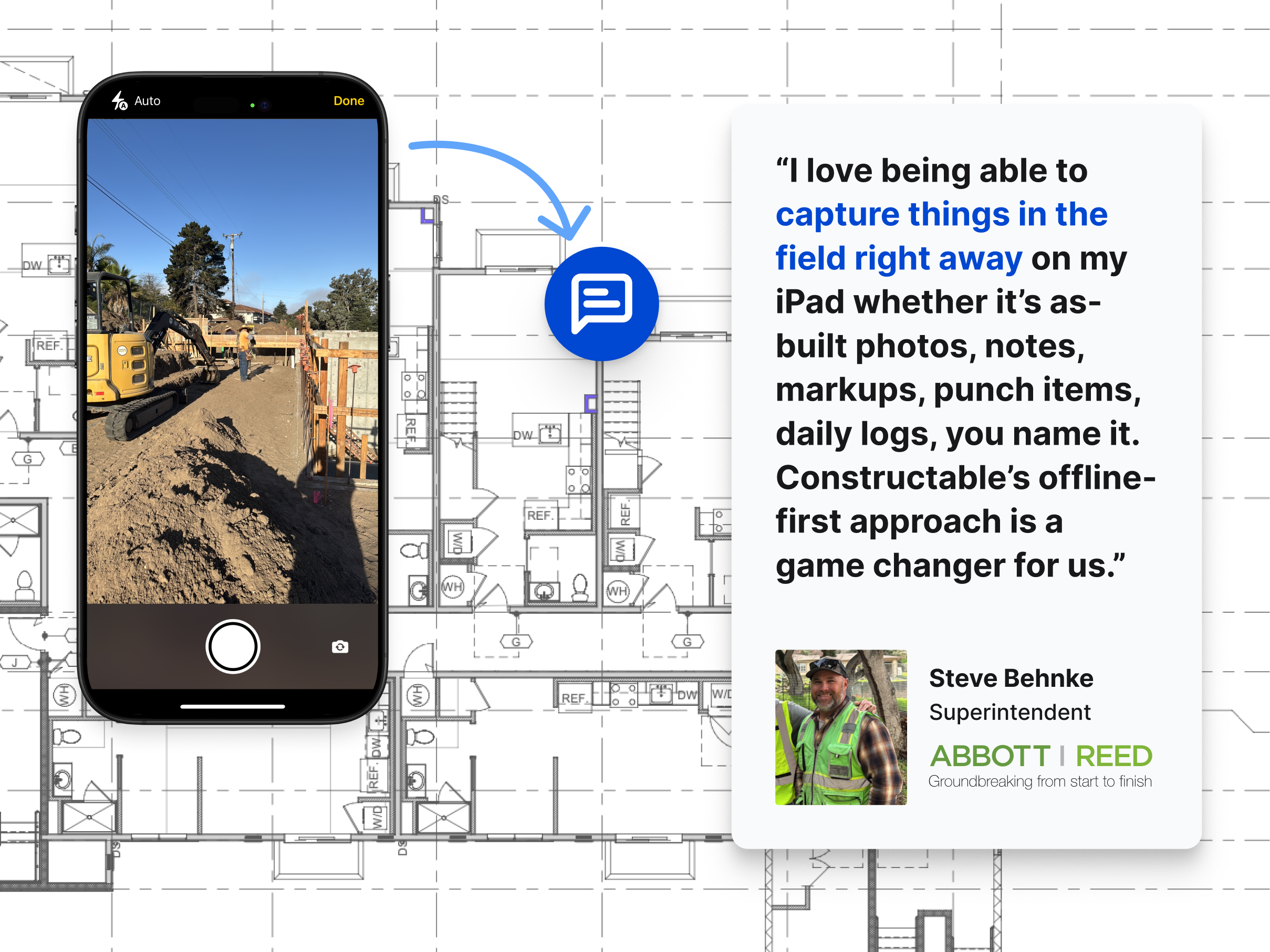
Onboarding takes days to weeks, not months to years, with free migration support included. Pricing ties to value, not volume, so you're not penalized for growth.
For GCs running $15M to $150M annually, Constructable delivers professional-grade project management without enterprise cost or complexity.
Procore
Procore has strong name recognition among contractors managing large commercial projects. It covers project management, documents, financials, and field workflows.
The pricing model doesn't work for most mid-size firms. Contracts often start around $30,000 annually and can exceed six figures depending on project volume. You're billed for features you might never use, and pricing isn't transparent or predictable.
Implementation takes many months. You'll need formal training sessions, structured onboarding, and someone internally who can manage configuration. That overhead makes sense for enterprise teams with dedicated IT resources, but it slows down smaller crews who need to move fast.
Procore has shifted focus upmarket. Mid-size contractors frequently report feeling like they're no longer the priority customer, paying enterprise prices without getting the attention or flexibility they need.
Autodesk Construction Cloud
Autodesk Construction Cloud (ACC) bundles several construction tools into one cloud-based environment, combining products originally acquired separately, including PlanGrid for field management and BIM 360 for coordination. The system offers document management and drawing coordination across Autodesk products, BIM collaboration tools for model-based coordination and clash detection, field management capabilities through the former PlanGrid product line, and integration with Autodesk design software including Revit and AutoCAD.
Good for large enterprises already invested in the Autodesk ecosystem who prioritize design integration and are comfortable with acquisition-based product architecture.
The system reflects multiple acquisitions rather than one cohesive design. Users encounter inconsistent UX patterns across modules, with transitions between tools exposing seams. Migration and onboarding are expensive and time-consuming. Accounting integrations rely on third-party providers, which creates a support nightmare when issues come up—ACC and the integration vendor typically point fingers at each other instead of solving your problem.
Fieldwire
Fieldwire is a field execution tool focused on task management, punch lists, and plan markup for superintendents and field teams. It works as a point solution rather than a full project management system.
Fieldwire offers task management and punch list tracking for field coordination, drawing markup tools with basic plan viewing and annotation, and daily reports with progress photos captured from mobile devices. The workflows are optimized for superintendent and foreman use.
Good for teams needing a narrow, field-only tool to supplement separate project management and financial systems.
The limitation? Fieldwire lacks native RFI workflows, submittal management, budgeting, Schedule of Values, or cost visibility. You'll need separate systems for office-driven coordination, creating fragmentation between field and office data. The per-user pricing model scales linearly with team size, discouraging broad collaboration as subcontractors, owners, and consultants get added.
RedTeam
RedTeam is a legacy construction management system that competes on price rather than product quality or active development. The feature set is broad but reflects older design choices and infrequent updates.
The product includes project management workflows, scheduling, budgeting, cost tracking, document management, basic collaboration features, accounting integration, and estimating tools for commercial contractors. If you're extremely cost-constrained and willing to accept dated UX in exchange for the lowest license fees available, RedTeam can work.
The interface feels stuck in the past. Workflows are awkward and hard to learn. Field adoption struggles because the system is built for the office, not the jobsite. Mobile UX is weak. Teams use RedTeam because of price, not because it makes them more productive. There's little sign of active product development or customer-driven updates.
RedTeam may save money upfront, but the cost shows up in lost productivity and poor adoption. Constructable delivers low pricing with high usability and continuous improvement.
Ingenious Build
Ingenious Build is an owner-oriented construction management system that prioritizes portfolio oversight over day-to-day GC execution. The product reflects design decisions optimized for owners managing multiple projects rather than general contractors coordinating field and trade work.
The product includes project and portfolio management with multi-project visibility, workflow tools for managing RFIs, submittals, and change orders, document control and drawing management across project hierarchies, and reporting and analytics designed for owner and oversight stakeholders.
The limitation? GC users describe confusing hierarchy, where actions like creating an RFI occur outside a clear project-first mental model. Users report feeling lost in the system's structure, requiring extra decisions about where actions belong rather than following natural construction workflows.
Feature Comparison Table of Construction Project Management Software
Here's a side-by-side look at how these systems compare across the workflows that matter most for mid-size commercial GCs.
| Feature | Constructable | Procore | Autodesk Construction Cloud | Fieldwire | RedTeam | Ingenious Build |
|---|---|---|---|---|---|---|
| Native Drawing Management | Yes | Yes | Yes | Yes | Yes | Yes |
| RFIs and Submittals | Yes | Yes | Yes | No | Yes | Yes |
| Daily Logs and Field Reports | Yes | Yes | Yes | Yes | Yes | Yes |
| Financial Management | Yes | Yes | Yes | No | Yes | Yes |
| AI-Powered Search | Yes | No | No | No | No | No |
| Unlimited Users Included | Yes | Yes | No | No | No | No |
| Transparent Pricing | Yes | No | No | Yes | Yes | No |
| Hands-On Migration Support | Yes | No | No | No | No | No |
Why Constructable Is the Best Construction Project Management Software for Mid-Size Contractors
Constructable is built for mid-size commercial GCs who need professional project management software without the enterprise tax. One system covers drawings, RFIs, submittals, daily logs, financials, and AI-powered search across all your project data. No fragmented tool stacks, no duplicate data entry, no fighting adoption in the field.
The construction management software market seems like finally it is modernizing, but still most options still punish mid-size firms with complexity or cost. Constructable is priced transparently, onboards you in days with hands-on migration support, and ships product updates based on contractor feedback instead of enterprise committee meetings.
You get serious software that respects your time, your budget, and the way construction actually works.
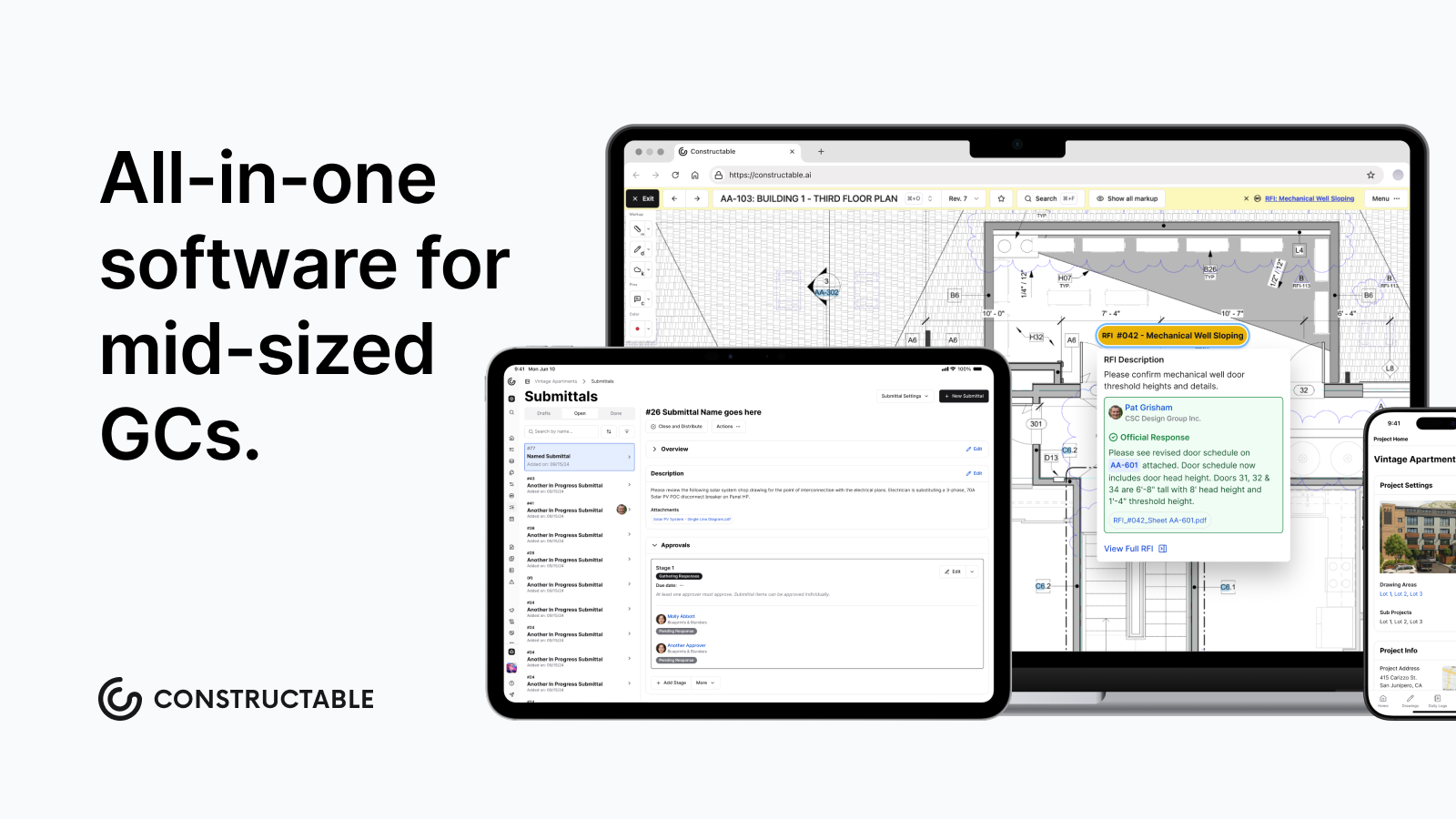
The gap between spreadsheets and enterprise systems is where most mid-size contractors get stuck, paying too much for complexity they don't need or struggling with tools that don't scale. Mid-size contractor software should handle your full project workflow in one place, with transparent pricing and fast onboarding that respects your time. We found that Constructable fills that gap for commercial GCs who need better without the enterprise tax.
FAQ
How do I choose the right construction project management software for my mid-size firm?
Start with three questions: Will your team actually use it on day one? Does it work as one system or force you to juggle multiple logins? And can you onboard in weeks without a training budget that rivals the annual subscription? If you're running $15M to $150M in volume, you need something between spreadsheets and enterprise bloat.
Which construction management software works best for teams without dedicated IT staff?
Look for systems built as one product from the ground up, not bundled acquisitions stitched together. You want something your team can adopt without formal training sessions and that you can implement in days, not months. Avoid platforms that require internal configuration management or expensive onboarding consultants.
What's the difference between field-only tools and full project management systems?
Field-only tools like Fieldwire handle punch lists and plan markup but lack submittals, budgeting, and cost tracking—you'll still need separate office systems. Full project management platforms cover everything from drawings through financials in one place, so your field and office teams share the same data without reentry.
When should I consider switching from my current construction software?
If you're managing data across five different logins, reentering information between systems, or watching field adoption fail because the UI feels built for accountants instead of builders. Also consider switching when pricing punishes growth or when implementation drags on for months without clear progress.
Can construction project management software actually replace my entire tool stack?
Yes, but only if it's designed as one system from the start. You need native drawing management, RFIs, submittals, daily logs, financials, and search that works across all your project data—not separate modules that barely talk to each other. Most mid-size GCs can run everything through one platform instead of stitching together point solutions.