Look-Ahead Schedule in Construction: Build One (September 2026)
Learn the 7 steps to build a 3-week construction look-ahead schedule. Keep constraints cleared and crews on track every week. September 2026.
Construction delays rarely come out of nowhere. They stack up quietly in the weeks before work starts, when constraints go unowned and nobody checks whether a task is actually ready to run. A 3-week look-ahead schedule is the tool that catches all of that early, before it becomes the foreman's problem on a Monday morning.
TLDR:
-
A look-ahead schedule pulls 2-6 weeks of work from the master schedule into crew-ready tasks with constraint checks.
-
98% of North American construction projects face delays; the look-ahead is where you catch slippage before it compounds.
-
Most commercial GCs settle on a 3-week window, balancing task-level accuracy against procurement lead time.
-
Build your look-ahead in 7 steps: pull the window, break down tasks, log constraints, assign owners, confirm sequencing, assign crew-level responsibility, and review before publishing.
-
Constructable keeps MPP schedules visible alongside execution so open RFIs, submittals, and daily logs live in the same system as the schedule.
What is a look-ahead schedule in construction?
A look-ahead schedule is the short-horizon plan a team actually works from. It pulls a slice of upcoming work out of the master schedule, usually the next two to six weeks, and turns it into crew-ready tasks with trade assignments, durations, and constraint checks. Superintendents and foremen build it, review it weekly, and roll it forward as the job moves.
The distinction from the master schedule is where its value lives. Your master schedule maps what should happen across the full project timeline. The look-ahead focuses on what can happen right now, given the material that has landed, the crews on site, the permits in hand, and the RFIs still open. Understanding how project managers use both tools helps clarify where each one fits.
It is not a replacement for the master schedule, and it is not a wish list. Think of it as the bridge between the milestone dates on paper and the work a crew can realistically finish this week.
Why look-ahead schedules matter
Schedule slippage rarely announces itself—it accumulates. In North America, 98% of construction projects face delays, with the average project running 37% longer than originally projected. Some of that traces to forces outside the trailer: 65% cite supply chain and labor delays as a direct cause.
Poor short-range planning compounds those pressures. When work starts before its constraints are cleared, crews collide, a trade waits on the trade ahead of it, and the master schedule gives up a week at a time. The look-ahead is where you catch that early. It is a systems check, not a report card on any one crew.
Look-ahead schedules and the Last Planner System
The look-ahead, as most teams run it, was formalized inside the Last Planner System, a lean planning method built around making work ready before crews touch it. If you have seen LPS language on a jobsite or run across "3-week look-ahead schedule in P6," this is where the two ideas meet.
Within LPS, the relevant stage is Make Ready Planning. Last planners, the supers, and the foremen closest to the work build a look-ahead that pulls tasks forward from phase scheduling and checks each one for constraints. Anything blocking a task goes on a constraint log that names who owns clearing it, so obstacles get worked out before the task starts.
Timing follows a simple guideline. Look-ahead planning should run 3 to 6 weeks before an activity begins, which is why most windows land there.
You do not need a formal LPS rollout to use one. The practice predates the terminology on most jobs.
2-week, 3-week, and 6-week look-aheads: choosing the right window
The window length sets a trade-off between detail and lead time. A shorter horizon gives you reliable task-level accuracy, since crews and trades stay predictable a week or two out. A longer horizon buys runway to clear procurement and schedule inspections, but the task detail at the far edge gets soft.
| Window | Strength | Weakness |
|---|---|---|
| 2-week | Tight task accuracy, crew-level detail | Little lead time to clear constraints |
| 3-week | Balances horizon against predictability | Some drift in week three |
| 6-week | Surfaces long lead items, inspection dates | High uncertainty at the task level |
Most commercial GCs settle on three weeks. It reaches far enough to catch material lead times and inspection scheduling, without stretching past the point where crew and trade sequencing holds up.
The right window also depends on phase. Early concrete work, sequenced tight and weather-dependent, often runs better on a two-week view. MEP rough-in, with long lead equipment and coordinated trade stacking, usually needs a six-week runway to keep procurement ahead of the crews.
What to include in a look-ahead schedule
A look-ahead earns its keep only if every line answers who does what, when, and what stands in the way. The format is your choice. The fields are not.
At minimum, each row should carry:
-
A task ID or reference number so items can be tracked across weekly updates
-
A task description written at crew level, not milestone level
-
The responsible party or trade that owns the work
-
Planned start and finish dates, laid out across work-week columns
-
Duration in days
-
Predecessor constraints, meaning the task or condition that must clear first
-
A status note for progress, slippage, or a hold
The NAVFAC Excel format most teams borrow from adds a couple of government-specific columns: task ID, responsible party, an NAS activity ID tying back to the network schedule, work-week date columns, and the task description itself.
Four fields are worth adding even when no one requires them:
-
Constraint type, so you can sort by what is actually blocking work (material, design, labor, access)
-
Constraint owner, the named person accountable for clearing it
-
Material delivery status, since a task cannot go ready while its material sits on a truck
-
Inspection hold points, which stop the next trade cold if they are missed
Skip these and the schedule still lists work. It just stops telling you what will keep that work from happening.
How to build a 3-week look-ahead schedule
Build the three-week look-ahead in a fixed order. Skip a step and the schedule looks finished while quietly missing the thing that will stall a crew.
Work through these seven steps:
-
Pull the three-week window from the master schedule. Filter to activities scheduled to start or finish inside the next 21 days. This is your raw material, not your finished plan.
-
Break phase-level activities into crew-executable tasks. "Level 3 MEP rough-in" becomes duct hangers on grid A, then branch ductwork, then in-wall plumbing. Write each task at the level a foreman can hand to a crew Monday morning.
-
Log a constraint for every task. Walk each line against material availability, submittal approvals, inspection sign-offs, physical access, and weather. If nothing blocks it, mark it ready.
-
Assign a constraint owner and a target clearance date. "Steel delivery" owned by nobody never clears itself.
-
Confirm sequencing and predecessor logic with trade partners. The trade doing the work knows where your logic breaks before you do.
-
Assign short-horizon responsibility by person or crew, beyond a company name: foreman responsibilities and communication gaps are often where accountability breaks down.
-
Review with field supervisors before publishing. Catch the tasks that look ready on paper but aren't, then release it.
The output is a plan where every line is either ready to run or has someone working to make it ready.
Managing constraints before work begins
A constraint log only works if it drives action. Treat it as a live accountability record, not a checklist you fill out once and file. Every open item carries a named owner and a must-clear-by date, and both get read aloud in the weekly trade meeting until the item closes.
The categories that stall commercial work show up predictably:
-
Design information: open RFI management and pending submittals that gate layout or fabrication
-
Material procurement: long lead items and confirmed delivery dates
-
Crew and trade availability: manpower committed against the window
-
Equipment access: cranes, lifts, and hoisting time booked
-
Inspection hold points: sign-offs the next trade cannot start without
-
Permit milestones: approvals tied to a phase gate
The must-clear-by date is the mechanism. It backs off the task start by lead time, so when a trade says a submittal is "in review," you already know whether review finishes before the crew shows up. A task with an open constraint and no owner stays a guess. Assign the owner, set the date, and the weekly conversation stops being a status recap and starts being a clearing session.
How to update and roll your look-ahead forward
A look-ahead stays useful only if it moves every week. Set a fixed cadence, usually the day before the coordination meeting, and run the same loop each cycle:
-
Review completed against planned. Track Percent Plan Complete (PPC), the share of committed tasks actually finished, and note which ones slipped and why.
-
Diagnose the misses. A slipped task usually traces back to a constraint that never cleared, so adjust that owner's clearance target before it repeats.
-
Roll the window forward one week, drop finished work, and pull the newly visible week into detail.
-
Re-issue the updated schedule ahead of the meeting so trades review current dates; applying OAC meeting best practices here keeps the review focused and the action items clear.
The superintendent owns the cycle, with trade input filling the gaps. Most look-ahead adjustments stay inside the look-ahead and should not trigger a master schedule revision. Recurring slippage in the same area signals that your baseline needs a harder look.
Look-ahead schedule templates and formats
Templates come in three common formats, and each carries its own limitation.
-
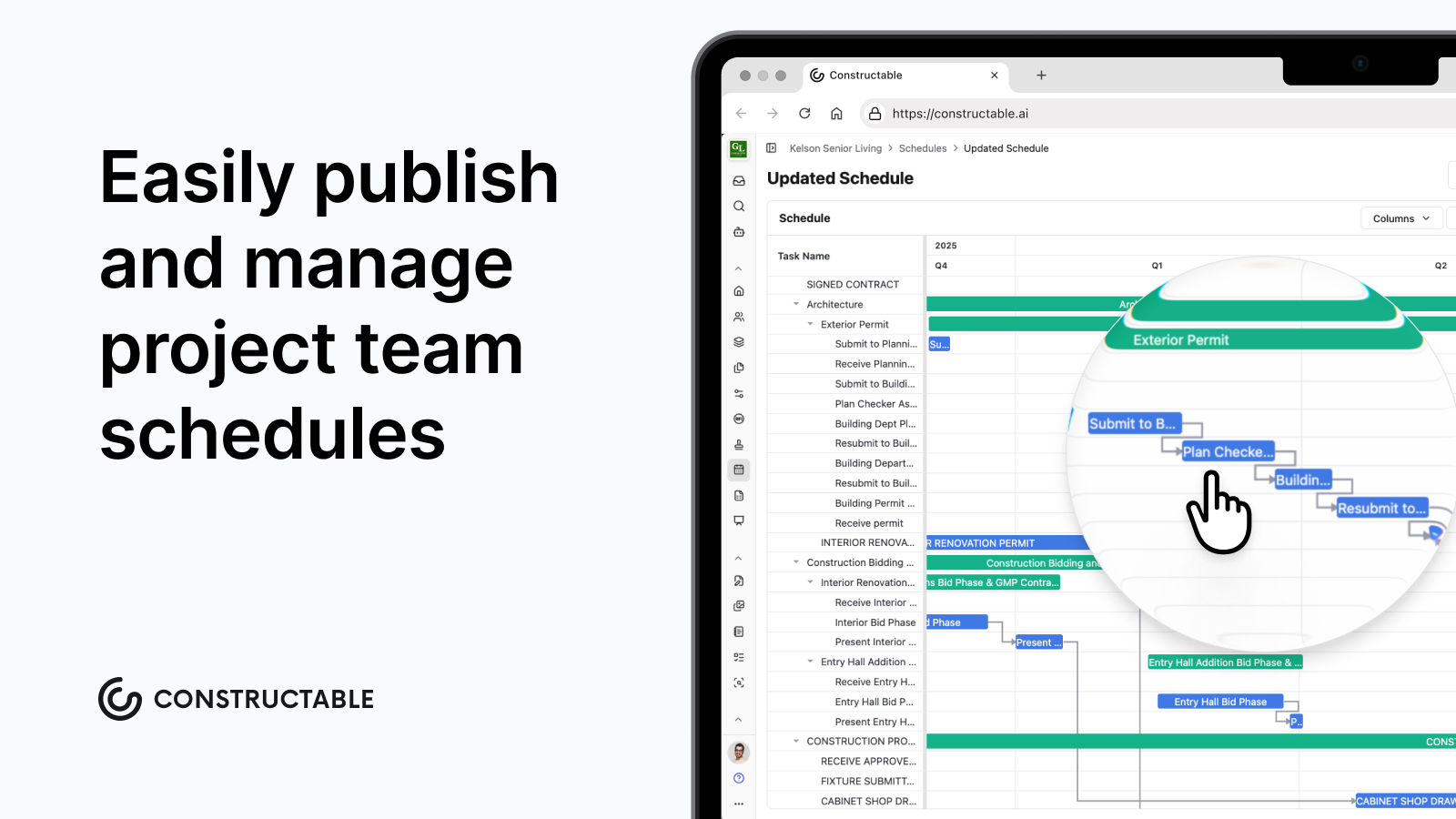
Excel bar chart. The most common format in the field. A task list down the left, work-week columns across the top, cells shaded to show duration. Easy to build and share, but it depends on manual updates and version-control discipline, which is where most teams lose the thread.
-
Gantt export from Primavera P6 or MS Project. Accurate and tied to the master schedule, though the exports run dense and are hard to read on a phone in the trailer.
-
Collaborative digital board. Updates in real time and keeps everyone on one version, but only if the trades actually adopt it.
The format matters less than the discipline behind it. A shaded Excel grid that gets rolled every week beats a polished P6 export nobody opens. The same discipline applies to RFI tracking: requests lost in email create the same blind spots as a schedule nobody reads.
If you are building your first template, the NAVFAC three-week Excel format is a reliable public-domain starting point. It carries the core columns most teams need, and you can strip or add fields from there.
How Constructable keeps the look-ahead connected to the field
A look-ahead only helps when the field can act on it, so the schedule has to live next to the work it governs. When it sits in a separate file, the crew reads one version while constraints move in another. Constructable keeps them together. You upload and display Microsoft Project (MPP) files right in the scheduling workflow, with sticky column headers and dependency arrows, so the current schedule stays visible to the whole team.
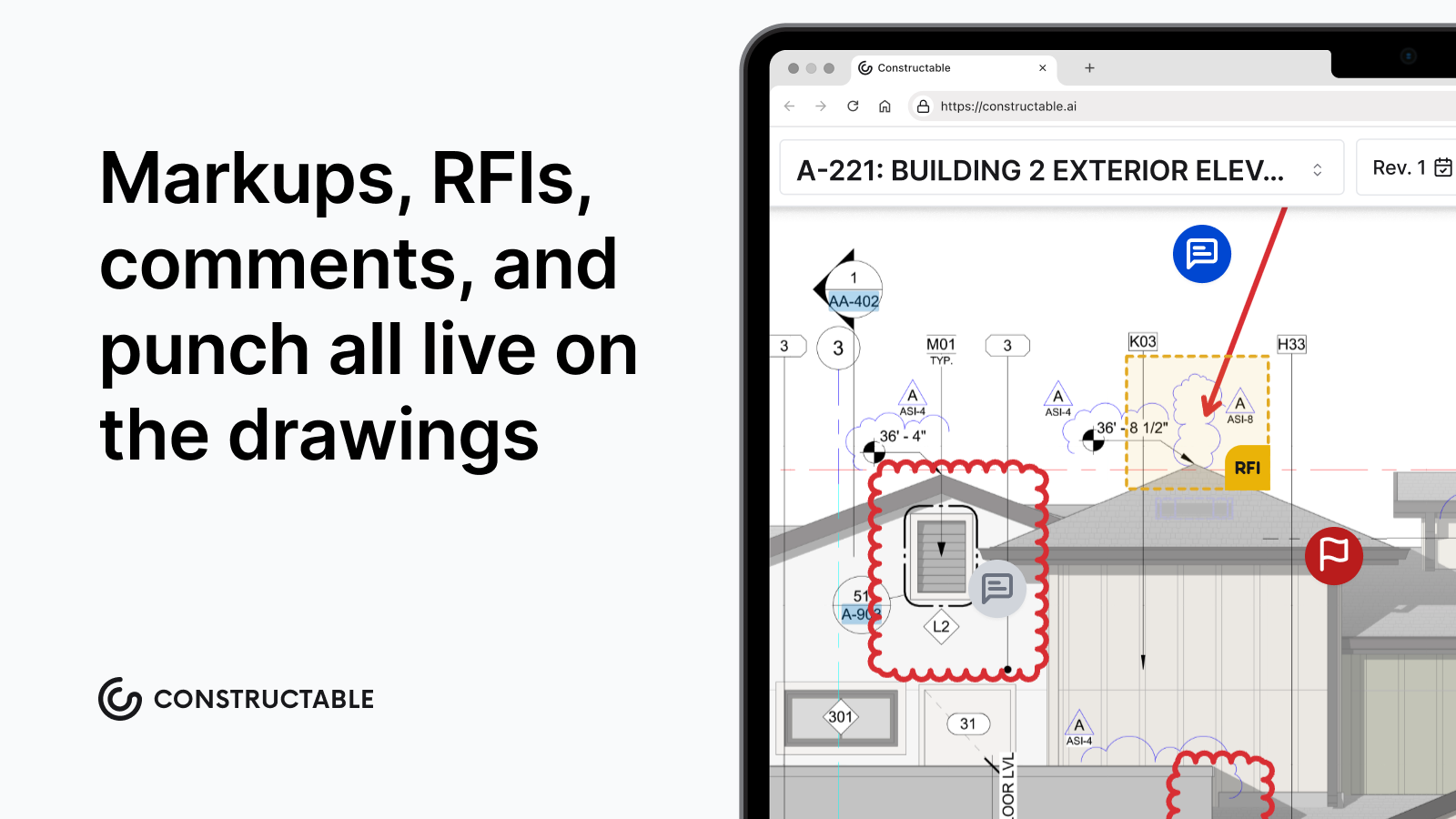
You can build and revise your schedule in Microsoft Project or a comparable tool, then add it to Constructable for consumption by your project team. What it does is keep the schedule visible alongside execution: an open RFI on a drawing pin, a submittal past its response date, a field photo and video documentation, all in the same system.
Final thoughts on construction look-ahead scheduling
The format you use matters a lot less than the discipline behind it. A three-week look-ahead that gets rolled every Friday and reviewed with trades before Monday beats a polished export nobody opens. Get the constraint log working, put names on the open items, and the weekly meeting stops being a status recap and starts moving work. If you want to see how Constructable keeps your schedule, RFIs, and submittals in one place, reach out and we'll show you.
FAQs
What is the difference between a look-ahead schedule and a master schedule in construction?
A look-ahead schedule pulls a short window of upcoming work, typically two to six weeks, out of the master schedule and breaks it down into crew-executable tasks with trade assignments, constraint checks, and named owners. The master schedule maps the full project timeline; the look-ahead focuses on what can realistically happen right now, given materials on site, permits in hand, and open RFIs. It bridges milestone dates on paper and the work a crew can actually start Monday morning.
What should every row in a construction look-ahead schedule template include?
Every row needs a task ID, a crew-level task description, the responsible trade or party, planned start and finish dates across work-week columns, duration in days, predecessor constraints, and a current status note. Beyond that minimum, a well-built two-week or three-week look-ahead schedule template should add constraint type, a named constraint owner, material delivery status, and inspection hold points; without those four fields, the schedule lists work but stops telling you what will keep that work from happening.
How often should you update a 3-week look-ahead schedule, and who owns the process?
Roll the look-ahead forward once a week, ideally the day before the coordination meeting. The superintendent owns the cycle: review completed against planned, track Percent Plan Complete, diagnose any slipped tasks back to the constraint that never cleared, drop finished work, pull the next visible week into detail, and reissue before the meeting. Most adjustments stay inside the look-ahead window and don't require touching the master schedule; recurring slippage in the same area signals your baseline needs a harder look.
2-week vs 3-week look-ahead schedule: which window is right for a commercial GC?
Most commercial GCs settle on three weeks because it reaches far enough to catch material lead times and inspection scheduling without stretching past the point where crew and trade sequencing holds up. A two-week look-ahead gives tighter task accuracy and works well for sequenced, weather-dependent work like early concrete; a six-week window is better suited to MEP rough-in phases where long-lead equipment and coordinated trade stacking require more procurement runway. The right window depends on phase, not one-size-fits-all preference.
Can I build a look-ahead schedule in Excel, or do I need scheduling software like P6?
Excel is the most common format in the field (a task list down the left, work-week columns across the top, shaded cells for duration), and a free two-week or three-week look-ahead schedule template built in Excel will cover the core columns most teams need. P6 Gantt exports are accurate and tied to the master schedule, but they're dense and hard to read on a phone in the trailer. The format matters less than the discipline behind it: a simple look-ahead schedule template in Excel that gets rolled every week beats a polished P6 export nobody opens.