How to Build an ITP in Construction (2026)
This October 2026 guide covers ITP basics, hold and witness points, templates, and how to manage inspections digitally.
You know the drill with emailed spreadsheets: three versions floating around, photos in one folder, sign-offs in another, and nobody sure which plan the client actually approved. A good inspection and test plan ties every check to its records, its status, and the person who signed it. Let's look at how to build one that keeps all of that straight from site prep through finishing.
TLDR:
-
An ITP schedules every quality check, test, and sign-off across a project before work starts, not after.
-
Hold points stop work until sign-off; witness points let work proceed if the invited party misses the time.
-
Rework runs roughly 5 to 15 percent of project cost, and most of it traces back to missed checks.
-
An executed ITP, with each point signed and backed by its record, is auditable evidence under ISO 9001 clause 8.5.1.
-
Constructable runs inspections through Draft, Scheduled, Inspecting, and Complete, with pass/fail/N/A tracking and failed items pinned to the drawing as Quality List items.
What is an inspection and test plan (ITP)?
An inspection and test plan, or ITP, is the quality control document that maps out every inspection and test across a construction project: which checks happen, at what stages, who performs them, and the criteria work must meet to pass. It schedules verification at critical control points, so quality gets confirmed as work progresses instead of after the fact.
People often confuse an ITP with a checklist, and the distinction matters. The ITP is the master schedule of quality verification for the whole scope. A checklist records one individual check carried out under that plan.
Why ITPs matter in construction quality control
Defects are cheapest to fix the moment work happens, not after the slab cures or the wall closes up. An ITP puts verification at those exact points, catching problems before they compound into rework. That matters because rework runs roughly 5 to 15 percent of total project cost across commercial builds, and most traces back to missed checks, not careless crews. On a $20M job, that is $1M to $3M eaten by work you already paid to do once.
Beyond cost, the plan builds a defensible paper trail that protects schedule and margin when disputes surface, which is part of why drawing-centric collaboration workflows tie verification directly to the plan. It also satisfies contractual quality terms and ISO 9001:2015 clause 8.5.1, which calls for monitoring and measurement at appropriate stages.
Hold points, witness points, and other verification types
Every inspection point in an ITP carries a code that decides what happens to the work when it arrives there. Four show up across most plans:
| Code | Type | Effect on work |
|---|---|---|
| H | Hold point | Work stops until the named party inspects and releases it |
| W | Witness point | A party is invited to attend; work proceeds if they do not show |
| R | Review | Documents or records get checked, no site attendance |
| S | Surveillance | Ongoing monitoring at the inspector's discretion |
A hold point is mandatory. Nobody pours, covers, or continues past it until the responsible party, usually the client or their representative, signs off. A witness point invites that party to attend, but if they miss the notified time, you record the notice and keep moving. That difference, a check that stops the job versus one that does not, is the one most teams get wrong.
What to include in an inspection and test plan
A complete ITP captures the same fields on every row, so anyone can read a line and know what gets checked and who signs it. Audit your own plan against these:
-
Project and scope: project name, contract number, and the work package the plan covers.
-
Standards and specifications: the codes, drawings, and spec sections governing each activity.
-
Work activity: the discrete task being verified, listed in build sequence.
-
Inspection or test method: visual check, measurement, or lab test.
-
Acceptance criteria: the measurable threshold work must meet to pass, tied to the spec.
-
Responsible party: who performs the check and who verifies it.
-
Verifying records: the proof produced, such as a test report, certificate, or signed checklist.
-
Hold, witness, review, or surveillance designation: the code deciding whether work stops.
Who creates and approves an ITP
On most projects the contractor's QA/QC manager drafts the ITP, pulling trade-specific detail from subcontractors who know the sequence and acceptance criteria for their scope, much like the open questions that surface during this process often feed RFI management if the spec is unclear. The document then goes to the client, engineer, or architect for review and approval.
That sign-off is the part teams underestimate. Once the client or their representative approves the plan, it stops being an internal reference and becomes a contractual control document, the same way clear RFI tracking turns an open question into an accountable record. The hold points it names are now binding, and the approving party owns the authority to release work past them. Build the review window into the schedule, since approval typically runs one to two weeks and a plan submitted late can hold up the first pour. Most rejections come back for the same reasons: acceptance criteria that don't tie to the governing spec, hold points placed at the wrong stage, missing or vague verifying records, or responsible parties left unassigned, so clearing those before submission usually gets the plan approved on the first pass.
How to create an inspection and test plan step by step
Build the plan in the order the work happens on site. Each step feeds the next.
-
Define objectives and scope: name the project, contract, and work package the plan covers.
-
List activities in construction sequence, from site prep through finishing, so the plan reads in build order.
-
Reference the governing codes, drawings, and spec sections for each activity, the same references that typically govern construction submittals for the same scope.
-
Set the inspection or test method and the measurable acceptance criteria tied to each spec.
-
Assign responsibilities: who performs the check and who verifies it.
-
Designate hold and witness points, marking where work must stop for sign-off.
-
Pick inspection frequency and the tools each check requires.
-
Attach the checklist and record forms that capture proof at every point.
ITP templates and formats: Excel, Word, and PDF
Most teams start from a template instead of a blank page, and the format you pick shapes how the plan gets used.
Excel is best for building the plan. Columns for activity, method, criteria, and sign-off sort and filter cleanly, and formulas track completion. Word is cleaner for narrative-heavy plans and client submission, where formatting and approval blocks matter more than data handling. PDF is the sharing and record format. Lock it once approved so the field version matches what the client signed.
Whatever you download, treat it as a starting point. Strip rows that do not apply, add trade-specific checks, and adjust acceptance criteria to the governing spec. A template built for welding will not carry the right hold points for excavation. The static version works until the job moves, at which point a spreadsheet emailed around loses track of who signed what.
Trade-specific ITP examples
The same structure flexes to fit each trade. What changes is the activities, the hold points, and where the spec draws the line.
-
Civil and excavation works: setting-out, excavation depth, and bearing surface checks, with a hold point before backfill so the engineer verifies formation level against the drawings.
-
Concrete: slump, air content, and cube sampling at the pour, with a hold point on reinforcement and formwork before any pour.
-
Welding and fabrication: welder qualification, fit-up, visual inspection, and NDT (radiographic or ultrasonic) against the WPS, with a witness point on root runs.
-
Electrical and instrumentation: cable continuity, insulation resistance, and loop testing, plus calibration certificate review before energization.
-
HDPE pipe: fusion joint parameters, bead inspection, and hydrostatic pressure test, with a hold point before burial.
ITPs, records, and ISO 9001 alignment
A blank ITP is a plan. An executed one, with every point signed, dated, and backed by its test report or certificate, is auditable evidence. Each completed row ties a work activity to the record proving it passed, giving you traceability from finished work back to the exact check that cleared it.
When an item fails, the point does not get skipped. You raise a non-conformance report, correct the work, then re-verify against the same acceptance criteria before the point can close. That loop is controlled production under ISO 9001 clause 8.5.1 in practice: verification at each stage, documented, with nothing advancing on an unresolved failure.
Managing ITPs digitally vs. paper and spreadsheets
Paper and spreadsheets work fine until the job moves. Version control breaks first: an emailed plan spawns copies, and nobody knows which one the client signed. Photo evidence sits in a separate folder from the sign-off it proves. Status is whatever the last person updated, whenever they got to it, a gap that mirrors what happens without real-time project cost visibility on the budget side.
Quality software ties each inspection point to its photos, records, and real-time status, then sends the approved version to the client automatically, part of the broader scope covered in what a GC actually does. The trade-off is fair. Setup takes effort, and immutable sign-off matters, so confirm the system locks approved points the way a signed PDF does.
How Constructable supports inspections and quality workflows
The concepts behind an ITP map onto how Constructable runs field reviews. Its Inspections workflow moves through Draft, Scheduled, Inspecting, and Complete, with sections and items, pass/fail/N/A tracking, photo attachments, and pass-rate reporting you can export to PDF. Failed items become Quality List items for assignment and resolution, pinned to the exact drawing location, functioning much like plan-linked punch lists so verification lives where the work happens. AI autofill from a description can populate title, location, and trade.
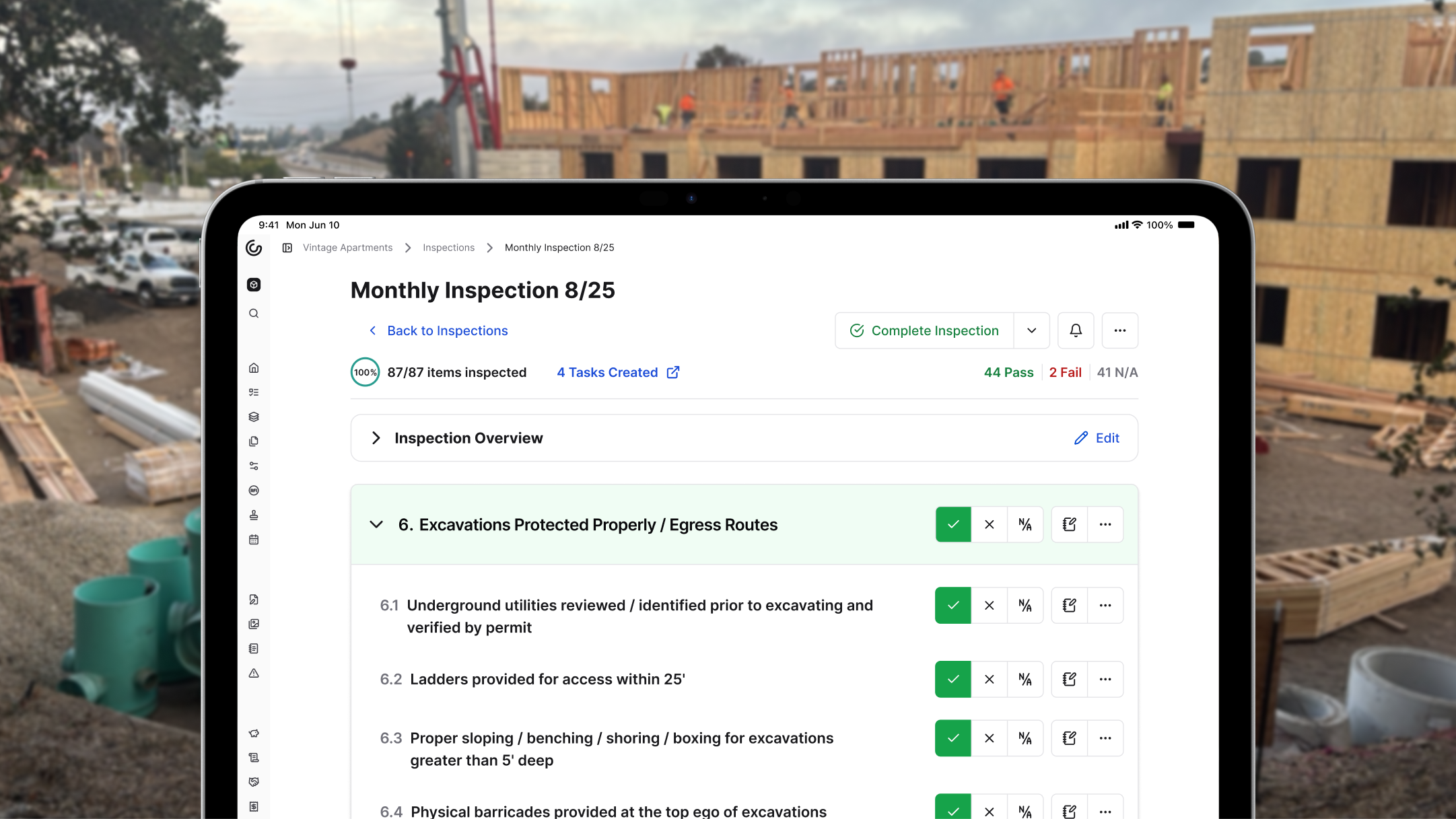
Inspections currently support Pass, Fail, and Not Applicable values. Deficiencies currently get logged separately in Quality Lists, the same records that get cleared during construction project closeout.
The right call comes down to fit. If your ITPs are outgrowing emailed spreadsheets, book a demo, read real customer stories, and see whether a connected system matches how your team already works.
Final thoughts on managing your inspection and test plan
An ITP is only as good as the sign-offs behind it, so keeping your checks, photos, and status in one place is what turns a plan into real evidence. Get that right and verification lives where the work happens instead of scattered across email folders.
Remember, Constructable unifies all your markups, RFIs, photos comments, punch items, right on your drawings.
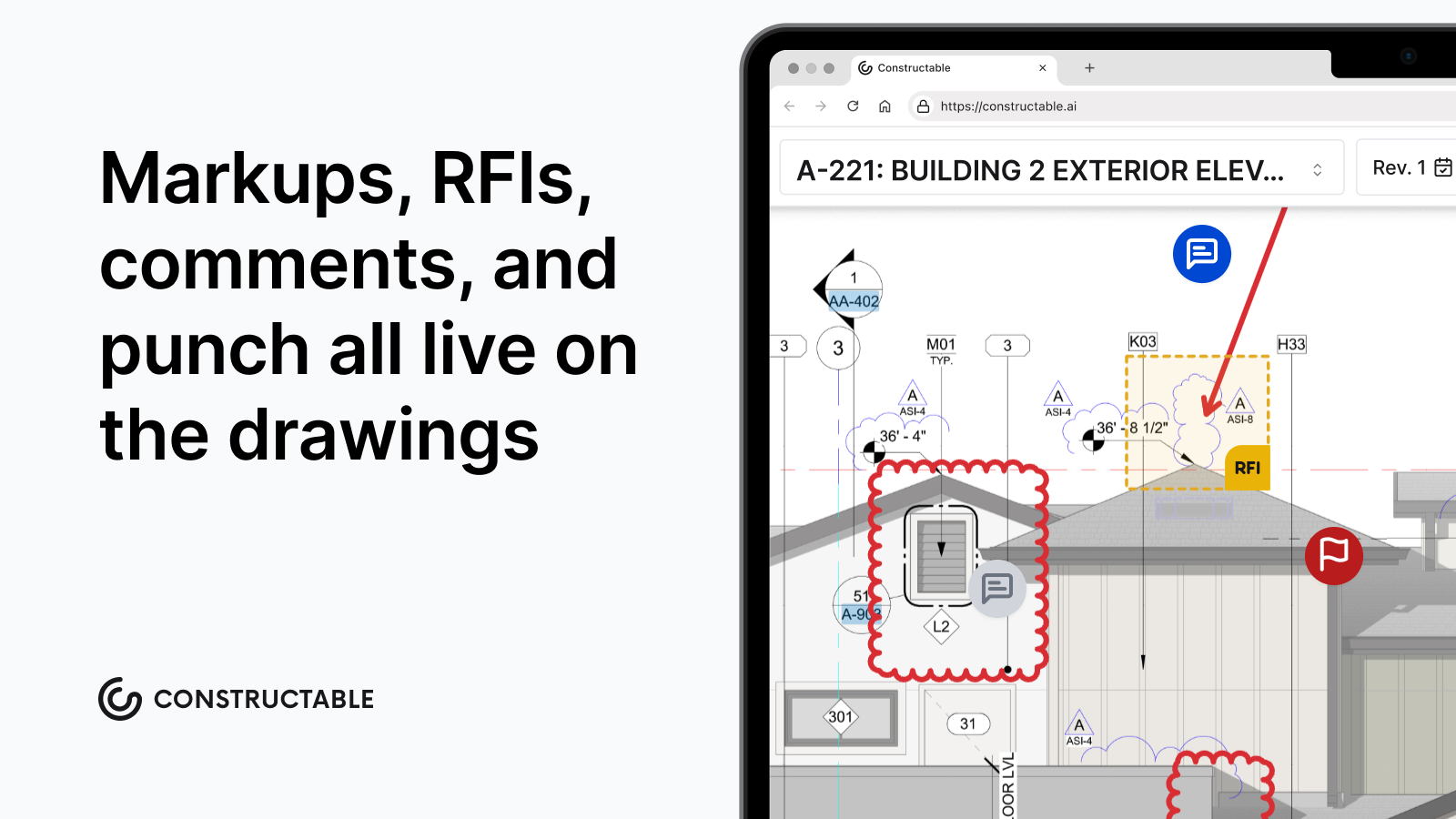
If you want to see how that looks in practice, reach out to our team for a quick walkthrough.
FAQ
What's the difference between a hold point and a witness point in an ITP?
A hold point stops work until the named party inspects and releases it; a witness point invites that party to attend but lets work continue if they miss the notified time. Getting this distinction right matters because a hold point missed means work advances past a mandatory sign-off, which is the error most teams make.
How do construction teams manage ITPs with hold points to stay compliant at every stage?
Teams tie each inspection point to its acceptance criteria, responsible party, and verifying record, then confirm every hold point is signed before work advances past it. Quality software ties each point to its photos, records, and real-time status so the signed version is always clear, which paper and spreadsheets lose track of once the job moves.
Can I build an inspection and test plan without starting from a blank page?
Yes. Most teams start from an inspection test plan template in Excel, Word, or PDF, then strip rows that don't apply, add trade-specific checks, and adjust acceptance criteria to the governing spec. A template built for welding won't carry the right hold points for excavation, so treat any download as a starting point, not a finished plan.
Is Constructable better than a signed PDF for locking approved inspection points?
It depends on fit. Constructable ties each inspection point to its photos, records, and status and sends the approved version to the client automatically, but if immutable sign-off is a hard requirement, confirm the system locks approved points the way a signed PDF does during your evaluation.
What should an inspection and test plan include?
A complete ITP captures project and scope, governing standards, the work activity in build sequence, the inspection or test method, measurable acceptance criteria, the responsible party, verifying records, and the hold/witness/review/surveillance code. Each row should let anyone read a single line and know what gets checked and who signs it.