Punch List Guide: How to Close Out Projects Right (August 2026)
Learn how to close out construction projects right with a punch list. Get best practices, templates, and digital tools to finish faster. August 2026 guide.
Every project ends the same way: a walkthrough, a list of unfinished work, and a race to close out before retainage sits any longer than it has to. The punch list is how you manage that final push: documenting what's missing or wrong and making sure someone owns each item until it's verified and signed off. The teams that close fastest treat the punch list as its own discipline, with clear processes for logging, assigning, and tracking completion in real time.
TLDR:
-
A punch list captures unfinished or defective work at 95-98% completion and stands between you and final payment.
-
Retainage (5-10% of contract value) stays held until every item is signed off, making sloppy closeouts expensive.
-
Start logging items as each trade finishes, not after everyone has left the site.
-
Digital punch lists let subs and GCs see the same list in real time, cutting follow-up cycles and version control headaches.
-
Constructable lets field teams log items with photos attached and gives managers a live view of what's open and overdue.
What Is a Punch List in Construction?
A punch list is a document that captures all unfinished or defective work items needing resolution before an owner formally accepts a construction project. Think misaligned doors, missing hardware, scuffed paint, or a light switch that stopped working after drywall went up.
These lists are generated during a final walkthrough, typically when the project sits at 95-98% complete. The heavy lifting is done—what's left is the gap between "nearly done" and "actually done." The punch list manages that gap, serving as the final quality checkpoint before the owner takes the keys.
Where the Term "Punch List" Comes From
Before digital tools, contractors used a physical hole punch to mark items on their completion documents. Each finished task got a hole punched next to it in the margin, a quick visual confirmation that the work was done and verified.
That physical act gave the list its name. The punch was a real hole in real paper; the term stuck even after the paper disappeared.
When Punch Lists Are Created in the Project Timeline
Punch lists enter the picture at substantial completion, the contractual milestone where the project is usable but not yet officially accepted. Not "almost done" as a gut feeling, but a defined, documented line in the contract.
Final acceptance follows after. The punch list captures every open item standing between those two milestones. Retainage, commonly 5 to 10 percent of the total contract value, stays held until all items are resolved and signed off. That's real money sitting on the table. Closing the punch list is how you get paid.
Common Items That Show Up on Punch Lists
Not every item that surfaces during a final walkthrough belongs on the punch list. Major rework and owner-requested scope changes are entirely separate conversations. What punch lists are built for is last-mile details, and they tend to cluster into the same categories on every job.
-
Finishes and surfaces: paint touch-ups, scuffed flooring, caulk gaps, grout inconsistencies, trim that doesn't sit flush, and wall damage from equipment or trades working after finish work was done
-
Installations: cabinet hardware, door handles, light fixtures, outlet covers, window locks, and anything else that was missing, loose, or installed incorrectly
-
Equipment testing: HVAC systems, plumbing fixtures, fire suppression, alarms, elevators, and any mechanical or electrical system that needs to be verified under real operating conditions
-
Safety and code items: missing handrails, unprotected openings, exit signage, fire extinguisher mounting, and anything flagged during the inspection process that still needs resolution
-
Documentation and closeout deliverables: as-built drawings, warranties, O&M manuals, attic stock materials, and any closeout submittals required under the contract
If something requires a change order or redesign, it's not a punch list item. Keep those conversations separate. The punch list is for work that was already in scope and simply isn't finished or isn't right yet.
The Punch List Process From Start to Finish
The punch list process follows a predictable sequence. The teams that close fastest treat each stage as its own discipline instead of one continuous blur of activity.
Walkthrough and Inspection
Walk the project with the owner or their rep. Document every deficiency on the spot using the best punch list software, with location, description, responsible trade, and a photo attached where possible. What you don't capture during the walkthrough tends not to surface again until it becomes a dispute.
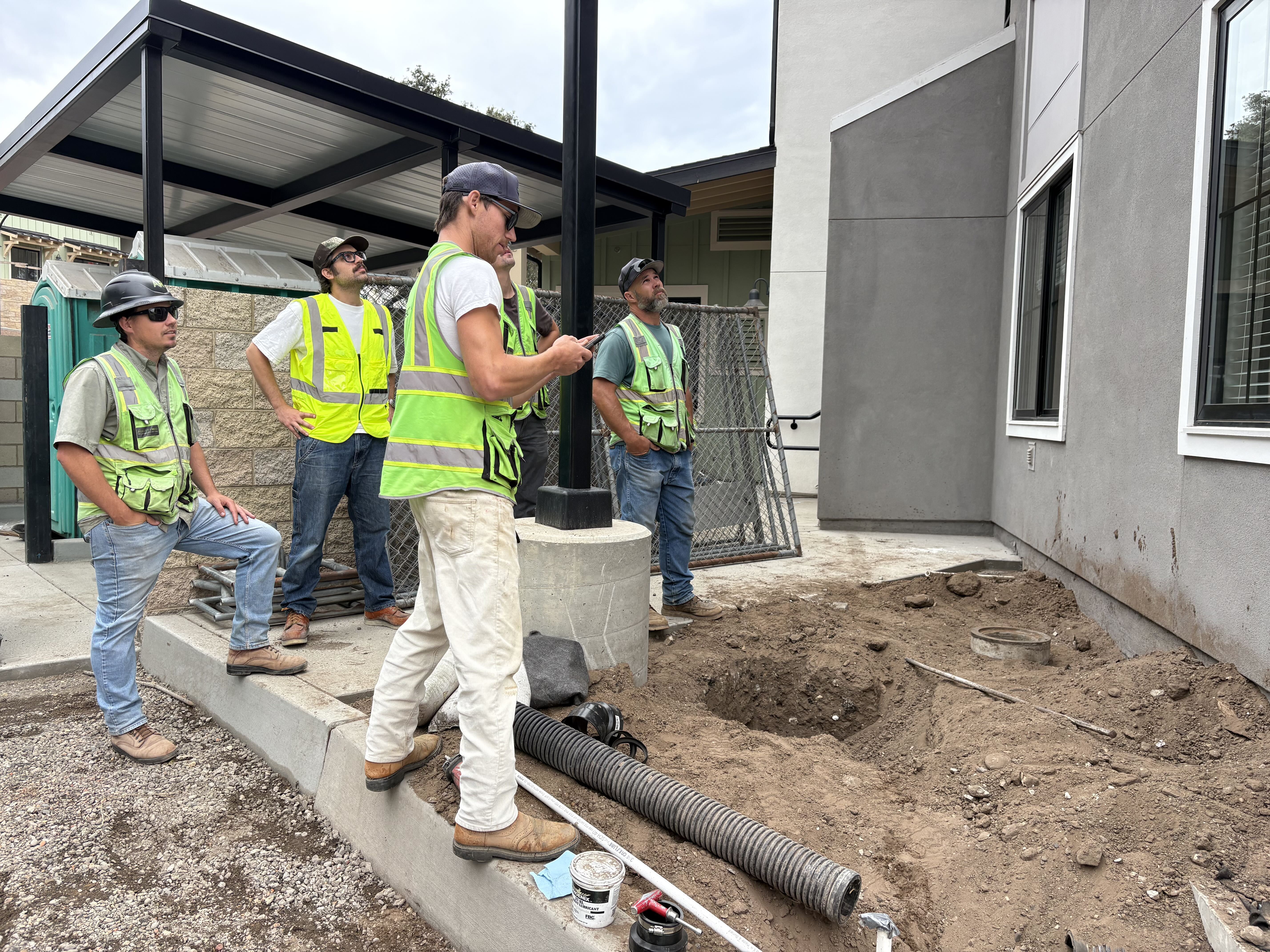
A field team logs building exterior punch items in Constructable during a walkthrough
Documentation
Every item gets logged immediately. Waiting until after the walkthrough to write things up is how items get lost or remembered incorrectly.
Assignment
Each item goes directly to the responsible sub or trade, with a clear due date attached. No vague ownership. Someone specific is accountable for every line.
Completion and Verification
When a sub marks an item done, someone on your team confirms it in person. Verified items get signed off. Anything that falls short goes back open until it actually passes.
Roles and Responsibilities: Who Does What
Clear ownership matters on every project, and punch lists are no exception. The GC runs the process, but the owner, architect, and subs each have specific jobs to do.
-
General Contractor: builds and owns the list, assigns each item to the responsible trade, sets due dates, and coordinates verification before anything gets signed off
-
Owner or Owner's Rep: walks the site, identifies deficiencies, and gives formal acceptance once all items are resolved
-
Architect: reviews finished work against the contract documents to confirm compliance with design intent, especially on finishes and specifications
-
Subcontractors: complete their assigned items on time and flag the GC when work is ready for review
Where this breaks down is when roles overlap without anyone claiming ownership. If the owner and architect both mark items independently and the GC is managing two separate lists, things get missed—one list, one owner, clear assignments.
How to Organize and Prioritize Punch List Items
Not all punch list items are created equal. A missing fire exit sign and a scuffed baseboard carry very different levels of urgency, and treating the entire list as one undifferentiated pile is how projects drag on longer than they should.
Three grouping approaches work well in practice. By priority (ABC or Critical/Major/Minor): A-items are safety, code, or occupancy blockers that must be resolved before the owner can move in. B-items affect function but don't stop occupancy. C-items are cosmetic. Work in that order, every time. By trade, group all electrical items together and all plumbing together so subs can knock out their section in one focused trip instead of bouncing across the building. By location, work floor by floor or zone by zone; verification walkthroughs move faster when everything in one area gets signed off together instead of scattered across five different floors.
A 200-item list feels impossible until you sort it. Once sorted, it becomes a series of smaller, manageable work orders. Pick one organizing system before the walkthrough and stay with it through closeout.
Punch List Best Practices to Close Projects Faster
The fastest closeouts start before substantial completion. Rolling punch lists, built as trades finish instead of all at once at the end, reduce the final walkthrough considerably.
Start early: log deficiencies as each section completes, not after everyone has packed up and left the site.
Write specific descriptions. "Repaint southeast bedroom wall" beats "paint touch-up" every time and leaves no room for a sub to misread the scope.
Attach a photo to every item; it removes ambiguity and protects you if a sub disputes the finding.
Set hard deadlines for each item: open-ended assignments should remain open, and field management should keep everyone moving forward.
Keep subs updated in real time, not through weekly email threads that nobody reads until Friday afternoon.
Common Punch List Mistakes and How to Avoid Them
Even experienced project managers fall into the same traps, especially when a project is winding down and everyone is already mentally on to the next job. Some of the most common mistakes are:
-
Waiting until the end to start logging: running one big walkthrough after every trade has mobilized out means items get missed and subs are harder to bring back. Build the list as sections complete.
-
Vague line items: "fix door" tells no one anything. The sub guesses wrong, you reject the work, and the item sits open another week.
-
No photos attached: when a sub disputes a finding, a description alone rarely settles it. A photo does.
-
Open-ended deadlines: "ASAP" is not a due date. Items without firm dates drift until someone follows up.
-
Letting scope creep onto the list: owner-requested changes and design corrections are change order conversations. When those land on the punch list, cost and contract disputes follow. Keep the two completely separate.
Punch List vs. Checklist vs. Snag List
Three terms that get used interchangeably, but they each mean something different.
A checklist is proactive. You use it during construction to verify work as it progresses, confirming that inspections are scheduled, materials are delivered, and steps are followed in sequence. It prevents deficiencies instead of documenting those that already exist.
A punch list is reactive. It captures what's wrong or missing after the work is done. Where a checklist asks, "Did we do this right?" a punch list asks, "What still needs fixing?"
A snag list is just a punch list with a British accent. The UK and much of the international construction market use "snag" where American contractors say "punch." Same purpose, same process, different vocabulary.
Digital Punch Lists and Why They Matter
Paper punch lists get lost, emailed spreadsheets go out of date the moment someone closes their laptop, and PDF markups create version control nightmares that nobody has time to untangle at closeout.
Digital punch lists solve the core problem: everyone sees the same list, in real time, which is what the best construction management software delivers. When a sub marks an item complete on their phone, the GC sees it instantly. No status meetings. No "which version is current?" conversations. Photos are attached directly to items at the time of documentation, not reconstructed from memory later.
A few practical differences that matter in the field:
-
Automatic notifications go to the right trade when items are assigned or updated, cutting the follow-up cycle considerably
-
Progress tracking gives you a live view of open vs. closed items with better project management tools without manually counting rows in a spreadsheet
-
Photo documentation lives with the item, not in a separate folder that nobody can find six weeks later
-
Dispute resolution gets easier when every finding has a timestamp, a photo, and a clear record of who signed off
When a sub says "that was fine when I left the site," a dated photo with their item assignment attached ends the conversation quickly.
Punch List Templates and What to Include
A solid punch list template doesn't need to be complicated. It needs to capture the right fields consistently, every time, so nothing slips through on any project.
| Field | What to Include |
|---|---|
| Project Information | Project name, location, contract number, walkthrough date |
| Item Description | Specific deficiency with exact location (room, floor, zone) |
| Responsible Party | Assigned sub or trade, namely a contact name |
| Priority Level | A/B/C or Critical/Major/Minor |
| Due Date | Hard deadline, not "ASAP" |
| Status | Open, In Review, or Completed |
| Verification | Who signed off and when |
| Photo Attachment | Photo ID or file reference linked to the item |
Every field earns its place. Skip responsible party and items go unassigned. Skip due dates and they drift. Skip verification and "done" means whatever the sub says it means.
How Punch Lists Protect Payment and Reduce Risk
The punch list sits at the intersection of money and liability. Until those final items are signed off, contractors often cannot collect final payment, and owners can legally withhold retainage. In many contracts, substantial completion triggers the start of the warranty period and limits the owner's ability to claim damages for delays. Getting that documentation right protects everyone.
Sloppy closeout creates real exposure. Disputes over incomplete work are among the most common sources of construction litigation, and a poorly managed punch list is frequently cited as the reason a project's final payment drags on for months longer than it should, which is why mid-size contractors need the right software.
Why Documentation Is Your Best Defense
A well-documented punch list does more than track tasks. It creates a timestamped record of what was identified, who was responsible, and when it was resolved. That paper trail matters if a dispute surfaces six months after the keys are handed over.
A few things worth keeping in order:
-
Date every item when it is identified, not after the fact. Courts and arbitrators look at when deficiencies were flagged, and backdated records rarely hold up.
-
Record who accepted each completed item. A signature or written confirmation from the owner or architect closes the loop and removes ambiguity about whether something was actually approved.
-
Photograph before and after. Written descriptions alone can be disputed, but photos tied to specific line items make it much harder to argue that work was never done.
-
Track retainage release against punch list completion. Knowing exactly which items are blocking final payment helps rank the list and have clearer conversations with the owner about what it will take to get paid.
Managing Punch Lists in Constructable
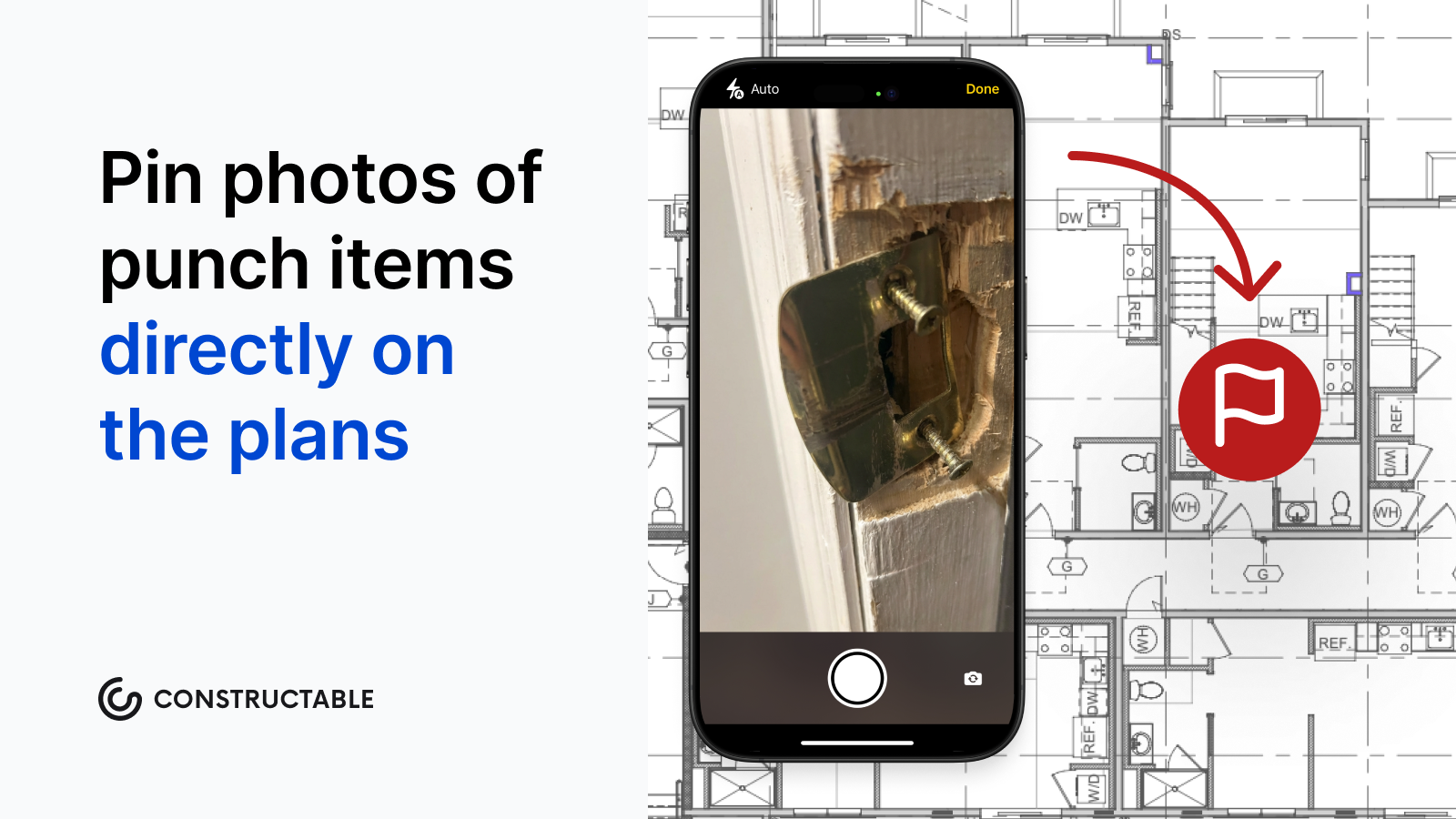
Constructable's construction punch list software keeps punch lists in one place. Log an item on your phone at the jobsite, attach a photo, assign it to the right sub, and it shows up instantly for everyone who needs to see it—no spreadsheets, no email threads, no wondering which version is current. You can even pin punch items directly on the plans.
You can see what's open, what's overdue, and who owns what without chasing people down. It's straightforward, and it works.
Final Thoughts on Punch List Management
A well-run punch list is what stands between you and final payment, and treating it like an afterthought is how projects drag out months past substantial completion. Write specific line items, attach photos to every deficiency, and keep subs working off one shared list so nothing gets missed between email threads and job walks. The teams that close fastest start their punch lists early and verify every item in person before calling it done. We're happy to show you how other GCs are managing punch lists without bouncing between five different tools.
FAQ
What is a punch list in construction?
A punch list is a document that captures all unfinished or defective work items before an owner accepts a construction project. It's created during a final walkthrough at substantial completion (typically 95 to 98% complete) and covers issues such as misaligned doors, missing hardware, scuffed paint, or equipment that needs testing. These are the items that stand between "nearly done" and "officially done."
Punch list vs snag list?
They're the same thing. American contractors say "punch list" while UK and international markets use "snag list." Both capture deficiencies after work is done and serve the same purpose in project closeout.
Can I start a punch list before substantial completion?
Yes, and you should. Rolling punch lists, which log deficiencies as each trade finishes instead of all at once at the end, reduce the final walkthrough considerably and make it easier to bring subs back while they're still on site. Waiting until everyone has mobilized out means items get missed and subs are harder to recall.
Why is it called a punch list?
Before digital tools, contractors used a physical hole punch to mark completed items on their documents. Each finished task got a hole punched next to it in the margin as visual confirmation. The punch was a real hole in real paper, and the name stuck even after the paper disappeared.
What's the fastest way to close out a punch list?
Write detailed descriptions ("repaint southeast bedroom wall" beats "paint touch-up"), attach a photo to every item, set hard deadlines per line, and keep the list separate from scope changes or owner-requested work. Digital punch lists shorten the follow-up cycle by automatically notifying trades and giving everyone a live view of what's open versus closed. There are no version control headaches or status meetings to figure out who owns what.