Drawing Management Software: 10 Tools That Actually Work (May 2026)
Compare 10 drawing management software tools in May 2026. See which platforms handle version control, mobile access, and RFI integration for construction teams.
Keeping your whole team on the same drawing set is one of those problems that sounds simple until a revision comes in. Your PM has the latest set on their laptop, your super downloaded last week's version to their tablet, and your foreman is looking at a PDF someone texted them Friday afternoon. You're the one who has to track everyone down and make sure nobody's building off an outdated sheet. Construction drawing management software is supposed to fix that: one source, latest version front and center, no chasing people down. We tested the tools teams are rolling out right now and separated the ones that actually work from the ones that add more steps to your day.
TLDR:
- Drawing management software centralizes plans with automatic version control and mobile access.
- Bluebeam, PlanGrid, and Fieldwire each handle part of the problem well but leave RFIs, submittals, or financials in separate tools.
- Procore and Autodesk Construction Cloud (now Autodesk Forma Build) connect more workflows but come with heavy onboarding, opaque pricing, and a learning curve that slows field adoption.
- Constructable pins RFIs, submittals, and punch items directly to drawings in one connected system, built for mid-size GCs who want it to just work.
What is Drawing Management Software?
Drawing management software is a centralized system for storing, organizing, and tracking construction plans throughout a project. Your whole team pulls from one source, on phone or desktop, wherever they are.
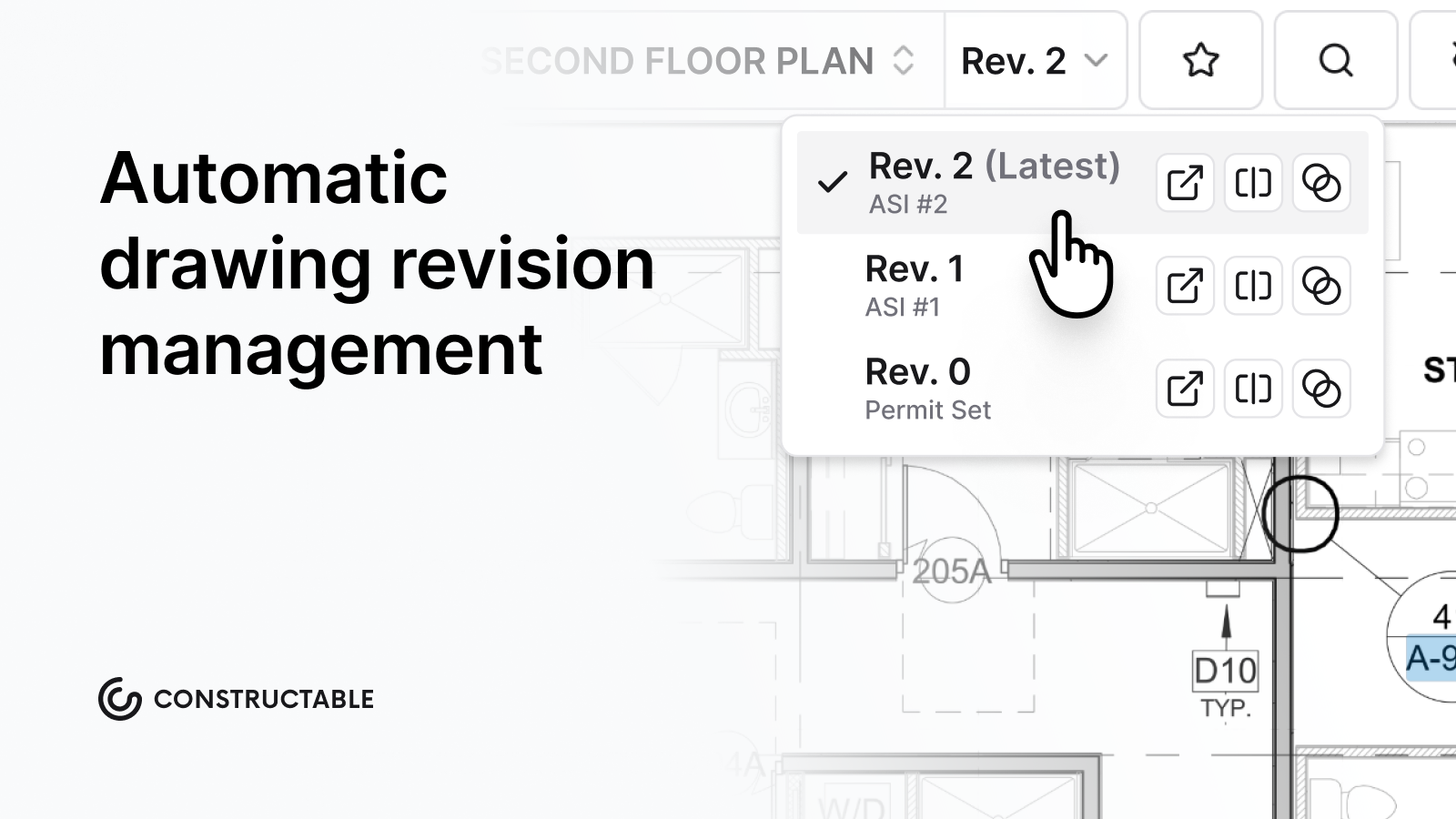
Revisions get tracked automatically. Old sheets stay accessible, but the latest version stays front and center. Field teams stop building off outdated plans. Office staff stops sending "which version is this?" emails. Proper version control practices prevent costly rework from outdated drawings.
That's the core of it. And when it works right, you barely notice it's there.
How We Ranked Drawing Management Software
We looked at four things that GCs actually care about when picking a tool. These are the things that decide whether a team actually uses the software or goes back to emailing PDFs.
- Automatic version control: new revisions should register themselves, with the latest sheet front and center, and older versions still accessible when needed
- Mobile access and offline capability: plans have to work on a phone at the jobsite, with or without cell service. Field technology adoption is accelerating as teams demand real-time access
- Integration with RFIs and submittals: a drawings tool that lives separately from your RFI workflow just pushes questions back into email
- Onboarding speed: if it takes three months to roll out, field adoption won't happen
Best Overall Drawing Management Software: Constructable
Constructable was built for construction teams that are tired of chasing down the latest drawing revision or wondering if the set on the jobsite matches what the architect sent last Tuesday. It handles drawing distribution, version control, submittal tracking, and RFI management in one place, without requiring your team to sit through a week of training to figure it out.
The focus here is on getting the right drawing to the right person without the back-and-forth. When a new revision comes in, the old one is automatically superseded. No one is accidentally building off a sheet that was updated three weeks ago.
What Sets Constructable Apart
- Version control happens in the background, so your supers and foremen are always pulling the current set without having to ask.
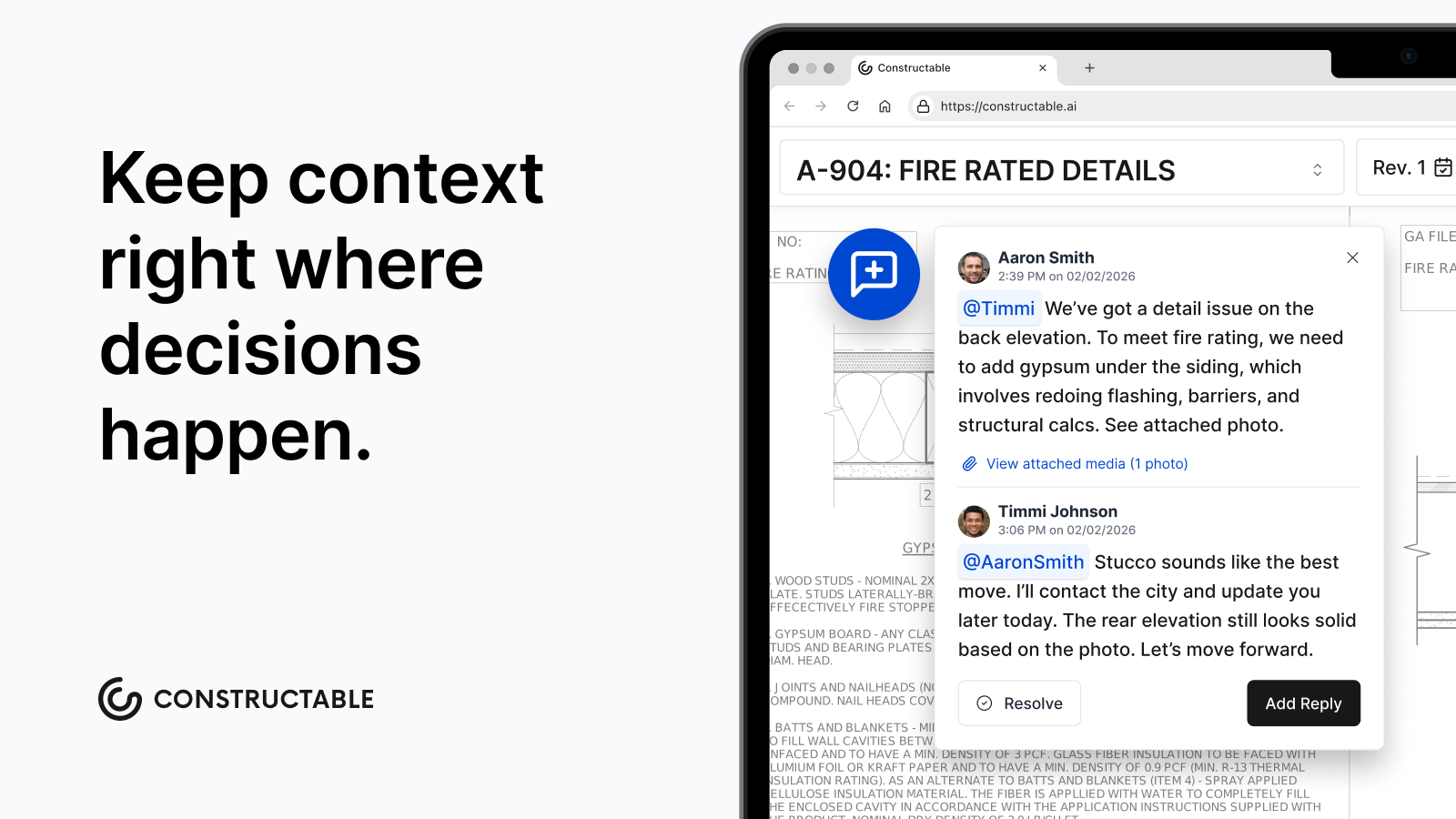
- Submittals and RFIs tie directly to the relevant drawing, so context travels with the document instead of getting buried in an email thread.
- The interface was designed for people who spend most of their day on a jobsite, not in front of a screen. It works on a tablet, in the field, and without a tutorial.
- Setup is fast. You are not signing a six-month implementation contract before anyone can log in.
Constructable is built for teams that want software to stay out of the way and just work.
Bluebeam Revu
Bluebeam Revu dropped perpetual licenses and now runs on three subscription tiers, ranging from $260 to $440 per user per year.
There are things Bluebeam does well. PDF markup with measurement and scale calibration is genuinely useful for takeoff work. Studio sessions let teams do real-time collaborative review. Batch processing handles repetitive document tasks without much fuss. AutoCAD and Revit integrations round out the Windows experience.
Two real limitations worth knowing:
- Bluebeam Cloud skips a meaningful chunk of the Windows feature set, leaving Mac and iOS users without CAD integrations and advanced measurements.
- Studio sessions require paid seats for every outside participant, including clients, consultants, and subs, which adds up fast when you need external eyes on a drawing set.
Strong PDF tool, but drawings stay disconnected from RFIs, submittals, and daily field execution.
PlanGrid
PlanGrid helped define mobile-first drawing access before Autodesk folded it into its broader cloud suite. It focuses on version control, field markup, and offline plans.
There are a few things it does well:
- Automatic version history and sheet comparison
- Mobile apps with offline access
- Punch lists and tasks linked to plans
- Photo and markup tools for field documentation
It works well for teams already in the Autodesk ecosystem who need straightforward plan viewing without deeper project management workflows.
The limitation is scope. PlanGrid handles drawings, but financials, scheduling, and office reporting still live elsewhere. That means separate logins, duplicate data entry, and a stack that never quite talks to itself.
Autodesk Construction Cloud (now Autodesk Forma Build as of March 2026)
Autodesk Construction Cloud (now called Autodesk Forma Build) is one of the more widely recognized names in construction drawing management. It brings together document control, model coordination, and field tools under one roof, which appeals to larger teams running complex projects.
Here's what you get with ACC:
- Drawing markup and version control across project teams
- RFI and submittal tracking tied directly to drawings
- Integration with Autodesk Revit and other BIM tools
That said, ACC is a serious investment. Pricing is not publicly listed, and many smaller contractors find the sales process and implementation timeline longer than they'd like. If your team is already deep in the Autodesk ecosystem, it can make sense. If you're starting fresh, the ramp-up time is real.
Procore
Procore uses OCR to automatically name and organize drawing sheets upon upload within a full project management suite.
What they offer:
- OCR-powered sheet organization on upload that removes the tedious manual renaming process when new drawing sets come in
- Drawing comparison and overlay tools to spot revision changes without printing and laying sheets side by side
- Mobile access with offline sync so field teams can pull drawings even without a strong signal
- Integration with Procore's broader project workflows across RFIs, submittals, and scheduling
Pricing scales with Annual Construction Volume instead of user count, which catches mid-size teams off guard. Navigation is click-heavy, and field adoption often suffers as a result. Best suited for large GCs with dedicated staff to manage the software itself.
Fieldwire
Fieldwire covers plan viewing, task management, and field issue tracking on web and mobile. Pricing starts at $39 per user per month, though costs climb quickly once team size grows.
What Fieldwire covers:
- Fast mobile plan viewer with offline functionality that works even on spotty jobsite connections
- Markup and annotation tools for capturing field redlines as work happens
- Task management with location, trade, and priority tracking so issues don't fall through the cracks
- Progress photos linked directly to drawings for clear documentation
No native RFI creation means formal questions still route back to email. Teams needing cost visibility or owner reporting have to bring in separate tools, which is exactly the fragmentation most teams are trying to get away from.
Feature Comparison Table of Drawing Management Software
Here's a quick breakdown of how these tools stack up across the features that matter most on a real job.
| Feature | Constructable | Bluebeam Revu | PlanGrid | Autodesk CC | Procore | Fieldwire |
|---|---|---|---|---|---|---|
| Auto Version Control | Yes | No | Yes | Yes | Yes | Yes |
| Offline Mobile Access | Yes | Limited | Yes | Yes | Yes | Yes |
| Native RFI Integration | Yes | No | No | Yes | Yes | No |
| Submittal Workflows | Yes | No | No | Yes | Yes | No |
| Financial Tracking | Yes | No | No | Partial | Yes | No |
| Onboarding Timeline | Days | Days | Weeks | Months | Months | Weeks |
Why Constructable is the Best Drawing Management Software
Most tools move drawings around. Constructable keeps everything anchored to them. Questions, punch items, photos, and decisions pin to exact sheet locations, so the plan itself becomes the record without adding another email thread.
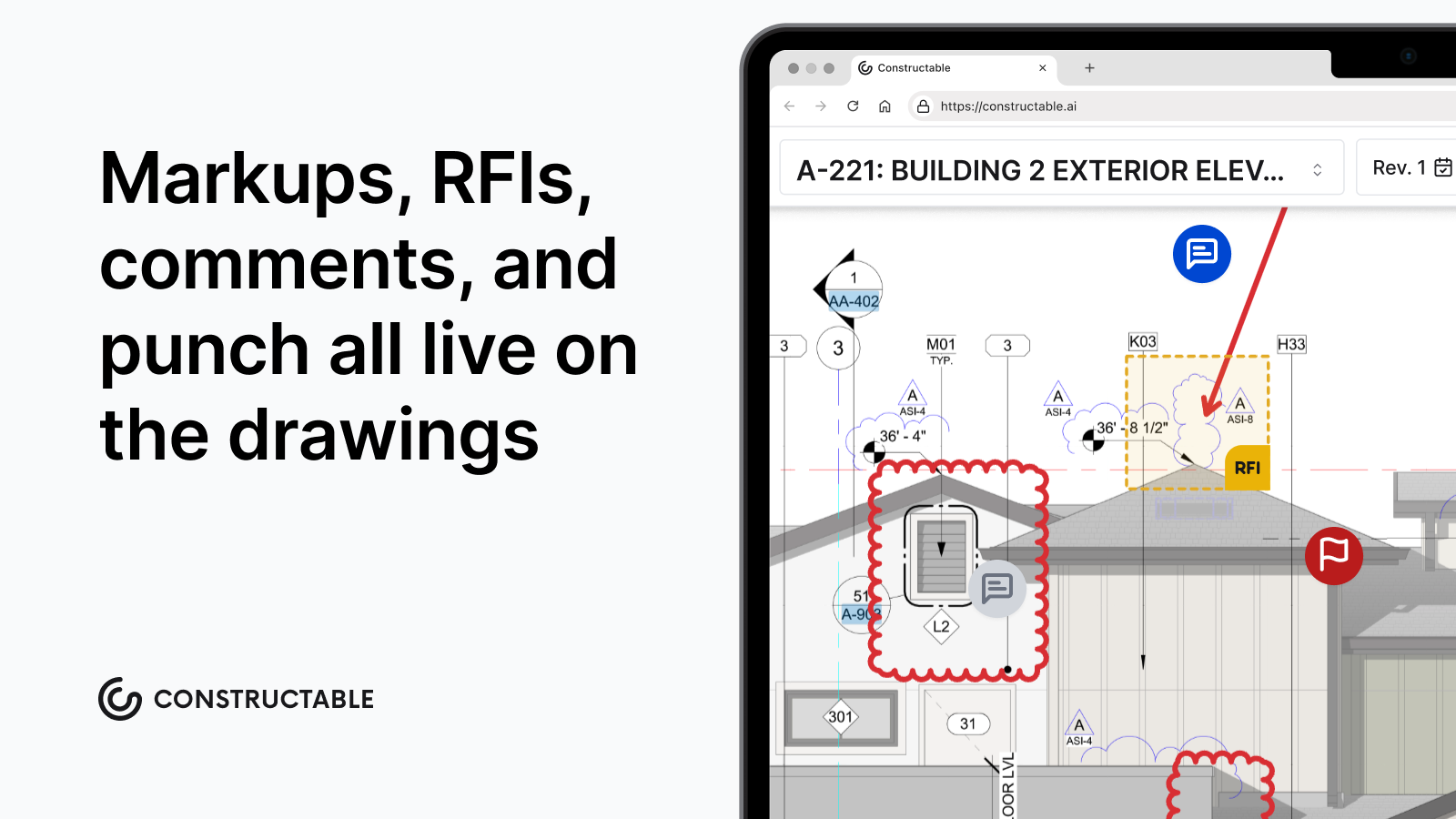
For a mid-size GC juggling multiple projects without an IT department, that changes how the job runs. There's no searching across apps for context, no wondering who responded to that RFI or where the markup ended up. Everything ties back to the drawing, which is where the work was always happening anyway.
Built for the Job, Not the Sales Pitch
Here's what that looks like in practice:
- Comments, RFIs, and quality items attach directly to the sheet they belong to, so you're not reconstructing context from a chain of emails six months later.
- Every team member, from your subs to the architect, sees the same version of the drawing with the same annotations, no syncing required.
- There's no IT setup, no complicated onboarding, and no dedicated admin to manage.
Constructable was built for GCs who need the job to move, not another tool to manage.
Final Thoughts on Drawing Management Software That Actually Works
The best construction drawing software just works without asking your team to become software experts. Version control happens automatically, your field crews stay synced, and nobody's rebuilding something because they had the wrong sheet. Give us a shout if you want to walk through how it fits your workflow.
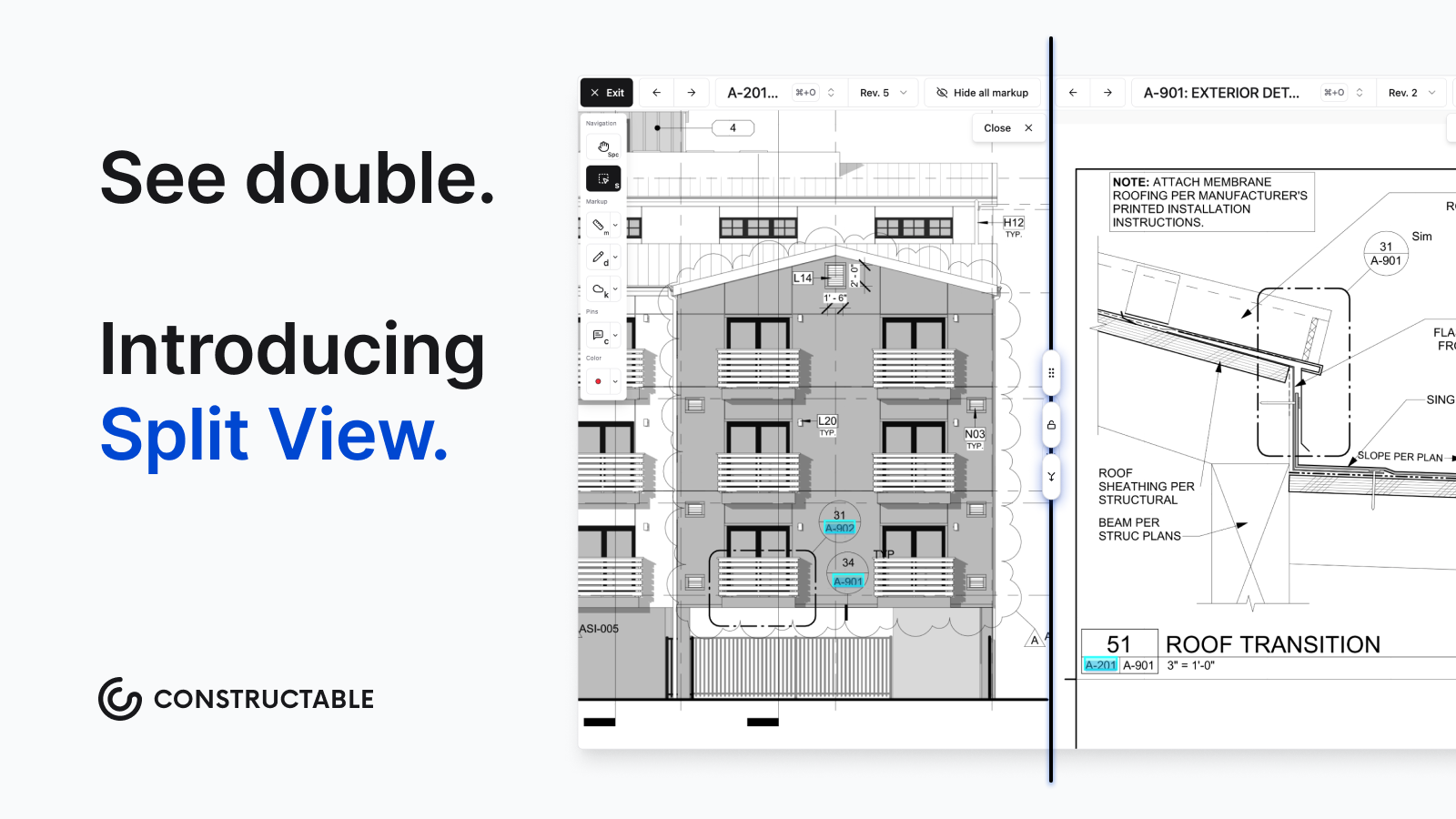
Oh, and one more thing: Constructable has Split View, too.
FAQ
How do I choose the best drawing management software for a mid-size GC?
Look for automatic version control, mobile access that works offline, and direct connections to your RFI and submittal workflows. If you need a week of training before your team can open a drawing, you've picked the wrong tool. Check pricing carefully, too; some tools charge per external collaborator or scale fees based on your construction volume, which can catch you off guard as your team grows.
What's the difference between a standalone drawing tool and an all-in-one system?
Standalone tools like Bluebeam handle PDF markup well, but leave RFIs, submittals, and financials living in separate systems. All-in-one platforms like Constructable or Procore keep drawings connected to the rest of your project, so context stays intact instead of getting lost in email.
Can I still use drawing management software if my team has spotty cell service on the jobsite?
Yes, but check offline capability before you commit. Tools like Constructable, PlanGrid, and Fieldwire sync drawings to mobile devices so your field team can pull plans without cell service. Bluebeam Cloud and some others don't offer full offline access.
How long does it actually take to get a drawing management system up and running?
Days for tools like Constructable and Bluebeam. Weeks for PlanGrid and Fieldwire. Months for Procore and Autodesk Construction Cloud, especially if you need customization or you're waiting on a sales cycle to wrap up.