INGENIOUS.BUILD Reviews, Pricing, and Alternatives (June 2026)
INGENIOUS.BUILD reviews, pricing, and top alternatives for June 2026. Compare features, costs, and find better construction management options for GCs.
When you're shopping for construction software, INGENIOUS.BUILD will likely show up on your list. On paper, the feature set looks solid. In practice, it was built for a different kind of organization than a general contractor. The software organizes work around an object-first hierarchy, which suits a real estate developer tracking portfolio rollups, but clashes with how GC field and PM teams actually think. This guide focuses on what that gap means for your operation and which alternatives are worth a closer look.
TLDR:
- INGENIOUS.BUILD uses an object-first structure that breaks GC mental models: you create items before assigning them to projects, causing daily friction for field teams.
- Constructable offers flat-fee pricing with unlimited users and onboarding under 21 days at no extra cost, keeping budgets predictable as teams grow.
- Most alternatives force tradeoffs: Procore has enterprise overhead, Fieldwire lacks financials, and Autodesk feels like stitched-together acquisitions.
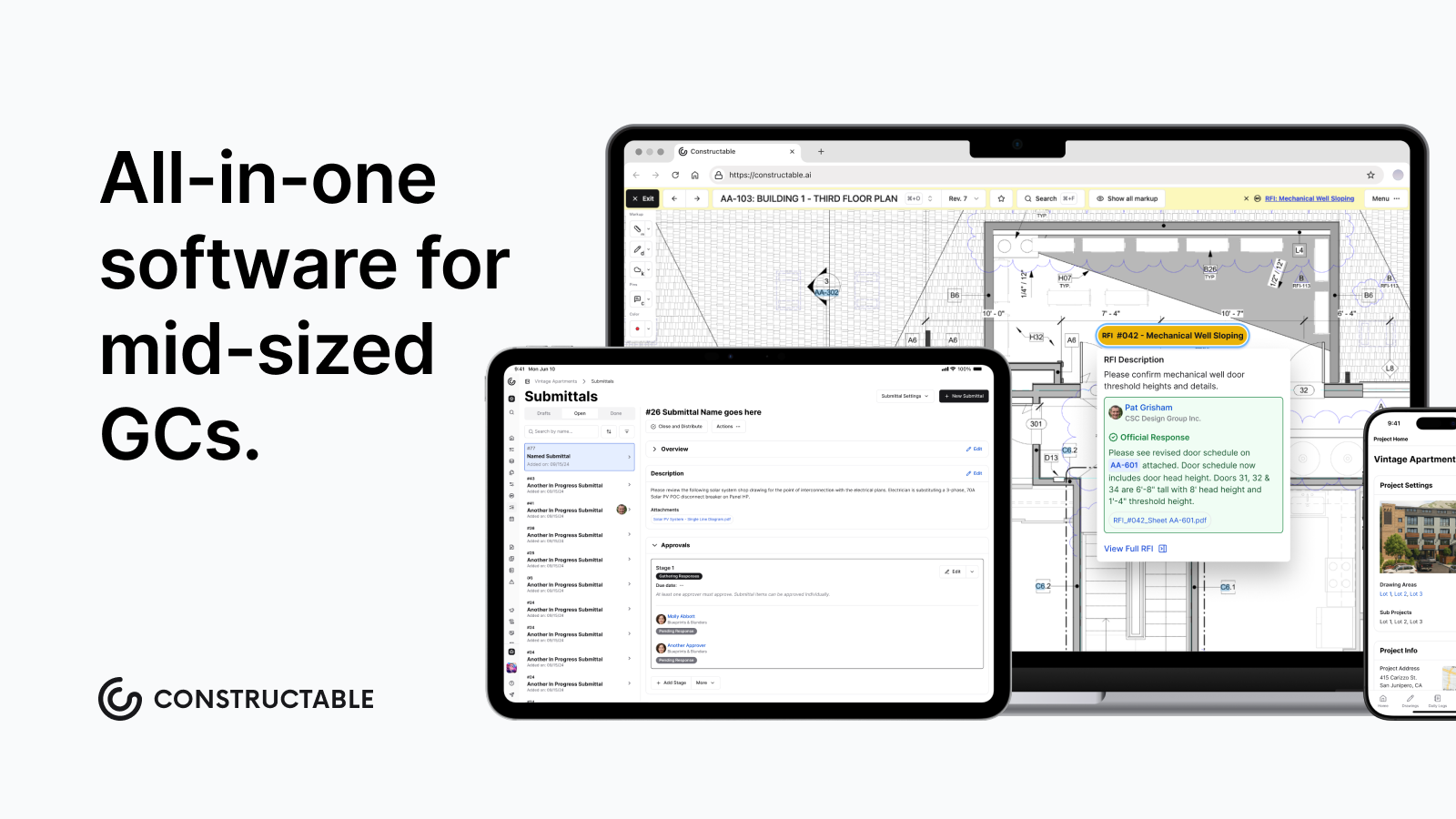
- Constructable is an all-in-one system for mid-size GCs managing $20M-$150M annually, with drawings at the center and RFIs, submittals, and change orders pinned directly to plans.
What is INGENIOUS.BUILD and How Does It Work?
INGENIOUS.BUILD is a cloud-based construction management application built around three core modules: project financials, project management, and construction administration. It targets a wide range of organizations, from real estate developers and general contractors to architects, engineers, and property managers.
The software covers a fair amount of ground. Key capabilities include:
- Bidding and procurement workflows that bring the estimating and subcontractor selection process into one place
- Automated budgeting and cost management to keep project financials from spiraling between updates
- Change management with customizable approval limits so you control who can authorize what
- Cost code alignment across projects to keep your reporting consistent job to job
- Centralized documents, tasks, and communication via interactive dashboards so nothing gets lost in someone's inbox
On the integration side, INGENIOUS.BUILD connects with QuickBooks Online, Sage 300 CRE, and Yardi Voyager. The system runs on Android and iOS, supports English-language users, and uses custom pricing instead of published rates.
One notable gap worth knowing upfront: there is no API, which limits how far you can extend the software with other tools your team may already rely on. If your operation depends on connecting multiple systems, that missing layer of connectivity is something to weigh carefully before committing.
It's a capable system, particularly for organizations with real estate or development components woven into their work. Whether it fits your specific operation is what the rest of this guide works through.
Why Consider INGENIOUS.BUILD Alternatives?
INGENIOUS.BUILD can genuinely work for owner organizations managing portfolio oversight across multiple development projects. Its three-module structure makes sense if your day-to-day is more about financial reporting across a property portfolio than running jobs in the field.
General contractors are a different story.
The software uses an abstract, object-driven hierarchy where you create items first and associate them with projects second. That might sound like a minor quirk, but it breaks the mental model most GC teams rely on: project first, everything else underneath it. When that logic gets inverted, field crews and PMs end up asking the same question repeatedly: where does this live, and where do I find it later?
That friction adds up fast. RFIs, submittals, daily coordination, subcontractor collaboration—these are repetitive daily workflows. If the navigation fights you every time, adoption falls apart. The office might push through it, but the field won't.
The bigger issue is who the software was designed for. INGENIOUS.BUILD favors the portfolio view, the owner sitting above multiple projects watching cost and schedule roll up. That's a legitimate use case. It just does not match how a GC actually runs work. When you're managing subs, tracking RFIs, logging daily activity, and chasing submittals across active jobs, you need software built around execution, not oversight. Industry trends indicate an increased focus on digital tools that support field execution rather than portfolio reporting.
That gap is exactly why teams start shopping for alternatives.
Best INGENIOUS.BUILD Alternatives in June 2026
The construction management software market continues to grow, with global market projections trending upward as more contractors replace disconnected tools with integrated systems. Here are the top alternatives worth comparing.
Constructable (Best Overall Alternative)
Built for mid-size commercial GCs, Constructable manages the full project lifecycle from bidding through closeout. Drawings, RFIs, submittals, financials, daily logs, and change orders all live in one cohesive system, organized around how GCs actually think and work.
Key strengths:
- Project-first workflows that match GC mental models, so your team spends less time figuring out the software and more time running the job.
- Drawings serve as the collaboration hub, with RFIs, quality items, and comments pinned to exact plan locations so nothing gets lost in a thread.
- Unlimited users across all roles, including subs, owners, and consultants, so you stop worrying about who has a seat.
- Flat fee pricing with no per-user charges, which means your cost stays predictable as your team grows.
Best for mid-size commercial GCs running $20M to $150M in annual volume who want software that field and office teams adopt quickly without heavy configuration.
Procore
Procore covers enterprise-scale project management, financials, quality, safety, and field productivity. The feature set is wide, integrations are plentiful, and the market presence is proven.
The catch: Procore has moved upmarket. Complex setup, lengthy onboarding, and per-user pricing that compounds fast leave mid-size contractors feeling like an afterthought. If you have a dedicated IT administrator and an enterprise budget, it works. Most mid-market teams find the overhead impossible to square with their budgets.
Autodesk Forma
Autodesk Forma (formerly Autodesk Construction Cloud) offers broad coverage across preconstruction, document control, model coordination, and project execution. For firms already deeply embedded in the Autodesk ecosystem, using Revit or AutoCAD, the integration story is real.
The drawback is that the product was assembled from acquisitions rather than built as a single system. Inconsistent UX across modules, fragmented workflows, and expensive onboarding that often requires outside consultants are consistent complaints from users. It's a suite held together by branding more than architecture.
Fieldwire
Fieldwire focuses narrowly on field execution: task management, punch lists, plan markups, and mobile-first jobsite workflows. For a superintendent managing punch lists on their own, it works fine.
The limitation is scope. Fieldwire lacks project financials, change order management, and office-level PM capabilities. The moment your team needs cost tracking or owner reporting, you're back to managing a second system, which is the exact problem most teams are trying to solve in the first place.
RedTeam
RedTeam covers estimating, project management, accounting, and field operations at a lower price point than enterprise competitors. Broad feature coverage, accounting integrations, and budget-friendly subscriptions are the selling points.
The tradeoff is product quality. RedTeam carries a reputation for dated UX, infrequent updates, and poor field adoption. Users tend to stick around because of price, not because the software feels good to use. If cost is the only filter, RedTeam clears the bar. If you care about whether your field crews will actually open the app, it's a harder sell.
Feature Comparison: INGENIOUS.BUILD vs Top Alternatives
Numbers on a spec sheet only tell part of the story. But when you're comparing six tools across the same criteria, a straightforward comparison table cuts through the noise and marketing fluff:
| Feature | INGENIOUS.BUILD | Constructable | Procore | Autodesk CC | Fieldwire | RedTeam |
|---|---|---|---|---|---|---|
| Project-first workflow structure | No | Yes | Yes | Partial | Yes | Yes |
| Drawings as collaboration hub | No | Yes | Partial | Partial | Yes | No |
| Native financial management | Yes | Yes | Yes | Yes | No | Yes |
| Unlimited users included | No | Yes | No | No | No | No |
| Flat fee pricing | No | Yes | No | No | No | No |
| Field and office parity | No | Yes | Partial | Partial | Field only | Partial |
| Onboarding and migration included | No | Yes | No | No | No | No |
| QuickBooks integration | Yes | Yes | Yes | Yes | No | Yes |
A few things stand out here. Fieldwire beats INGENIOUS.BUILD on field usability, but leaves a gap the moment financial oversight enters the picture. Procore and Autodesk check most boxes, but neither offers flat pricing or includes onboarding, which quietly inflates your total cost over time. INGENIOUS.BUILD's object-first structure makes it the only tool in this group that breaks the project-first model entirely, which may work for some teams and create friction for others.
Constructable is the only option in this comparison that checks every row.
Why Constructable is the Best INGENIOUS.BUILD Alternative
General contractors don't need portfolio oversight software. They need something that runs jobs.
Constructable is built around that distinction. Every workflow starts with the project, and everything stays contained within it. RFIs link to drawings. Change orders connect to budgets. Daily logs, photos, submittals, and punch lists all live in one place without forcing your team to learn an abstract object hierarchy before they can do real work.
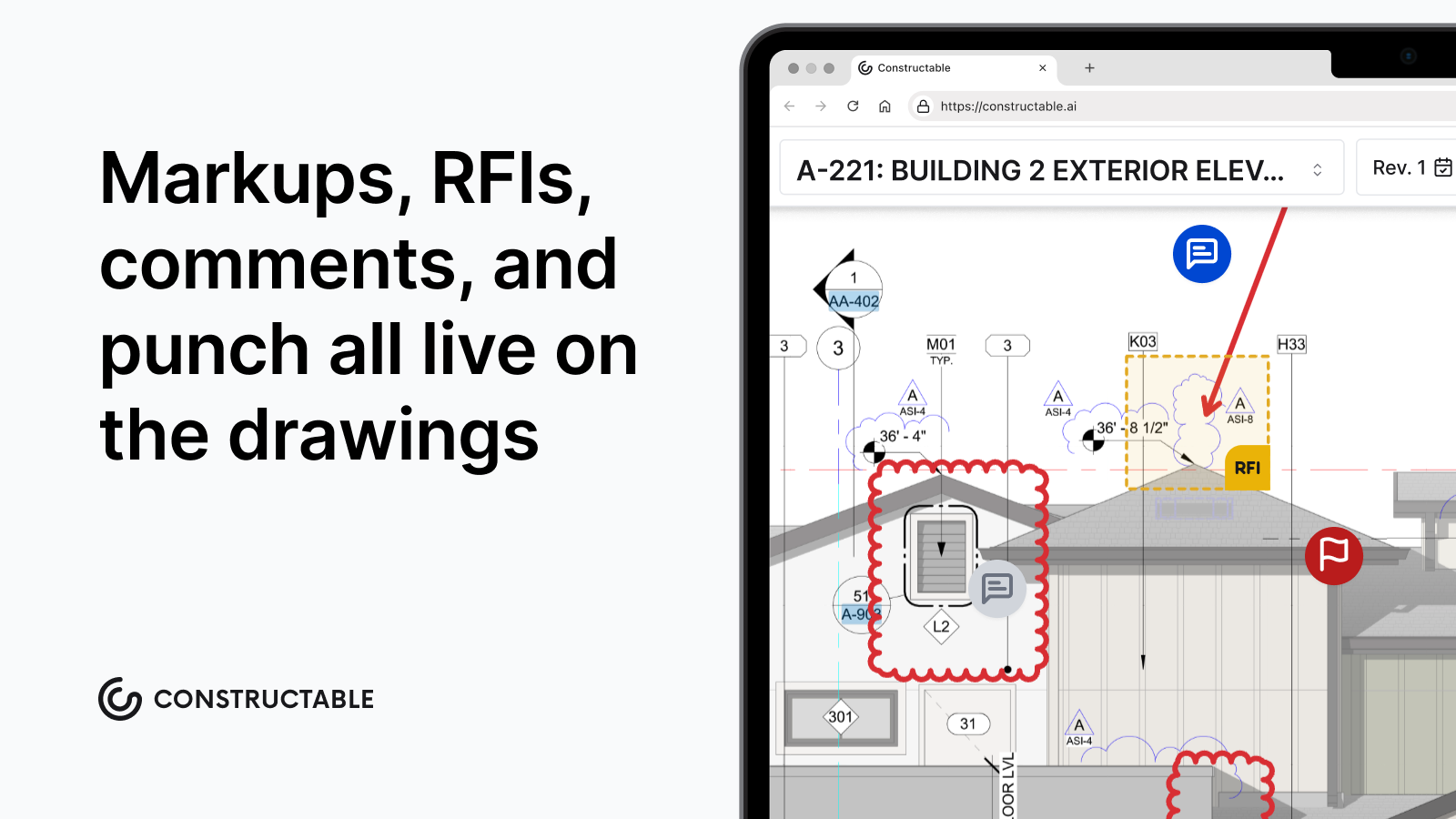
Field and office get equal treatment here. Superintendents can pull up drawings offline, pin punch items directly to plans, and log daily activity in minutes. Project managers get full financial visibility, change order management, and reporting without switching systems.
There's no pricing trap waiting for you either. Flat fee pricing means your costs don't spike when you add a sub or bring an owner into a project. Onboarding is handled by our team in under 21 days at no extra cost. You talk to real people, not a ticketing system.
If you've spent time wrestling with INGENIOUS.BUILD's structure instead of running your jobs, that's worth paying attention to. The right software should get out of your way and let you work. That's what we built Constructable to do.
Final Thoughts on Making the Switch From INGENIOUS.BUILD
You don't have to force your team through software that breaks their mental model every time they log in. The right construction software should disappear into your workflow, not add steps between you and getting work done. We designed Constructable for mid-size GCs who want their field crews and PMs working in the same system without fighting the structure. If you're tired of navigation getting in the way of real work, reach out, and we'll walk through what a switch looks like for your operation.
FAQ
When should you consider moving away from INGENIOUS.BUILD?
If your team regularly digs through abstract object hierarchies to find basic project information, or if field crews avoid using the system because the structure doesn't match how they work, it's time to consider alternatives built for project-first workflows.
What features should you focus on when comparing alternatives to INGENIOUS.BUILD?
Look for project-first organization where everything lives under the job, drawings that serve as collaboration hubs with RFIs and items pinned directly to plans, and pricing models that won't penalize you when you add subs or consultants to a project.
How do I know if a construction management system will actually work for my field team?
Test whether superintendents can pull up drawings, log daily activity, and pin punch items without asking where things live. If navigation requires explanation or training every time, adoption will fail once you're back on the jobsite.
What's the real cost difference between per-user pricing and flat fee models?
Per-user pricing compounds fast when you factor in rotating subs, multiple consultants, and owner representatives across active jobs. A $50/user/month system with 40 people accessing a project costs $24,000 annually versus a predictable flat fee that covers unlimited users.
Can I move my project data from INGENIOUS.BUILD to a new system without losing momentum?
Constructable handles data migration as part of onboarding, with most transitions completing in under 21 days at no extra cost. Procore and Autodesk treat migration as a separate engagement; typically billed through a certified implementation partner, which adds cost and timeline before your team can do any real work. Our team does the heavy lifting so your crews stay focused on active jobs instead of rebuilding project history from scratch.