Constructable vs PlanGrid: Which is Better in May 2026?
Compare Constructable vs PlanGrid in May 2026. See pricing, features, and drawing management differences to choose the right construction software.
When you're weighing Constructable against PlanGrid, the biggest thing to understand is that one of these tools is actively evolving and the other isn't. PlanGrid works fine for basic sheet management, but Autodesk froze development years ago and pointed everyone to Autodesk Construction Cloud (now called Autodesk Forma Build, as of March 2026), leaving you with a product that won't keep up as your workflows get more connected. If you need drawings that actually talk to your RFIs, pricing that doesn't punish you for adding subs, and a mobile app your supers will use instead of avoid, the difference between maintaining legacy software and using something built for today matters more than most comparison charts let on.
TLDR:
- PlanGrid has been in maintenance mode since Autodesk's 2018 acquisition, with no new features coming.
- Constructable costs a flat fee with unlimited users vs PlanGrid's $49-140 per user monthly model.
- Drawing scale gets set automatically and RFIs pin directly to plans, so context stays connected.
- Onboarding averages under 21 days with no migration fees or per-user charges as your team grows.
- Constructable unifies drawings, RFIs, daily logs, and financials in one actively-developed system.
What is PlanGrid?
PlanGrid started as a field-focused drawing and document management tool, simple and genuinely useful for getting plans into the hands of field teams. For a while, it filled a real gap.
But Autodesk acquired PlanGrid for $875 million in 2018, and over time, it got folded into the broader Autodesk Construction Cloud ecosystem. Today, PlanGrid is effectively in maintenance mode. No new features are coming. Forma Build (formerly Autodesk Build) is the designated successor, and the direction is clear: if you're on PlanGrid, you're on yesterday's product.
What it offers, sheet management, basic markups, and light task tracking, still works. But "still works" and "built for how you work today" are two very different things.
The Roadmap Problem
Betting on a product with no development roadmap is a real risk. PlanGrid hasn't shipped a meaningful new feature since Autodesk acquired it in 2018. That means no improvements to how RFIs connect to drawings, no better mobile performance, and no response to how field workflows have changed. Bug fixes slow down. Feature requests go nowhere. And Autodesk's answer of "migrate everything to Forma Build" isn't a solution so much as an admission that PlanGrid is done. Construction moves fast, and software that isn't keeping up eventually becomes a liability. If you're evaluating tools for your team right now, a frozen roadmap isn't a minor footnote. It's the whole story.
What is Constructable?
Constructable was founded in 2023 and is headquartered in Santa Barbara, CA. We built it for GCs tired of stitching together multiple tools just to run one project. The goal was straightforward: put everything in one place and make it actually work.
RFIs, submittals, drawings, daily logs, quality lists, change orders, photos... it all lives together. Field tools talk to management tools. Financials connect to the work happening on the ground. No duplicate data entry, no jumping between systems, no "where did that file go?"
Who We Built This For
We target mid-size commercial GCs doing $20M to $150M annually. Not the mega-enterprise firms with IT departments and six-figure implementation budgets. The teams running real projects, juggling architects, owners, subs, and city inspectors all at once. Those are our people.
Pricing is flat-fee with unlimited users. Onboarding averages under 21 days. No per-user fees, no surprise charges as your team grows, and no separate onboarding invoices.
If most construction software is a Ferrari, we're the F-150: reliable, practical, and built to show up every single day.
Drawing Management and Collaboration
Drawings are where most project decisions get made, or at least where they should be traceable. How a tool handles them matters more than almost anything else.
PlanGrid
PlanGrid did the basics well. Versioned plan sets, automatic version history, and side-by-side sheet comparison cover the essentials for 2D drawing workflows. Sheet sharing, task tracking, RFIs, submittals, field reports, and photo storage are all there.
What's missing: no 3D model or BIM support, no AutoCAD or Revit file viewing, no scheduling, no email tracking. For teams that live in 2D and keep coordination simple, that's workable. For teams that want their drawings and project workflows to talk to each other, the gaps show up fast.
Constructable
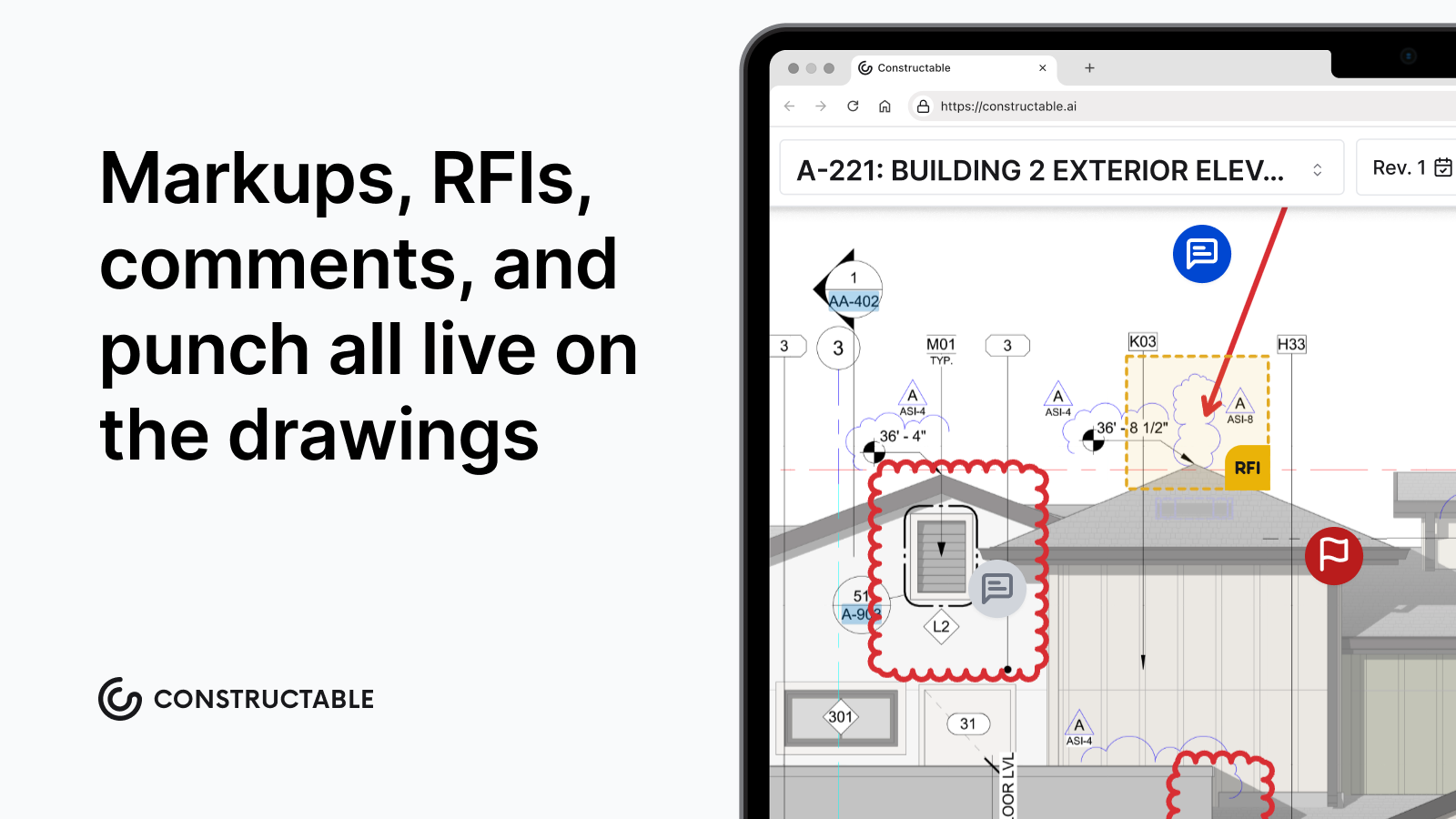
Our drawing viewer is where everything connects. A few things worth knowing:
- Page scale gets detected and set automatically, so measurements are ready without manual calibration, cutting out a step that eats more time than it should.
- Split view with lock-and-sync lets two sheets scroll together simultaneously, so comparing revisions doesn't require flipping back and forth.
- Overlay mode gives you three comparison views: Differences (red/blue color split), Ghost (faint overlay), and Highlight (white on black).
- Measurements, markups, and comments pin to exact drawing locations and save directly to topics or RFIs.
That last point is the one that actually changes how teams work. In PlanGrid, your drawings and your project records are separate things. In Constructable, an RFI lives on the plan. The markup lives with the question. The context doesn't get buried somewhere else.
Field Tools and Mobile Access
PlanGrid's mobile app also covered the basics: offline document access with automatic syncing when connectivity returns. Field teams can handle task tracking and issue management from their phones. Where it falls short, according to users, is speed and feel. A slow, clunky app on a jobsite is the reason people stop using the software altogether.
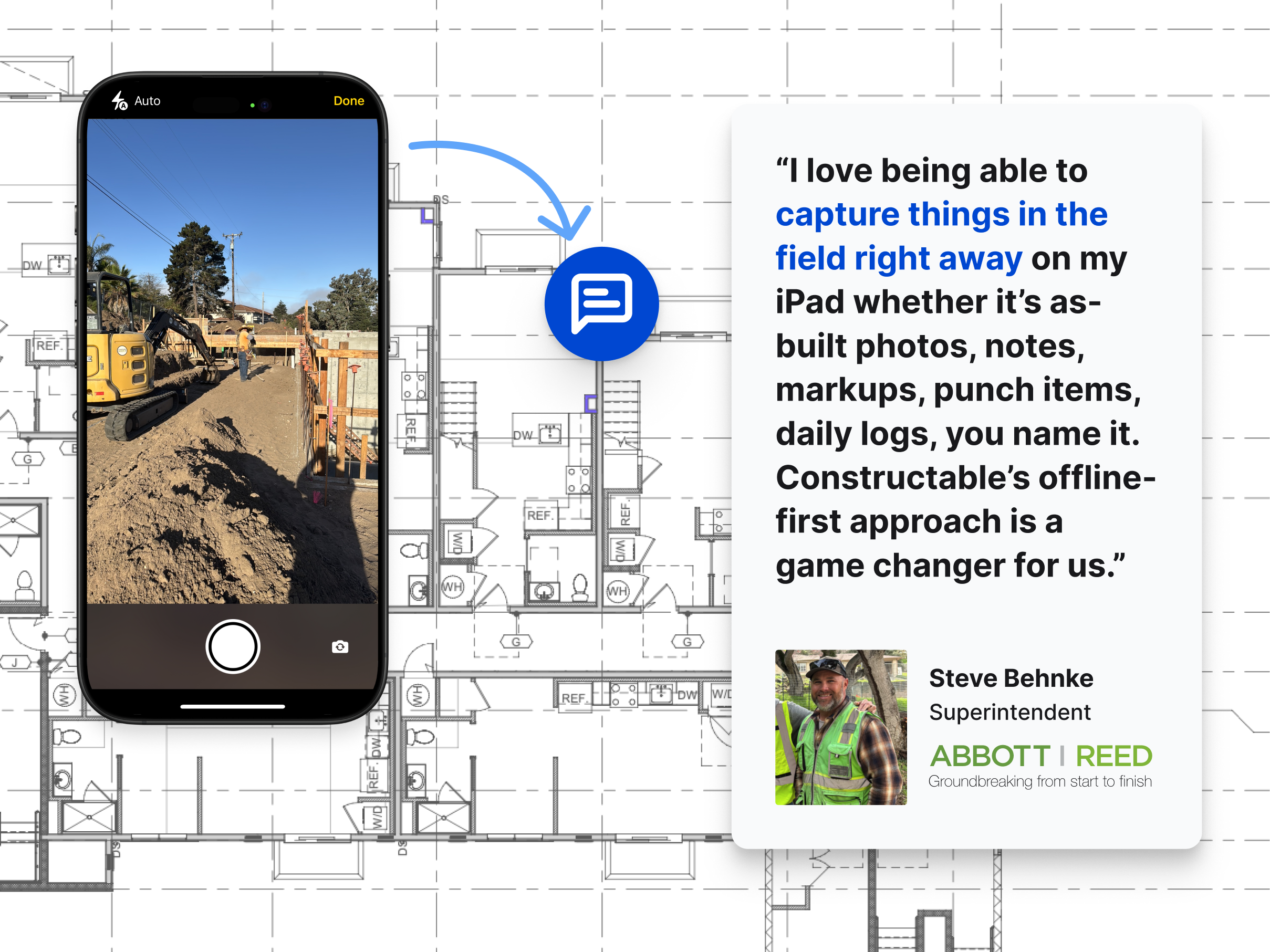
Constructable's mobile app mirrors the desktop experience on iPhone and Android, including offline drawing access. That matters when you're in a basement or a building without a signal and still need to pull up plans.
Beyond drawings, field tools cover the full day-to-day:
- Daily logs track crew, equipment, and weather, with weather pulling automatically from your project zip code so nobody's manually typing in conditions
- Quality lists support punch lists, observations, incidents, and to-dos, with items pinnable directly to drawings
- QR code PDFs export by location for jobsite walkthroughs
- Photos organize automatically into albums, including a dedicated Daily Log Photos album that populates as media gets added to logs
The goal is a field experience fast enough that your super actually uses it.
System Architecture and Product Evolution
PlanGrid's direction is no longer a rumor. Autodesk paused development on it roughly five years ago. The product still works, but it won't improve—and it's no longer available to new customers. No new features, no roadmap. Autodesk Forma Build is the intended replacement, and migrating isn't automated. You're expected to finish existing work in PlanGrid, start new projects in Forma Build, then manually archive old data by downloading and re-uploading files. That's real overhead with no payoff other than eventually catching up to where you should have been.
Constructable ships updates continuously, built and maintained by one team on a single codebase. There's no acquisition-driven complexity, no legacy code holding things back. When something needs to improve, we build it. When field teams tell us something isn't working, we fix it.
Getting Up and Running
Onboarding with Constructable averages under 21 days with no fees for setup or data migration. Most construction software implementations take 2-6 months in practice, despite vendors promising 1-3. PlanGrid teams moving to Forma Build face that same delay: manually downloading and re-uploading files just to get current. With Constructable, you're not inheriting someone else's technical debt, and you're not burning weeks before anyone sees value.
Pricing and Total Cost of Ownership
PlanGrid starts at $49 per user per month. Autodesk's successor product, Forma Build, runs $117 per user per month. That sounds manageable until you start counting heads. Subs, owners, consultants, inspectors, architects—the per-seat model adds up in a hurry on any real job.
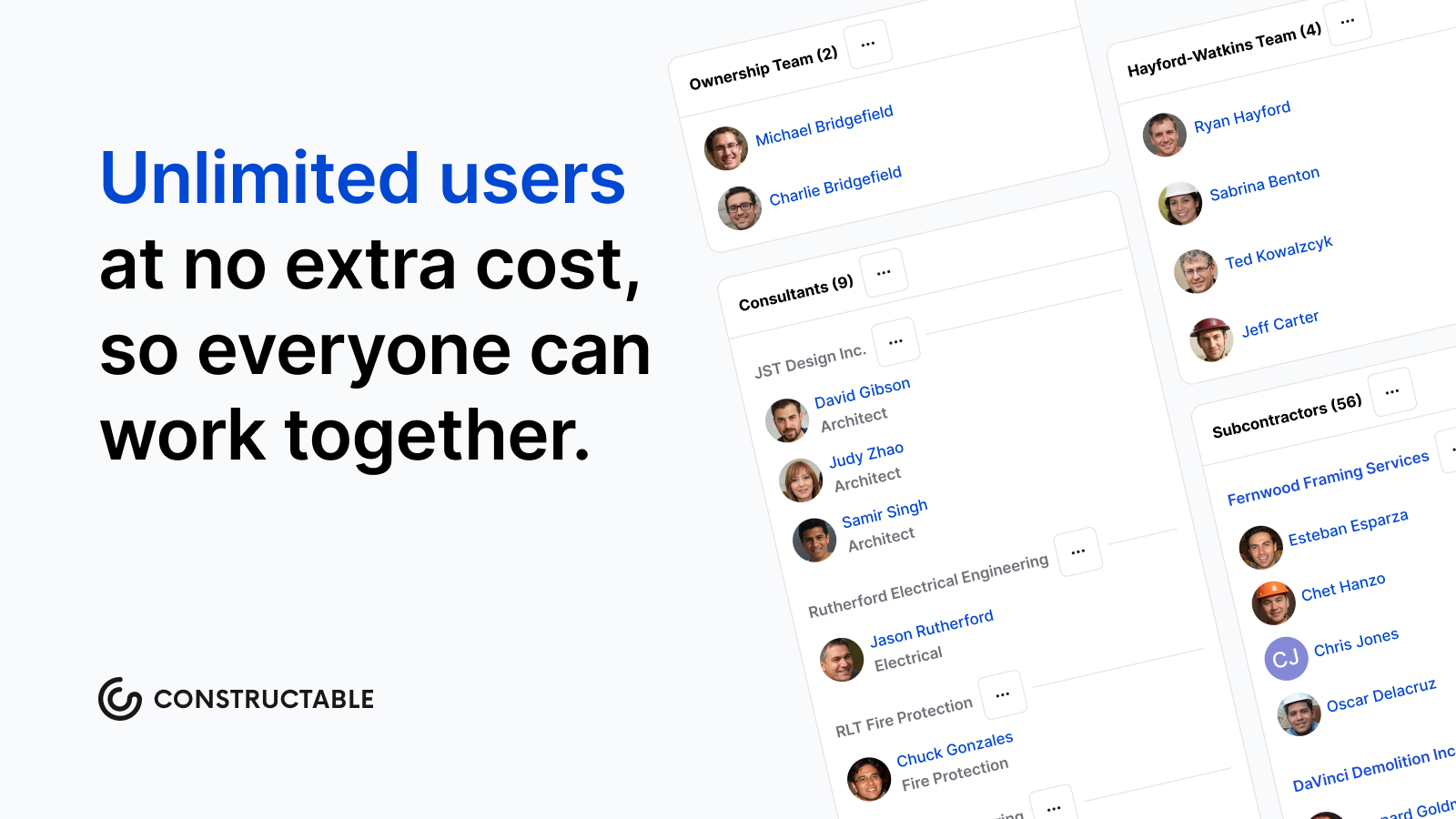
Constructable takes a different approach: flat-fee, unlimited users, no overages.
There are a few reasons that matters on a construction project:
- Your subcontractors need access too, and you shouldn't have to choose between keeping them informed and keeping your software bill down.
- Owners and consultants come and go throughout a project. Paying per seat for people who are in and out is a recurring headache you don't need.
- Budget surprises mid-project are the worst kind. A predictable software cost is one less thing fighting for your attention.
For teams managing multiple projects with rotating stakeholders, the total cost of ownership between these two tools is not a close comparison.
| Feature | Constructable | PlanGrid |
|---|---|---|
| Pricing Model | Flat-fee with unlimited users, no per-seat charges as team grows | $49 per user per month, costs increase with every sub, owner, or consultant added |
| Product Development | Actively developed with continuous updates and new features shipped regularly | In maintenance mode since 2018 Autodesk acquisition, no new features planned, migration to Build required |
| Drawing Collaboration | Page scale auto-detects, RFIs and markups pin directly to drawing locations, split view with lock-and-sync, three overlay comparison modes | Versioned plan sets with side-by-side comparison and basic markups, but drawings and project workflows remain separate |
| Field Tools | Daily logs with auto-populated weather, quality lists with drawing-pinned items and QR codes, photo albums that organize automatically, and offline mobile access | Offline document access with task tracking and basic issue management, users report slow mobile performance |
| System Integration | RFIs, submittals, drawings, daily logs, quality lists, change orders, and financials unified in one system | Drawing management with light task tracking, no BIM support, no scheduling, requires separate tools for full project management |
| Onboarding | Under 21 days average with no setup or migration fees | Manual migration required when moving to Forma Build, involves downloading and re-uploading all project files |
Why Constructable is the Better Choice
PlanGrid still works. That much is true. But the vendor building it has already moved on, and at some point, "still works" stops being enough.
For mid-size GCs who want software that's actively developed, fairly priced, and built to connect the field to the office, the choice here isn't complicated. Constructable brings drawings, RFIs, submittals, daily logs, quality lists, change orders, and financials into one system, with unlimited users and no surprise fees as your team or project roster grows.
There are a few things worth calling out directly:
- Your subs can pull up a plan without sitting through a tutorial or calling the office for help.
- Onboarding won't eat weeks of your schedule before anyone sees value.
- You won't wake up one day realizing your software vendor quietly stopped caring about the product you're running your business on.
That last one matters more than it sounds. When a company sunsets a product, bug fixes slow down, feature requests go nowhere, and you're left managing workarounds. That's not a position any GC should be in.
Final Thoughts on Selecting Construction Management Software
Constructable vs PlanGrid really comes down to betting on a product that's being built versus one that's been shelved. Your team needs software that won't leave you managing workarounds two years from now. We built Constructable for mid-size GCs who want their tools to work without the complexity, the surprise fees, or the realization that the vendor stopped caring about the product. If you want to see how it works on your projects, talk to us, and we'll walk through it together.
FAQ
How should I decide between Constructable and PlanGrid for my projects?
Start with what matters most to your team right now: if you need a tool that's actively developed with new features and improvements, Constructable is the answer. PlanGrid hasn't seen meaningful updates in five years and Autodesk has already moved on to Build. If you're running multiple projects with rotating owners, subs, and consultants, Constructable's flat-fee, unlimited-user model will save you real money compared to PlanGrid's per-seat pricing, which adds up fast.
What's the main difference in how drawings work between the two tools?
PlanGrid handles versioned plan sets and basic sheet comparison well, but your drawings and project workflows (RFIs, submittals, issues) live separately. Constructable pins everything directly to the plans. An RFI lives on the drawing, markups are saved with the question, and page scale gets detected automatically, so measurements work without manual setup. The difference is whether your drawings are just files you view, or the actual center of how your team collaborates.
Who is Constructable best suited for compared to PlanGrid?
Constructable was built for mid-size commercial GCs running $20M to $150M in annual volume who are tired of juggling multiple disconnected tools. If you're managing several active projects with mixed field and office staff, need your subs and owners to access plans without a tutorial, and want pricing that won't punish you as your team grows, we're the right fit. PlanGrid works if you only need basic 2D drawing management and don't mind using a product with no development roadmap.
What happens when I need to migrate off PlanGrid down the line?
Autodesk doesn't offer automated migration from PlanGrid to Build. You have to manually finish existing work, start new projects in the new system, then download and re-upload all your old files to archive them. That's real overhead with no upside except catching up to where you should have been. Constructable handles data migration during onboarding (under 21 days average) with no extra fees, so you're not inheriting someone else's technical debt or spending weeks moving files around yourself.
Can my field teams actually use Constructable without constant training or support calls?
Yes. The mobile app mirrors the desktop experience on iPhone and Android with offline drawing access, so your super can pull up plans in a basement with no signal. Daily logs auto-populate weather data, quality list items pin directly to drawings with QR codes for jobsite walkthroughs, and the interface is fast enough that people actually use it instead of reverting to text messages and photos. We built it so your subs can pull up a plan without having to sit through a tutorial or call the office for help.