Use this guide to find and manage comment conversations from across a project. Inbox in the sidebar opens the page titled Threads, where conversations you participate in or follow are gathered without replacing their parent records.
Start here
- Find conversations requiring attention: Review Threads in Inbox.
- Start project-wide internal discussion: Start an internal discussion.
- Finish or resume a conversation: Resolve, reopen, tag, or share a Thread.
- Something is missing: Troubleshoot Inbox.
Common task recipes
- Review open conversations: Open Inbox, keep the Open status filter, then narrow by type, tag, commenter, date, or drawing sheet.
- Start project-wide internal conversation: Select New Internal Discussion Thread, write the first message, and mention the people who need to act.
- Keep completed history: Select Resolve instead of deleting comments.
- Follow one conversation: Open Thread Notification Settings and choose All Activity.
Start and review conversations
Understand comments and Threads
A comment is one message on a Topic, drawing location, RFI, Submittal, bid, photo, or another supported record. The first comment and its replies form a Thread.
Inbox is a personal work list, not an archive of every project comment. It can include Threads you participate in, explicitly follow, receive through All Activity, or can access as internal project discussions. It can also include accessible AI Chat Threads.
Use a structured record such as an RFI, Submittal, or list item instead of a Thread when formal status, assignment, response, or workflow history matters.
Review Threads in Inbox
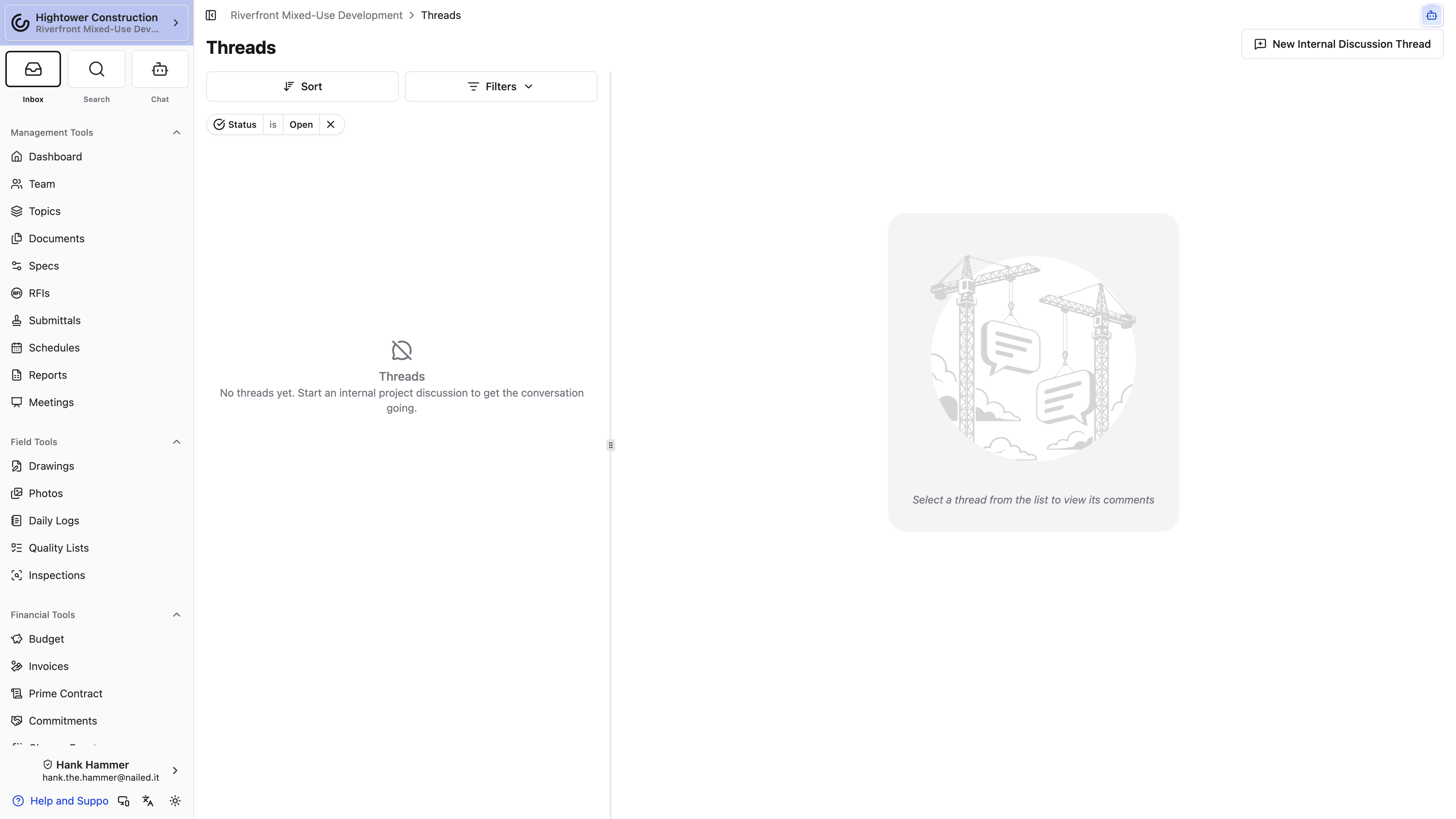
- Open Inbox in the project sidebar. The page title is Threads.
- Review the active filters; the list initially shows Open Threads.
- Filter by status, type, tags, commenter, creation date, or drawing sheet.
- Select a Thread to read its parent context and replies.
- Open the parent record when you need its complete state or workflow actions.
Thread types include internal discussions, Topics, RFIs, list items, and drawing markup. The Type filter names that last one Punch List. Inbox never bypasses permission to the parent record.
Start an internal discussion
Use an internal discussion for project-wide conversation that does not belong to a specific RFI, Topic, drawing location, or other record.
- Open Inbox.
- Select New Internal Discussion Thread.
- Enter the first message.
- Add attachments and mention the people who need to respond.
- Submit.
Internal discussions are visible only to people with View and post on the internal project discussion board. They notify people who are mentioned or have replied; mention the teammates whose attention is required.
Manage Threads
Resolve, reopen, tag, or share a Thread
- Select Resolve when no further action is needed.
- Select Reopen when work resumes.
- Use Edit Comment Thread Tags to classify the Thread for filtering.
- Use Copy Link to send a direct link to someone who already has access.
- Use Thread Notification Settings to follow all activity, only relevant activity, or none for that Thread.
Resolving preserves the conversation. It does not close an RFI, archive a Topic, or change the parent record's status. Delete a reply only when that message should be removed; the first comment defines the entire Thread.
Note: A copied link does not grant access to the Thread or its parent record.
Access and troubleshooting
Check Inbox access
Inbox and Threads work on web and native layouts. Comment viewing and editing use separate permissions. Internal project discussions require their own permission and are not available to every external project role by default.
A person must also be able to open the Thread's parent record. Inbox does not expose comments from inaccessible records.
Troubleshoot Inbox
A Thread is missing
Confirm you can open its parent record, then clear the Inbox filters. Check resolved Threads because Inbox initially filters to Open.
Not every project comment appears
Inbox is a work list. It gathers Threads you participate in, follow, receive through All Activity, or can access as internal discussions; it is not the complete comment archive.
An internal discussion is missing
Confirm View and post on the internal project discussion board and clear type and status filters.
A copied Thread link shows access denied
The link does not grant access. The recipient needs permission to the parent record.
A mention did not notify someone
Confirm the person has access to the parent record and has not disabled notifications for that Thread. The event creator is not normally notified about their own action.