The 2 Best Construction Markup Software Tools (June 2026)
Compare the 2 best construction markup software tools in June 2026. Find tools with offline access, RFI integration, and features your team will use daily.
Long gone are the days of printing plan sets, marking them up with a red pen, and hoping the right person sees your notes before something gets built wrong. Construction markup software keeps annotations tied to the sheet they belong to, tracks every revision, and syncs across your team so everyone's looking at current plans. The trick is finding tools that work when your field team loses wifi, connect directly to RFIs without re-typing everything, and that your team will actually use. We're breaking down the ones that clear that bar and what separates them from the tools that collect dust after two weeks.
TLDR:
- Construction markup software cuts into the 35% of time construction pros lose to searching for info, handling conflicts, and fixing mistakes
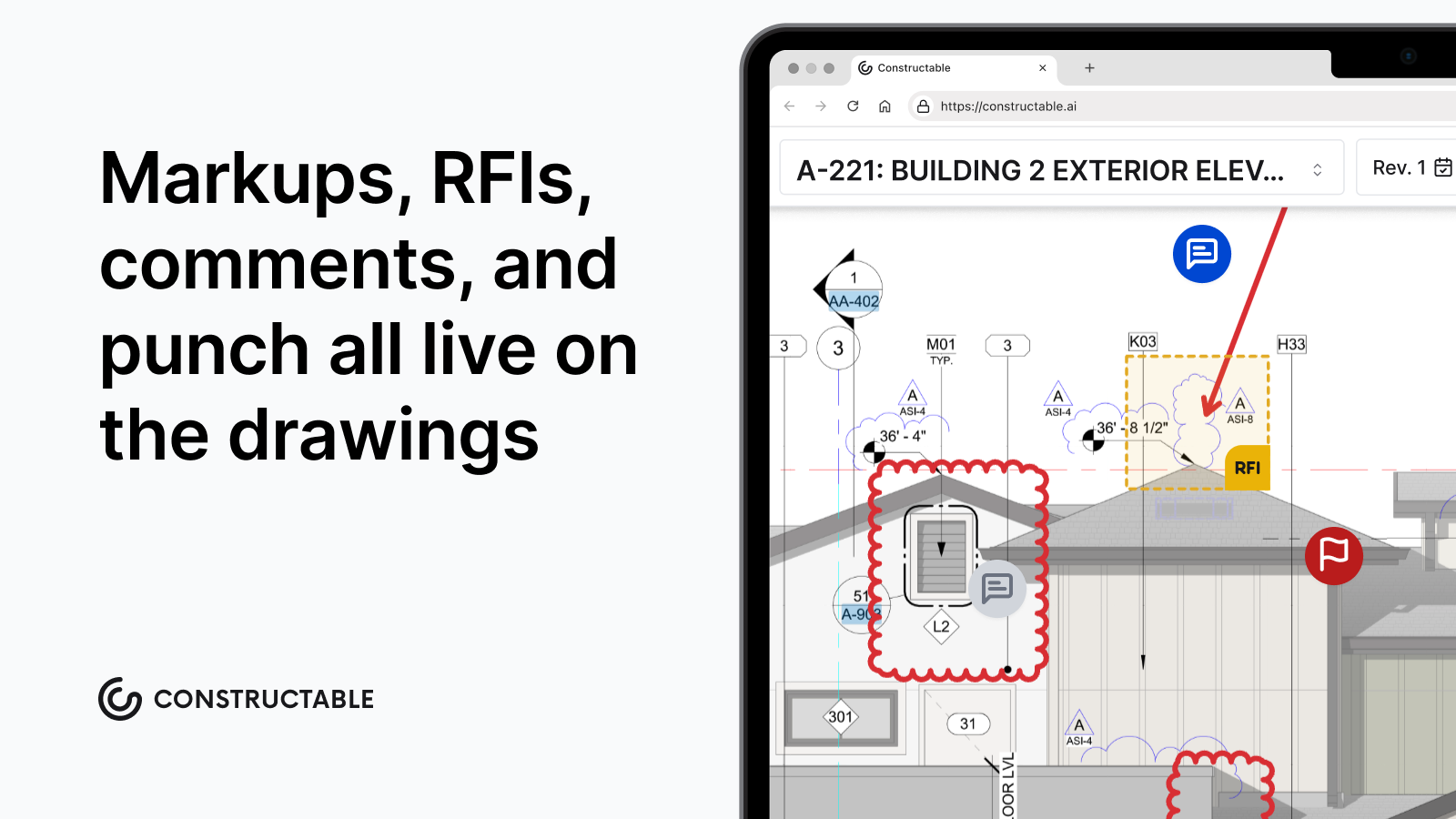
- The best tools let you pin RFIs and punch items directly to drawings, keeping all context in one place
- Cloud-based systems give your whole team (subs, architects, owner) access to current plans automatically
- Search finds answers across all your drawings and documents in seconds without digging through files
- Constructable pins everything to your drawings with flat pricing and unlimited users across all projects
What Construction Markup Software Is and Why It Matters
Construction markup software lets teams annotate, review, and collaborate on drawings without printing a single sheet. It's the digital replacement for the red pen, except the red pen doesn't notify the right people, track revisions, or log who changed what and when.
That's where the real value sits. On a commercial project, you're coordinating with architects, engineers, subs, and the owner simultaneously. Everyone needs current plans, and everyone has questions about them. Getting the right markup in front of the right person is harder than it sounds.
The FMI and Autodesk Construction Disconnected report found that 35% of construction professionals' time is spent on non-optimal activities such as searching for information, dealing with mistakes, and handling conflicts. Markup tools that keep drawing communication organized directly cut into that number by keeping everyone on the same set of plans.
Core Features That Separate Good Tools From Great Ones
A few capabilities separate the tools that actually get used from the ones that collect dust after a week or two.
- Version control and revision tracking: Without it, nobody knows if they're looking at the current set or plans from three months ago. Automatic revision tracking removes that question entirely.
- Drawing comparison: PMs need to compare revisions fast. Side-by-side and overlay modes make that possible without digging through folders.
- Annotation and measurement: Shapes, text, and dimensions should stay tied directly to the sheet they belong to, not floating in a separate file somewhere.
- Mobile and offline access: Superintendents lose wifi on jobsites constantly. If the app stops working without a signal, the markups are useless exactly where they're needed most.
- RFI and submittal integration: Markups in isolation solve half the problem. The real value comes when they connect directly to the rest of the project workflow.
Construction Markup Software Comparison: Constructable vs Procore
| Feature | Constructable | Procore |
|---|---|---|
| Drawing-Centric Architecture | Built from the ground up with drawings at the center. RFIs, quality items, submittals, and collaboration all pin directly to sheet locations without switching systems. | Drawings are one module among many. Connecting markups to RFIs and other workflows often requires navigation across multiple tools and screens. |
| Offline Access | Full offline mode with automatic sync when connectivity returns. Field teams can view drawings and create markups without internet access. | Limited offline functionality. Some features require constant internet connection, which can slow down jobsite work. |
| AI Search and Analysis | Natural language search across all drawings, specs, submittals, and documents with direct links back to source material. Answers pull from actual project files. | Search functionality available but less context-aware. Finding specific details across multiple document types requires more manual navigation. |
| User Pricing Model | Flat pricing with unlimited users across all projects. Adding subs, architects, or owner reps costs nothing extra. | Per-user pricing model. Each additional collaborator increases monthly costs, which adds up fast on projects with multiple subs and stakeholders. |
| Onboarding Timeline | Average 21 days from kickoff to full team adoption. Built for mid-size GCs who need tools that work without extensive training. | Longer onboarding process due to system complexity. Often requires dedicated training sessions and ongoing support for new users. |
| Revision Tracking | Automatic revision tracking with overlay comparison modes. System shows exactly what changed between sheet versions. | Revision tracking available through document management module. Comparison tools exist but require more setup and navigation. |
How Markup Software Reduces Rework and Drawing Errors
Rework costs construction teams 5-10% of total project value. On a $30M job, that's not a rounding error. Decades of construction rework studies indicate a range of 4–10% of total project cost across project types.
Trace those costs back, and two causes keep surfacing: miscommunication drives 26% of rework, while bad data or inaccurate information accounts for another 14-22%.
When markups live across emails and printed sets, conflicts slip through review. A dimensional discrepancy that someone would have caught in a coordinated drawing session becomes a wall that has to come down three weeks into construction. That's what poor plan communication costs.
Markup software keeps annotations tied directly to the sheet they belong to; questions and responses have context. Fewer ambiguous plans lead to fewer RFIs, which inevitably speeds things up in the field. Think of markup tools less as a convenience and more as insurance against the kind of mistake you can't unbuild.
Mobile Access and Field Usability for Jobsite Teams
Field adoption is the real test. A superintendent on a busy jobsite has no patience for login issues or drawings that won't load on spotty LTE. If the app fails without a signal, it's off the jobsite within a week.
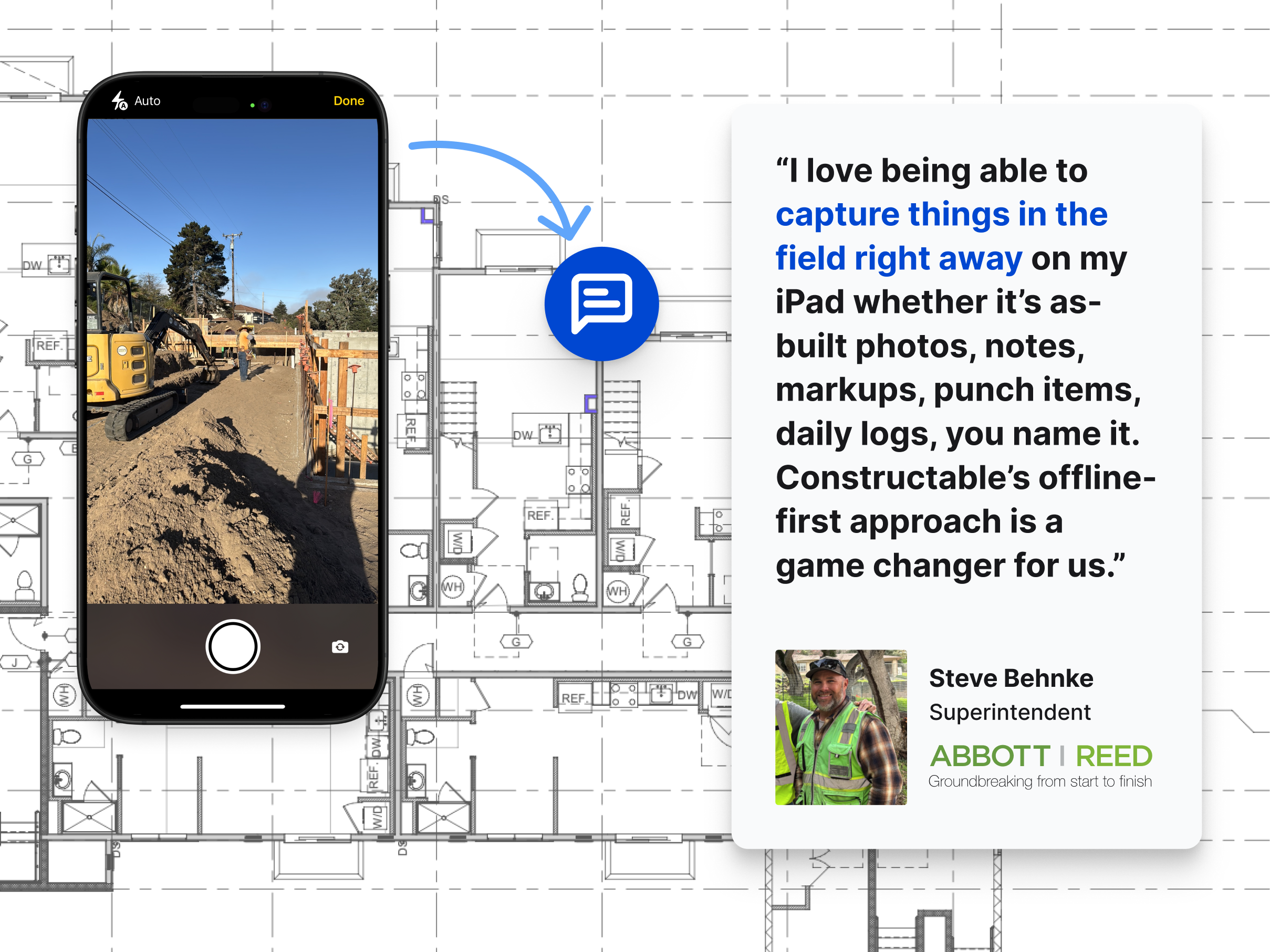
The tools that hold up in the field share a few things: drawings stay accessible offline, markups sync when connectivity returns, and attaching a photo to an issue takes seconds. Touchscreen annotation matters too—poking at a tiny input field with work gloves on is not something anyone keeps doing past day three.
What field teams actually need is simple: pull up the current sheet, pin a note, snap a photo, and move on. The office gets the update automatically. No phone call, no email chain trying to explain what they were looking at.
Integration With RFIs, Submittals, and Project Workflows
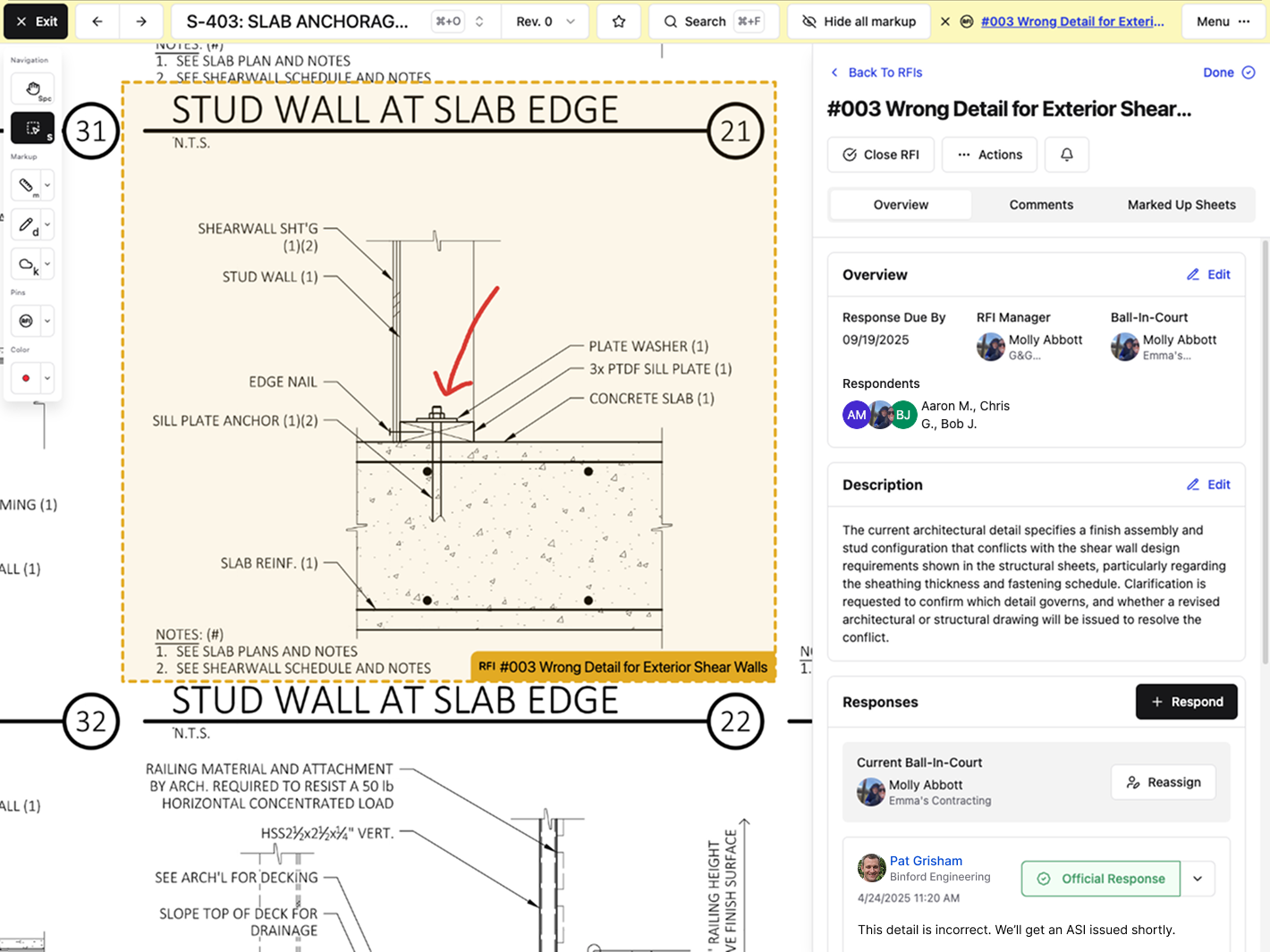
Markups that live in a silo create a second job. Someone spots an issue on a drawing, annotates it, then opens a separate system to log the RFI, re-types the location, and hopes the next person connects the dots. That's where context gets lost.
The best tools let you pin RFIs and punch items directly to the sheet where the question lives. No copy-paste, and no re-entry. The annotation becomes the record, and the record stays tied to the plan.
That matters at closeout, too. When you need to trace why a wall moved or where an approval came from, the answer should be one click from the drawing, not buried in an email chain from three months ago.
Cloud Deployment and Collaboration Across Multiple Parties
Commercial construction involves a lot of cooks. The GC, multiple subs, the architect, an engineer, and the owner's rep all need current plans. Email attachments and shared drives collapse fast under that kind of coordination.
Cloud-based markup tools give everyone a single source of truth. When plans update, everyone sees it. No more "which version are you looking at?" conversations. Permission controls keep things clean too—your sub needs drawings but not your bid documents, and your owner has no business in your internal team notes. Those boundaries should be built in, not something you have to manually manage.
Accountability matters here as well. Cloud tools track who marked what and when, which becomes a paper trail when questions surface during construction or at closeout.
The industry has made its call. Cloud solutions held 63.83% of the market share in 2025. Teams still running on printed sets and email chains are fighting uphill against those that aren't.
Search Features That Cut Through Document Overload
Construction documents are dense. A single project might involve hundreds of drawings, specs, submittals, and RFIs, and finding the right detail under deadline pressure is where things go sideways fast.
Modern search and document analysis tools are changing how teams work through that volume. Instead of flipping through PDF pages or hunting through folder structures, you can ask a question in plain language and get a direct answer pulled from the actual project documents.
The best tools in this category can:
- Cross-reference multiple documents at once, so you catch conflicts between drawings and specs before they become costly field problems.
- Pull exact clause language from contracts or specifications without needing to remember which section it lives in.
- Flag missing information or inconsistencies across submittals and RFIs automatically, instead of relying on someone to catch it manually.
For teams juggling dozens of active documents per project, this kind of search cuts real time out of the review process.
How Constructable Handles Drawing Markup and Project Collaboration
Constructable treats drawings as the center of gravity for everything else. RFIs, submittals, quality items, topics, and photos all pin directly to the sheet where the issue lives. No cross-referencing separate systems to find what someone flagged last Tuesday.
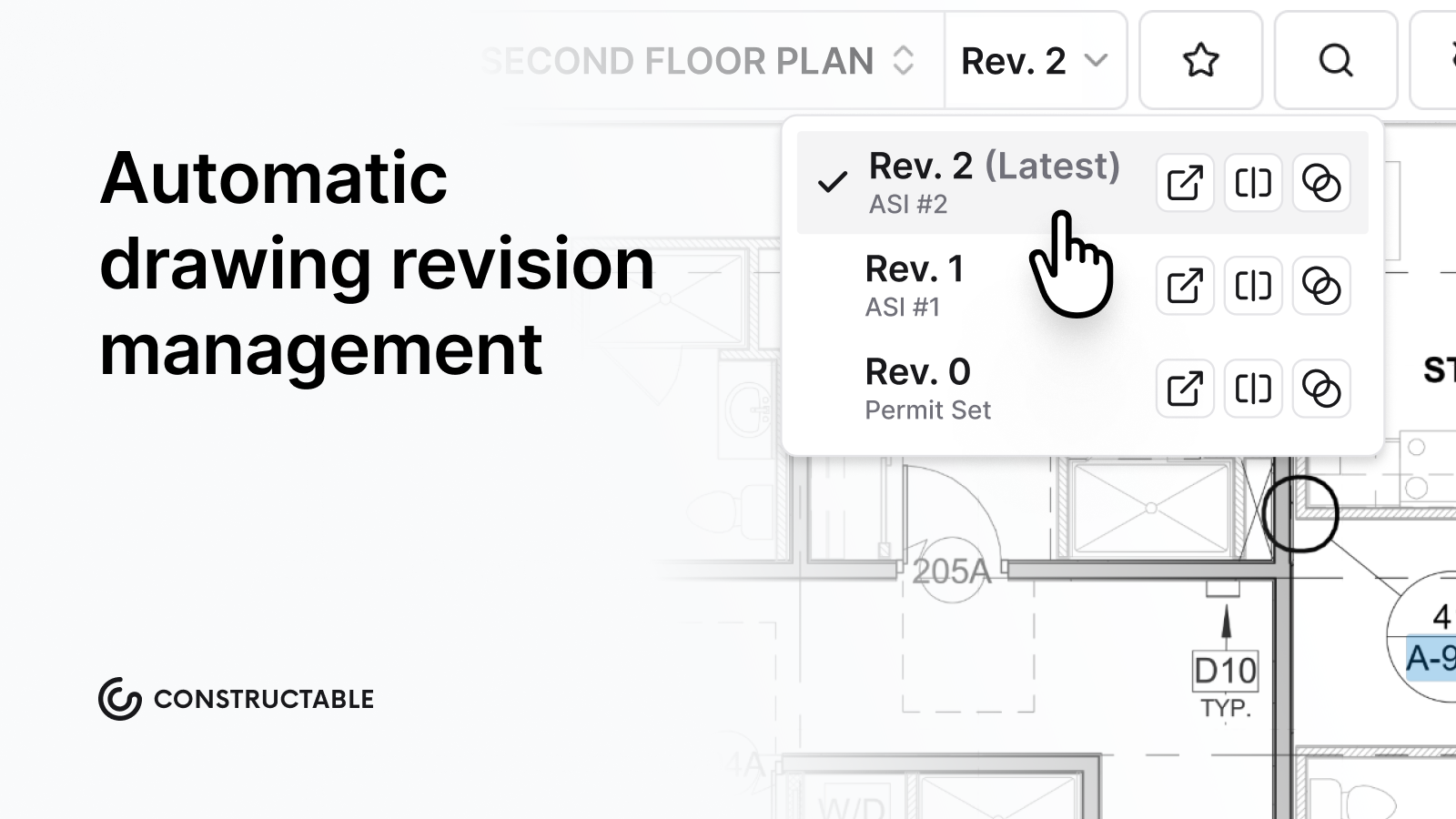
Automatic revision tracking keeps the current set front and center. When you need to compare versions, overlay modes show exactly what changed between sheets, and markup topics can stay private or open to the whole project team. The answer engine pulls across drawings, specs, daily logs, and documents in plain language, with direct links back to the source.
We built this for mid-size GCs who need real tools without enterprise overhead. Onboarding takes an average of 21 days or less. Pricing is flat with unlimited users, so adding a sub or an owner's rep costs nothing extra.
Final Thoughts on Drawing Markup in Construction
Good construction markup software should disappear into your workflow, not create a new layer of coordination work. The tools you use every day are the ones that let your team mark an issue, tie it to an RFI, and keep moving without reopening three different systems. If you're curious how we handle drawing collaboration without the usual enterprise overhead, grab 20 minutes with us, and we'll show you. Your plans should answer questions, not create more.
FAQ
Construction markup software Constructable vs Procore?
Constructable is an all-in-one system built from the ground up with drawings at the center-RFIs, quality items, and collaboration pin directly to plans. Procore is powerful but complex, often requiring multiple add-ons and a steep learning curve. If you want field teams using it day one without a training manual, Constructable is the simpler path.
Can I use construction markup software without internet on the jobsite?
Yes. The best tools let you access drawings and create markups offline, then sync automatically when you reconnect. If your app stops working without wifi, it's not built for real jobsite conditions.
How does markup software reduce rework costs?
Markup software keeps annotations tied directly to the sheet they belong to, so questions and responses have full context. That cuts down on miscommunication (26% of rework) and inaccurate information (14-22% of rework), both of which trace back to drawing coordination problems.
What's the fastest way to compare two drawing revisions?
Use overlay mode. It shows exactly what changed between sheets using color-coded differences, ghost overlays, or detail views-much faster than flipping between PDFs or printed sets.
How do I connect RFIs to the actual drawing location?
Pin the RFI directly to the sheet in the drawing viewer. The question, response, and any markups stay attached to that exact spot on the plan, so there's no guessing later about what someone was asking.